Table of Contents
Sunflower Battle Line refers to Chiến Tuyến Hướng Dương, the plant-defense game. To redeem a gift code, open your player profile, find the redemption option, enter one code, and confirm.
Codes may expire or have account and server conditions. Check the current announcement and the game's response rather than assuming a code is active because it appears in an older list.
Previously shared gift codes
The game's published benefits post included PNXD2025 and CTHDRM2025. The VIP entries below have circulated in community lists. This establishes that a code was shared, not that it remains redeemable today.
| Code | Reference status |
|---|---|
PNXD2025 | Previously included in the game's published post; check current validity |
CTHDRM2025 | Previously included in the game's published post; check current validity |
VIP666 | Community-reported; current validity unconfirmed |
VIP777 | Community-reported; current validity unconfirmed |
VIP888 | Community-reported; current validity unconfirmed |
VIP999 | Community-reported; current validity unconfirmed |
Read the reward description in the current announcement or after redemption. A generic “game item rewards” label does not establish a particular currency amount, character, or item bundle.
Redeem a code step by step
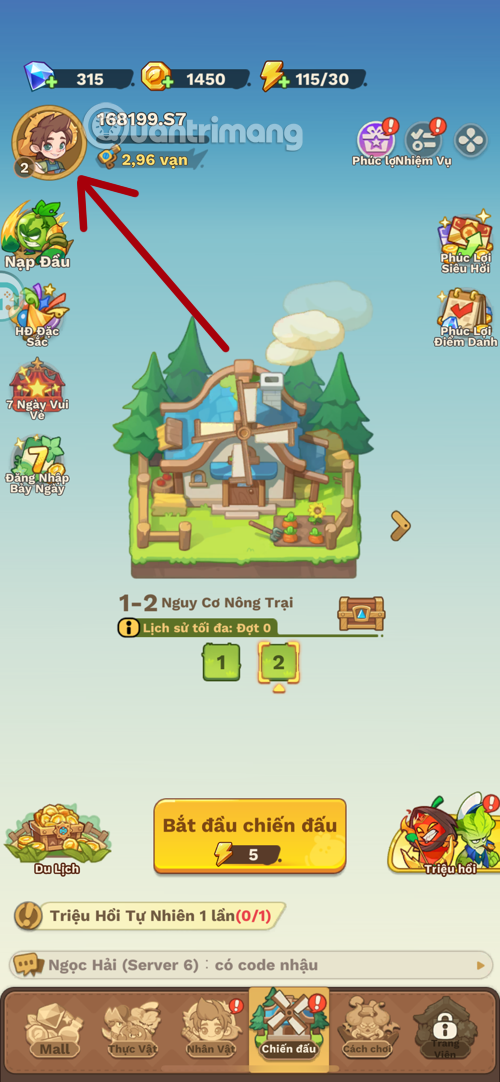
1. Open the player profile
On the main screen, tap your avatar or profile picture.
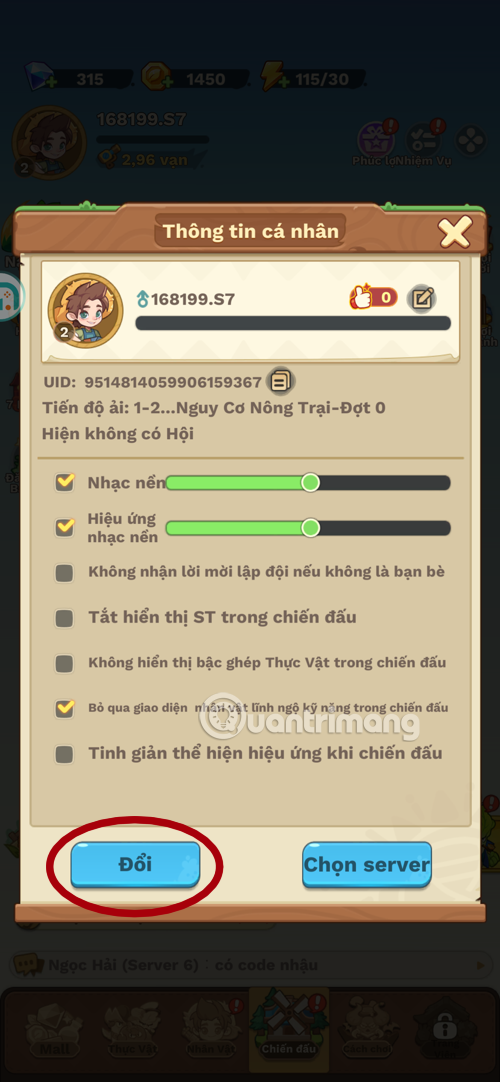
2. Find the redemption control
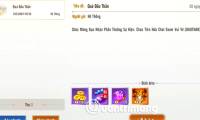
Choose the profile's code-redemption option, shown as Đổi or a translated label such as Redeem. The screenshots below show the menu location; labels can vary by release.
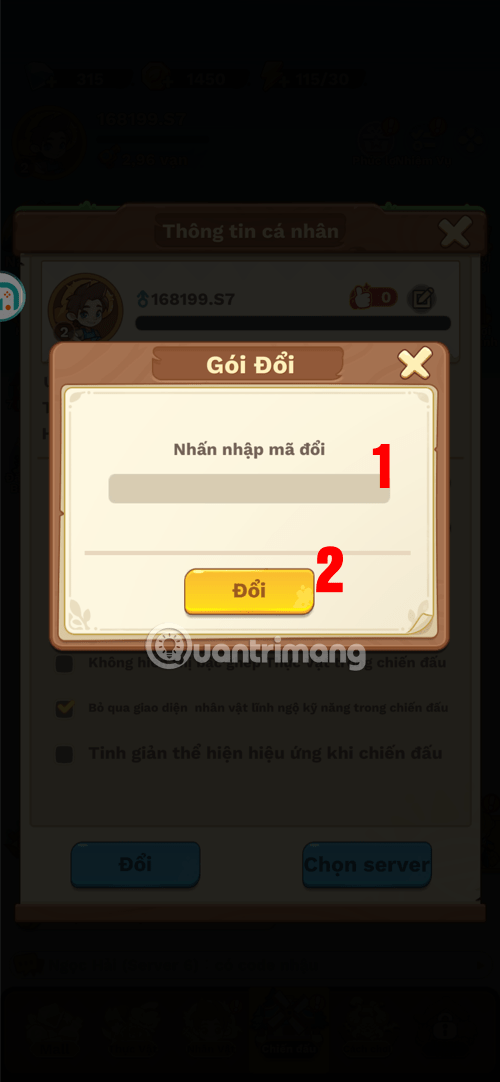
3. Enter one code and confirm
Paste a single code into the entry box and choose Redeem or the equivalent confirm button. Do not paste the entire list into one submission. Keep the exact spelling and remove accidental spaces.
Read the success or error message. If redemption succeeds but the items are not immediately visible, check the in-game mailbox and the relevant inventory category.
Why a code may fail
- Incorrect entry: Check every letter, number, and symbol.
- Expired or limited promotion: The announcement may set a deadline or redemption cap.
- Already claimed: Review previous rewards before retrying the same code.
- Eligibility: Check the actual game's account, server, or event conditions. Do not assume region restrictions listed for another game apply here.
- Connection or version: Resolve a network error or install an available update before trying again.
Find new announcements
Use links from the official Chiến Tuyến Hướng Dương website or the game's own notices to identify its current community channels. Check the announcement date, reward, and eligibility together.
Redeem through the supported game interface. A code should not require giving a third-party site your password, paying a verification fee, or installing a “giftcode generator.”




Reader Comments 0
Sign in with email or Google to join the discussion.