Table of Contents
This guide covers frontier frnl laptop - lighter than MacBook air with practical context and easy-to-follow details. Use it to understand the subject and apply the information confidently.
Japanese computer company Frontier (Japan) has introduced a new Frontier FRNL model weighing 1, 249 kg, lighter than Apple 's MacBook Air 1. 36 kg. The Frontier FRNL has dimensions of 296 x 30. 8 x 209 mm and the thickness measured in the thinnest part of the machine is 12. 5 mm. The Frontier FRNL also gives the user a surprise with the waterproof capability of the keyboard, and the resistance of the camera body under a payload of 120 kg. Frontier FRNL will still run well when dropped from a height of 76 cm. But in terms of the power of integrated apps for MacBook Air, FRNL cannot match. If MacBook Air uses an Intel Core 2 Duo processor, it speeds up the processing of 1. 8 GHz data and Intel GMA X3100 graphics card, supports 802.
11n Wi-Fi connectivity, Bluetooth 2. 1, storage drive 64 GB SSD, FRNL only supports processing speed at 800Mhz. It uses Intel A110 CPU processor, RAM capacity of 1GB of RAM, 12. 1-inch LED screen. The hard drive of the device has a capacity of 80 GB. If you want to own a light and thin laptop equivalent to the MacBook Air but have a "softer" price to fit your financial solvency, the Frontier FRNL will be a good choice. By following akihabaranews. Com website, this computer only cost more than half of the MacBook Air ($ 1, 799) Some pictures of Frontier FRNL:
FAQ
What should I check before following these steps?
Confirm device and software compatibility, save important data, and make sure you have the required permissions, files, and account access.
Why might the process not work?
Common causes include outdated software, missing permissions, incompatible hardware, an unstable connection, or completing a step in the wrong order.
Can I undo the changes if necessary?
That depends on the tool or setting. Use built-in restore options when available, keep a backup, and record the original configuration first.
Related Articles
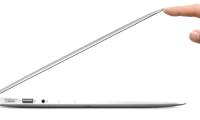 Apple Will Release Ultra-thin MacBook Air Retina This Year3 minutes read
 Top 5 MacBooks Worth Spending Money on in 20254 minutes read
 Samsung Challenges Apple with Laptops 'Lighter Than Air'4 minutes read
 The True Rival of MacBook Air Comes from Samsung3 minutes read
 Compare Macbook Pro and Macbook Air8 minutes read
 Understand the Connection and Key Presses on the Macbook5 minutes read
Reader Comments 0
Sign in with email or Google to join the discussion.