Table of Contents
This guide provides a clear, practical overview of Facebook launches virtual reality teleworking application, with useful context, important details, and straightforward takeaways for everyday readers.
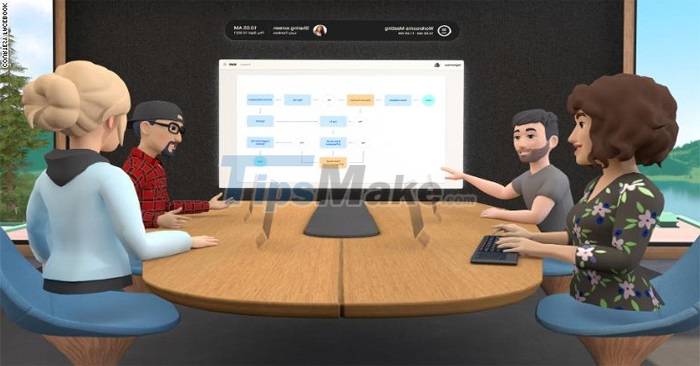
Meeting participants wearing headsets can express emotions and manipulate reality, then the avatar in the virtual meeting will move accordingly. In the meeting room there is a virtual whiteboard, helping people share images or make presentations.
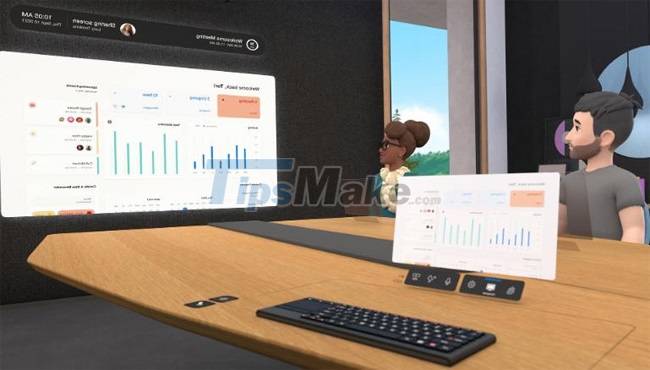
"The COVID-19 pandemic over the past 18 months has made us more confident in the importance of this technology," said Andrew Bosworth, Facebook's Vice President of Reality Labs. Vice President Bosworth further shared that Facebook has been using this application in internal meetings for about a year.
This is not the first time Facebook and Oculus (a subsidiary of Facebook) have tried to create interactions through VR. The company launched virtual hangout apps Oculus Rooms and Facebook Spaces in 2016 and 2017 respectively. However, the company discontinued both VR apps in October 2019.
Instead, they announced a virtual social world called Horizon, launching in 2020. Horizon is not yet widely available, and Facebook has confirmed that the app is still in private beta testing. .
Key Takeaways
Use the information above as a practical reference for Facebook launches virtual reality teleworking application. Review each step carefully, confirm any requirements, and choose the option that best fits your situation.
FAQ
What does this guide explain about Facebook Launches Virtual Reality Teleworking Application?
It explains the main concepts, practical considerations, and useful steps related to Facebook launches virtual reality teleworking application without requiring advanced knowledge.
Who can benefit from learning about Facebook Launches Virtual Reality Teleworking Application?
This information is useful for readers who want a clear overview, practical guidance, and reliable steps related to Facebook launches virtual reality teleworking application.
What should I check before applying this information?
Review the requirements, confirm that your device, software, or situation matches the instructions, and back up important data before making major changes.
Related Articles
 Check Out the Virtual Reality Glasses That Facebook Registered for Patents3 minutes read
 9 Best Virtual Reality Apps for Android8 minutes read
 Facebook Will Launch Horizon Virtual Reality Social Network in3 minutes read
 12 Super Attractive AR Apps for Android People9 minutes read
 What Is Facebook Spaces and How to Use This Virtual Reality Social6 minutes read
 6 Key Differences Between Metaverse and Virtual Reality8 minutes read
Reader Comments 0
Sign in with email or Google to join the discussion.