Table of Contents
This updated guide examines Facebook Automatically Opens the Iphone Camera App, Update It and organizes the essential facts, background, and practical takeaways in clear American English.
The video recorded by Joshua Maddux shows that when users surf the News Feed, the iPhone's camera is still active. According to Maddux, he checked on five different iPhones running iOS 13.2.2, all of which showed up.
This situation only occurs in iOS 13.2.2, the latest version. IOS 13.1.3 versions and Android devices are not affected.
Facebook has acknowledged this bizarre security bug. Facebook says the iPhone's rear camera error automatically opens when a user clicks on a photo that occurred in connection with the v246 update released last week to fix a minor bug in landscape screen rotation mode.
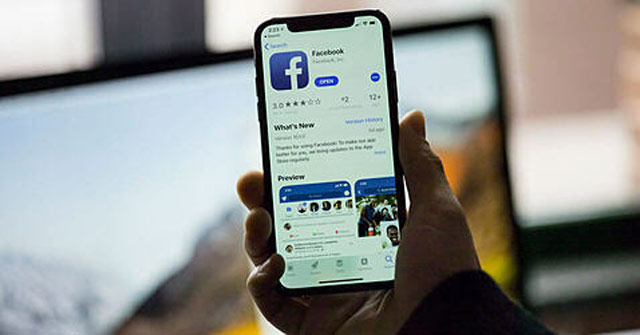
Today, Facebook has released an app update on the App Store to fix the problem. Users have been able to download immediately to fix the above problem.
In 2017, Facebook was caught in the Cambridge Analytica scandal, which leaked the personal information of more than 400 million users. After the Facebook incident, security expert Felix Krause recommends that users should block access to Facebook's camera to minimize risks, though this will make the social networking application experience imperfect.
- Facebook allows users to turn off notification dots
- Facebook launches a new logo, simple but with many implications
- Facebook and Instagram prohibit the use of eggplant and peach symbols in sensitive content
FAQ
What is Facebook Automatically Opens the Iphone Camera App, Update It about?
It provides a structured overview of facebook tracking users, explains the main context, and highlights practical takeaways for readers.
Why does this topic matter?
Understanding the main concepts helps readers evaluate the issue, avoid common mistakes, and make better-informed decisions.
How should readers use this information?
Use the guidance as a practical starting point, confirm details that may have changed, and follow current product, safety, or security recommendations.
Related Articles
 How to Update Messenger, Facebook on iPhone / iPad4 minutes read
 Chrome Automatically Opens Android Ad Tabs, How to Block Them Explained6 minutes read
 iPhone Camera Does Not Work: Common Problems and Remedies8 minutes read
 How to Use the Center Stage Feature on iPhone 174 minutes read
 Apple Released iOS 14.2.1: Fix Many Bugs on iPhone 12, Users3 minutes read
 How to Turn Off the Auto Update Feature on iPhone4 minutes read
Reader Comments 0
Sign in with email or Google to join the discussion.