Table of Contents
Explore do these 5 things to get the most out of your phone's usb-c port.
You can use it to get faster wired internet via LAN connection, charge your accessories, mirror your phone screen to a TV, and connect peripherals like microphones, keyboards, mice, and even game controllers. Best of all, you only need a cable and an adapter to turn your phone into a workstation, a media hub, a game console, or even a backup power source when needed.
Enjoy wired LAN connectivity
No lag, no disconnections, just pure speed
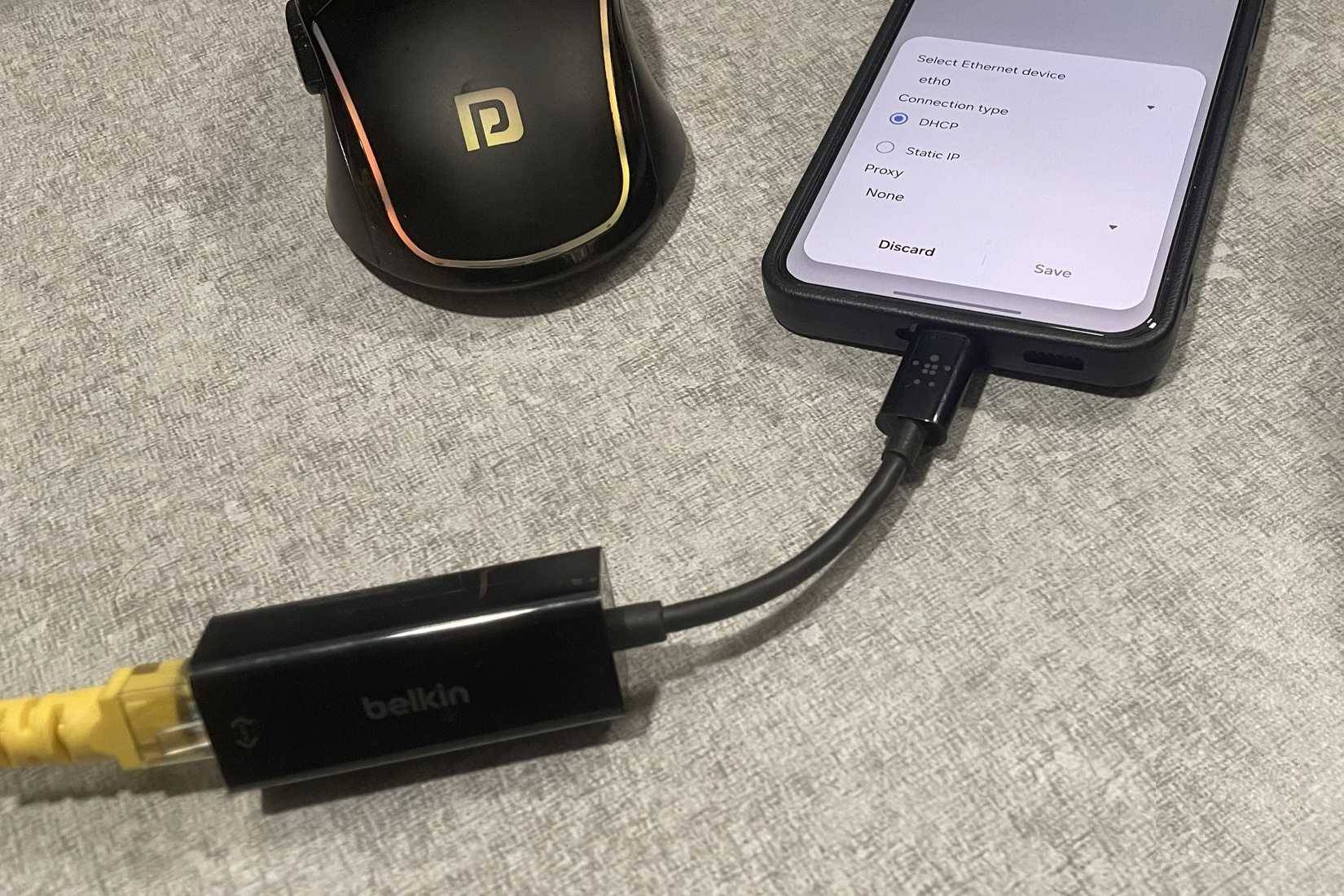
This might sound a little strange, but let the article explain. Occasionally, people connect their Android phones to their routers using an Ethernet cable. To do this, they use a USB-C to Ethernet adapter and a LAN cable connecting the router to the computer.
Whenever you need fast internet on your phone, simply connect the LAN cable using the adapter. Once that's done, just turn off Wi-Fi and mobile data from the Quick Settings panel, and you're done!
Of course, this isn't something you can do all day. But it's especially useful when backing up large photos and videos to the cloud and for online gaming. It helps avoid longer waiting times and infrequent backup errors.
Charge phones and other accessories
Nothing more than a portable power bank
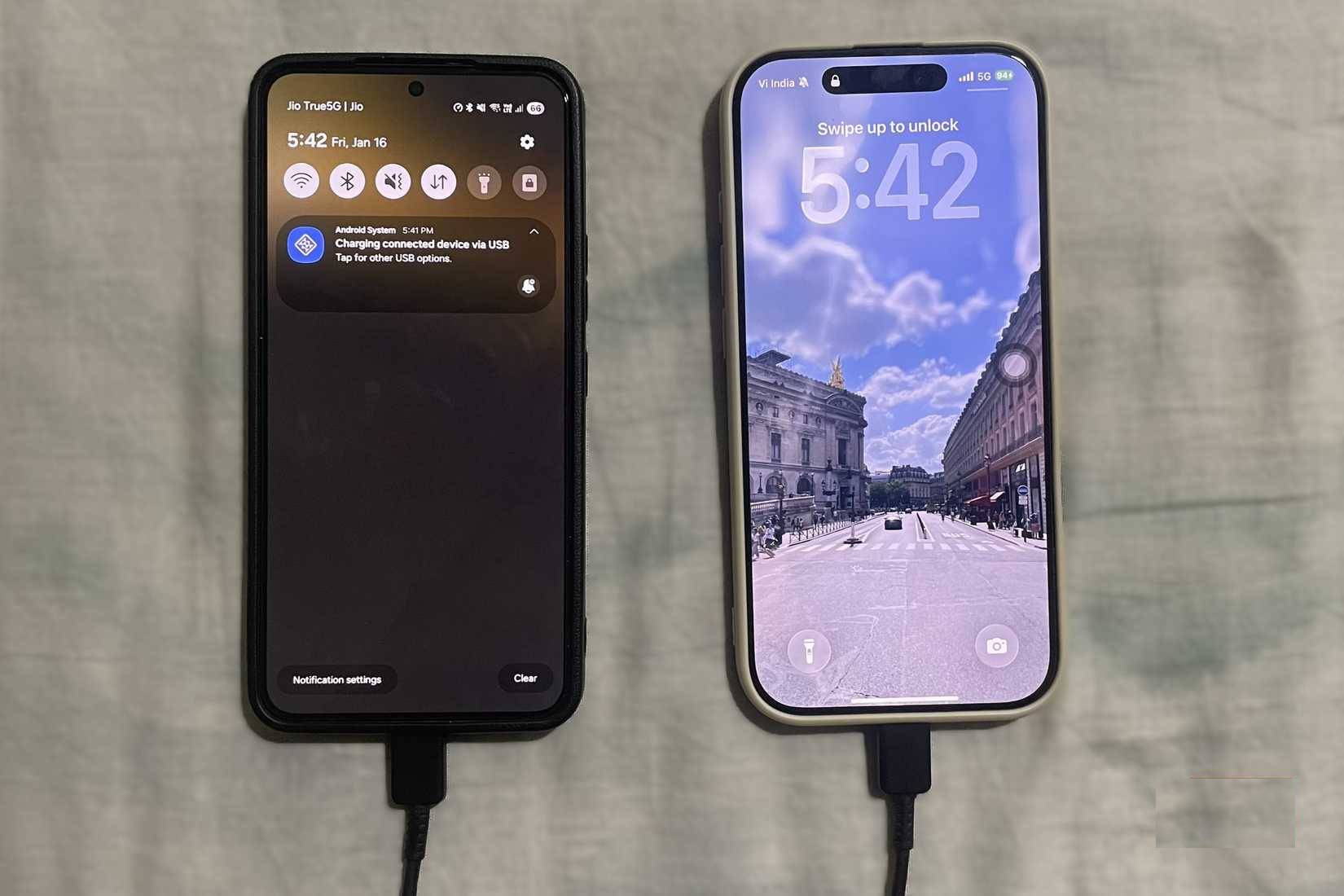
The USB-C port on your phone not only receives current but can also output power. In other words, your phone can function as an emergency power bank.
This is incredibly useful, especially now that newer iPhones also have USB-C ports. With a USB-C to USB-C cable, you can plug your phone into another phone, and whichever phone has more battery power will automatically become the charging device. People have used this feature many times to save a friend's phone that was about to run out of battery.
The same applies to accessories. You can use your phone to power wireless headphones, smartwatches, fitness trackers, and even Bluetooth speakers.
This feature is called reverse charging, and most modern phones have it. Samsung phones also have a wireless power-sharing option, turning the phone into a wireless charger. However, many people still prefer using a wired connection whenever possible because it's faster, more reliable, and also allows for file transfers.
External microphone
Professional sound with minimal setup
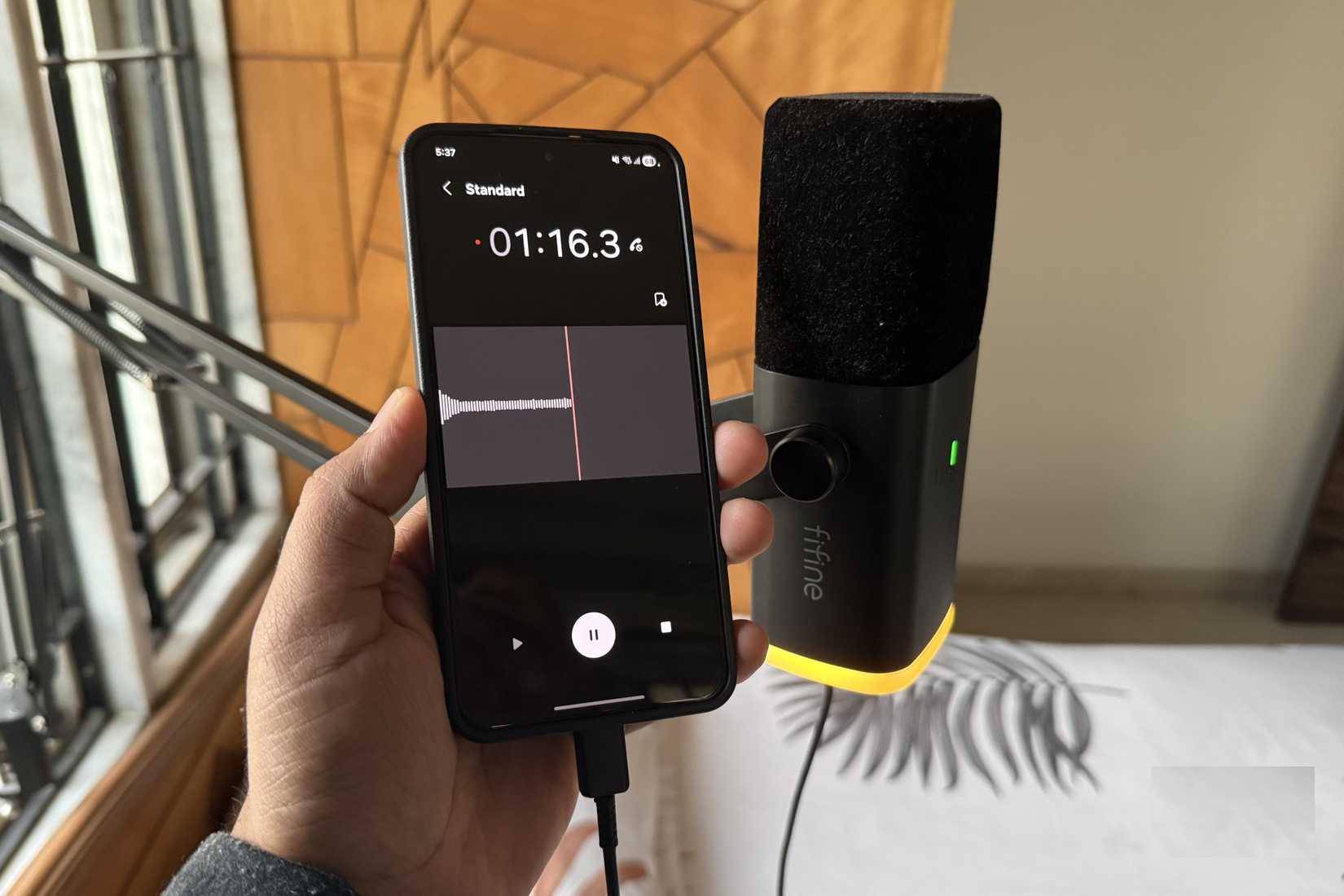
Samsung phones have a pretty good microphone, sufficient for calls, notes, and voice input, but it's not ideal for high-quality audio recording. It simply can't compete with a real microphone.
Therefore, whenever they need to record voice, some people connect their Fifine microphone to their phone using a USB cable. This makes the voice sound fuller, clearer, and much more professional.
What people love most is the simplicity of the setup. All you need is a phone, a microphone, and a cable. There's no need for a laptop to record high-quality voiceovers. You can record narration and voiceovers to get virtually no editing required.
Mirror your phone screen to a TV or computer monitor
The phone screen will be magnified
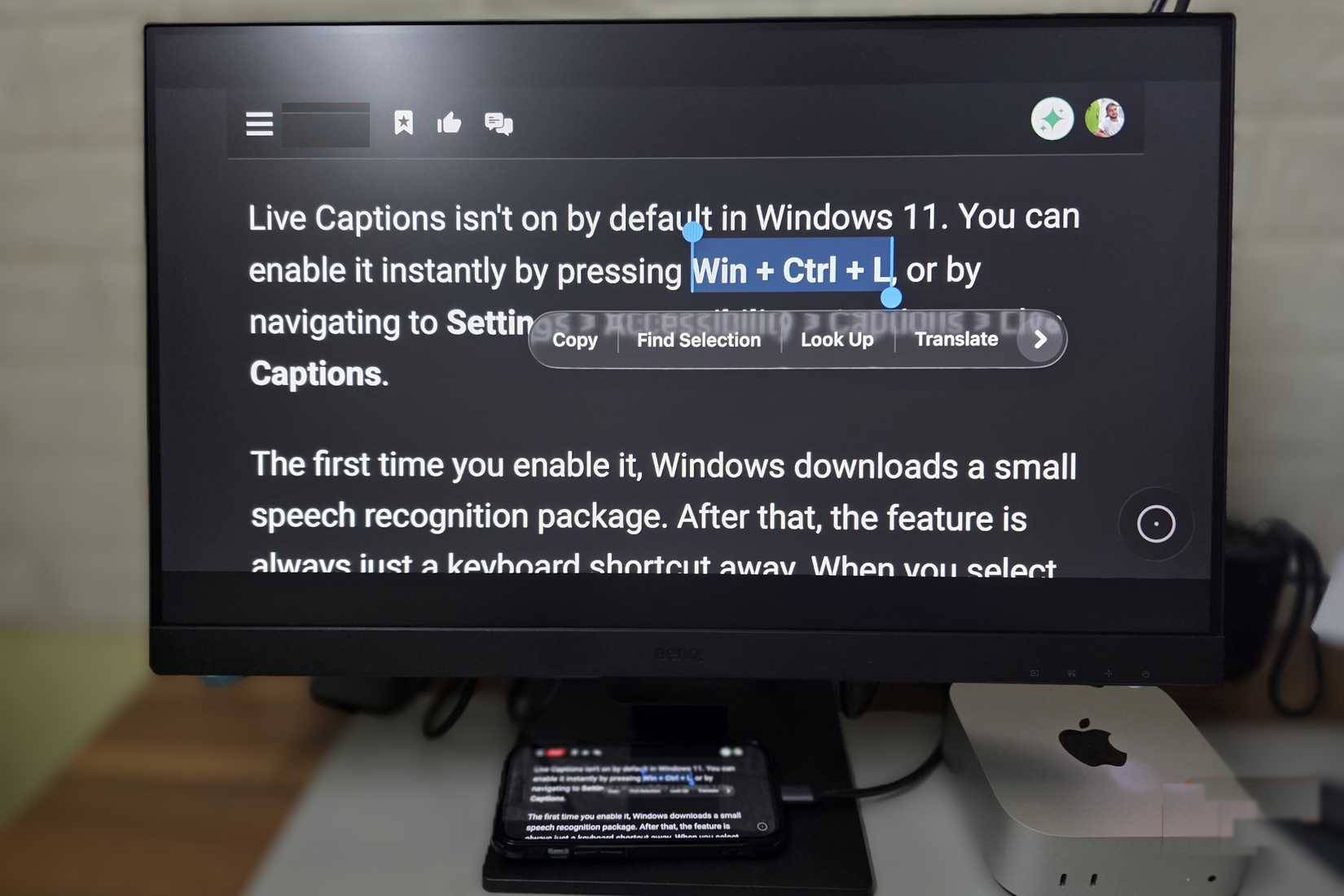
One difference between phones and computers is screen size. But with a USB-C cable and a TV or monitor that supports USB-C display, that limitation disappears.
You can connect your phone to a computer monitor or TV and project everything onto a larger screen. This is great for viewing photos and videos on a big screen, and even for quick presentations. Yes, you can also wirelessly project your phone screen onto a TV, but using a wired connection means you don't have to worry about lag or Wi-Fi connectivity.
This setup even allows you to use your phone as a temporary workstation. You can connect it to a keyboard and mouse to answer emails, edit documents, or browse the web comfortably using Chrome's desktop mode.
Mouse, keyboard, and game controller
Ignore the touch screen, plug it in for high accuracy!
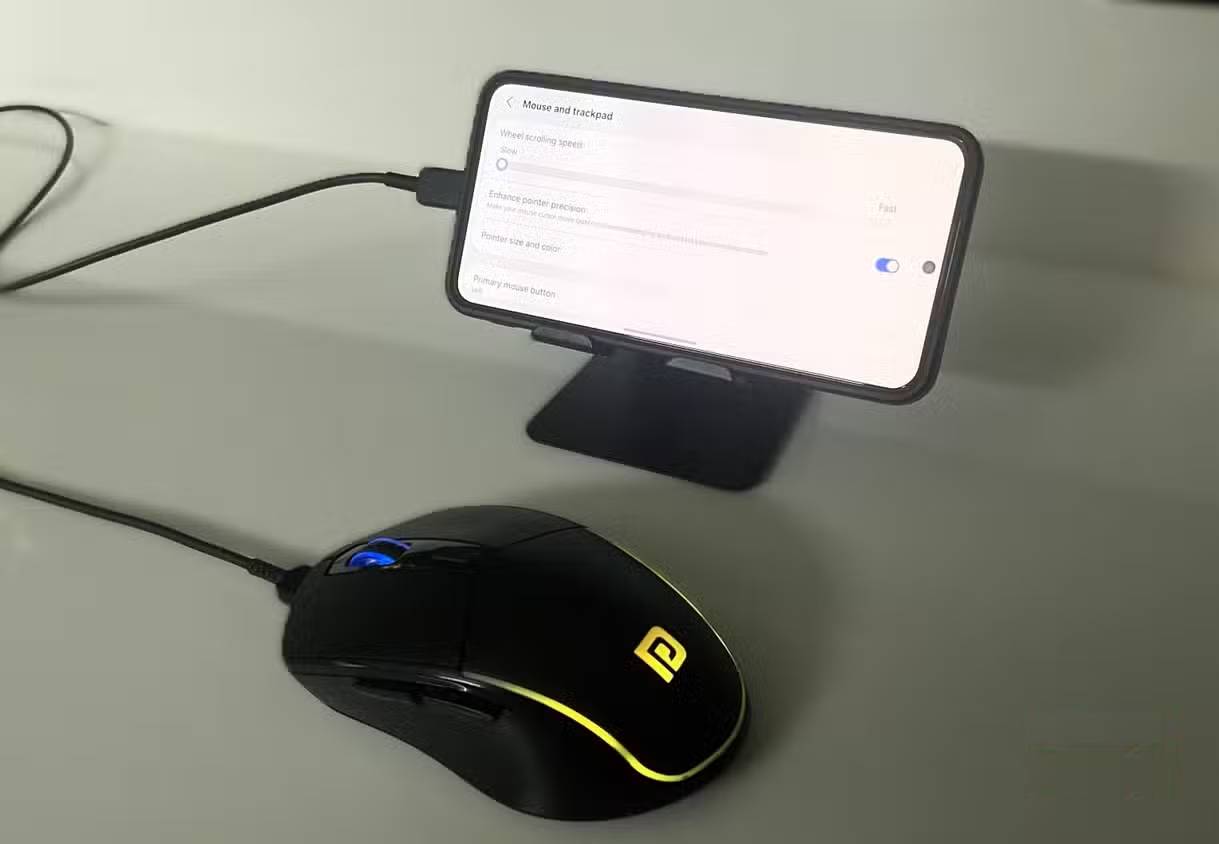
Those who use mechanical keyboards all day will find typing on a phone quite uncomfortable. For long typing sessions, connect a wired keyboard to your phone using a USB-C cable or a USB-C to USB-A adapter. This makes typing long emails or editing documents much more comfortable.
You can do the same with a mouse. This is especially useful when recording your phone screen to illustrate something, as the mouse provides a visual cursor that makes it easy for others to follow what you're doing. Another use case is when your phone's touchscreen stops working. Plugging in a mouse can help you navigate the interface and back up important data.
However, the most widely used peripheral is the game controller. It's very convenient in games that display on-screen buttons. With a controller, you can easily hide them and enjoy a cleaner game interface. The overall gaming experience feels much more like on a console.
Final Thoughts
Understanding do these 5 things to get the most out of your phone's usb-c port makes it easier to evaluate the information and apply the most relevant recommendations. Focus on the key points above and verify details that may change over time.
FAQ
What is do these 5 things to get the most out of your phone's usb-c port?
Explore do these 5 things to get the most out of your phone's usb-c port.
What key points does this article cover?
The article focuses on Enjoy wired LAN connectivity, No lag, no disconnections, just pure speed, Charge phones and other accessories, with practical explanations and examples.
How can you use this information in practice?
Use the explanations to compare options, verify important details, and make a more informed decision. Apply the recommendations that best match your goals and situation.
Related Articles
 8 Things You Can Do with Your Laptop's USB-C Port, Besides Charging8 minutes read
 What Is Port 0 Used For?4 minutes read
 Tips to Exploit the Full Potential of the USB Port on Samsung Phones7 minutes read
 What Is AAA PC Port? Why Do They Have So Many Problems?7 minutes read
 How to Change LPT Port in CMOS7 minutes read
 How to Connect Printer 2.0 USB Port to USB 3.0 Port on Windows 104 minutes read
Reader Comments 0
Sign in with email or Google to join the discussion.