Table of Contents
This guide covers close up of eee PC 1005ha with practical context and easy-to-follow details. Use it to understand the subject and apply the information confidently.
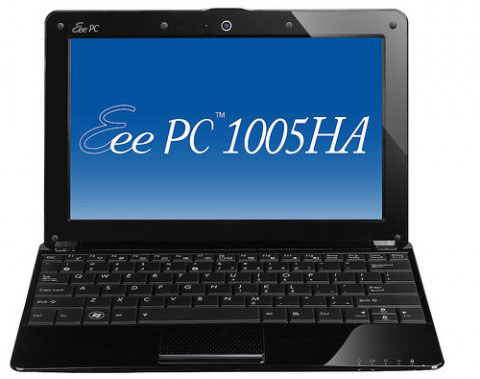
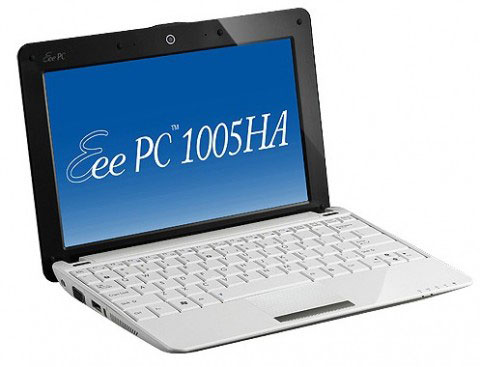 The Eee PC 1005HA has a thicker design than the Seashell Photo: Cnet .
The thickest part of the machine is a battery pack, up to 36. 5 mm, while the thinnest place is still thicker than 1008HA, 1005HA weighs 1. 3 kg, nearly equal to the previous 1000HE. It owns a 10. 1-inch wide screen, 1, 024 600 pixel resolution, standard LED screen, wide angle and pretty good display. 1005HA runs on Intel Atom N280 processor clocked at 1. 66 GHz, 1 GB RAM, 160 GB hard drive, integrated GMA 950 graphics card. Equipped with 0. 3 Megapixel camera or 1. 3 Megapixel option, fully connected, 3 cell or 6 cell battery, in which 3 cell batteries can be used for 4 hours, two different 6 cell battery versions can use 8, 5 to 10. 5 hours.
FAQ
What should I check before following these steps?
Confirm device and software compatibility, save important data, and make sure you have the required permissions, files, and account access.
Why might the process not work?
Common causes include outdated software, missing permissions, incompatible hardware, an unstable connection, or completing a step in the wrong order.
Can I undo the changes if necessary?
That depends on the tool or setting. Use built-in restore options when available, keep a backup, and record the original configuration first.
Related Articles
 How to Close the Application on Android5 minutes read
 Asus Upgraded Eee PC 1005HA and 1008HA3 minutes read
 How to Close Apps in Windows 83 minutes read
 How to Automatically Close Old Safari Tabs - Choose When to Close3 minutes read
 Frame: How to Close a Window in Java4 minutes read
 How to Turn on iPhone Use Too Close to Eyes Warning5 minutes read
Reader Comments 0
Sign in with email or Google to join the discussion.