Table of Contents
Use this guide to understand bbm updates the sticker and new features for Windows phone and the factors that affect it. The information is organized to make the topic easier to apply in practice.
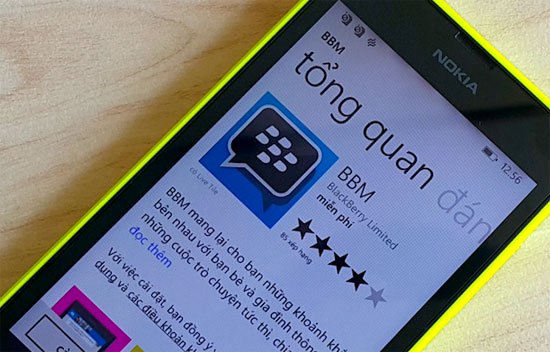
Below is a detailed list of changes:
- Messages Timed: Setting the time interval for contacts to receive messages as well as shared images in a conversation
- Message Retraction: " Retract " to delete messages from your BBM conversation
- Add more new Stickers
- HD Picture Transfer: Easier than ever to get high quality images in BBM
Video introducing new features of BBM 2.0 on Windows Phone:
Stickers:
Timed Messages:
Message Retraction:
FAQ
What is the main benefit of bbm updates the sticker and new features for Windows phone?
The main benefit is a clearer understanding of the topic and a practical way to apply the information covered in this guide.
What should I check before using bbm updates the sticker and new features for Windows phone?
Confirm compatibility, review the required settings, protect important data, and use the latest supported version whenever possible.
What should I do if the result is different?
Repeat the steps carefully, verify permissions and version differences, and consult the product's official support documentation for changes not shown in the article.
Related Articles
 What Is Sticker?3 minutes read
 How to Add Stickers to the Windows 11 Screen6 minutes read
 Sticker-style Facebook Interface Is About to Be Updated with Many3 minutes read
 How to Create and Use Stickers on Snapchat5 minutes read
 Windows Phone 8.1 Can Automatically Open Wi-Fi3 minutes read
 How to Use WWDC Sticker on iPhone4 minutes read
Reader Comments 0
Sign in with email or Google to join the discussion.