Table of Contents
New PUBG Mobile players usually lose matches for predictable reasons: aiming at the ground, fighting without cover, ignoring sound and the minimap, reloading at the wrong moment, carrying an unbalanced inventory, and moving too late for the zone. Fixing these habits improves survival more reliably than chasing a particular weapon or landing spot.
1. Keeping the crosshair too low
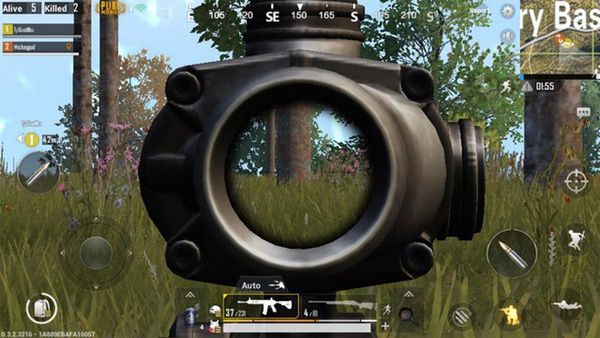
When moving through a building or toward likely cover, keep the crosshair near the height where an enemy’s upper body is likely to appear. If it points at the floor, the first part of every fight is spent correcting upward. Adjust the height for stairs, windows, crouched opponents and terrain instead of holding one rigid position.
2. Exposing the whole body to shoot
Avoid standing in the open when a tree, wall, ridge or vehicle can break the enemy’s line of sight. Enable Peek controls and practice firing from both sides of cover. Leaning still exposes part of the character, so make short, irregular peeks and relocate when the opponent has pre-aimed the corner.
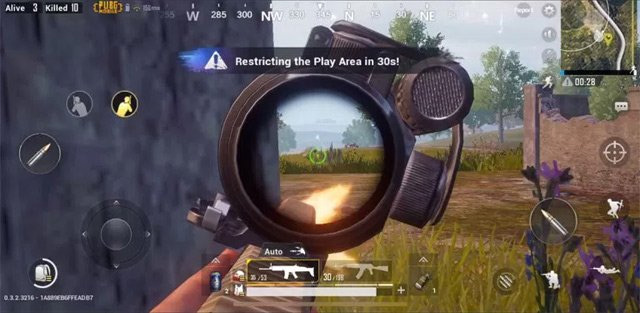
See the full setup in TipsMake’s guide to enabling and using lean peek in PUBG Mobile.
3. Ignoring sound—or playing it too loud
Headphones help separate left and right footsteps, gunfire and vehicles. Keep the volume high enough to hear useful cues but not at a level that risks discomfort or hearing damage. Pause before entering a building and compare the sound with the minimap indicator. Sound tells you direction and activity; it does not always reveal the exact floor or room.
4. Looking at the minimap too rarely
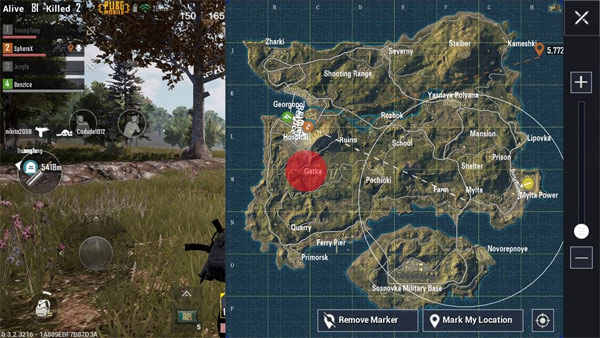
Check the minimap during every safe pause. It shows the next play zone, marked locations, teammate positions and visual indicators for nearby activity. Plan the route before the blue zone forces a rushed run, and place a marker so the squad shares the same destination.
5. Reloading after every few shots
Reload behind cover, not while crossing a doorway or chasing a damaged opponent. If the magazine still has enough ammunition to finish the immediate fight, keep it ready. At close range, switching to a loaded second weapon can be faster and safer than completing a reload.
6. Looting for too long
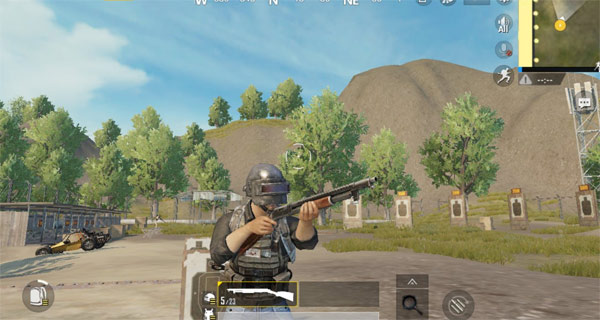
Prioritize a usable weapon, matching ammunition, armor, a helmet, healing and a backpack. Once the basic kit is functional, stop sorting items in an exposed location. Smoke the area or move the crate behind cover before browsing after a fight. A perfect attachment is not worth being caught outside the zone.
Use TipsMake’s PUBG Mobile attachment guide to decide what is actually useful for the weapons you carry.
7. Taking every shot
A distant enemy is not automatically a good target. Consider the range, available cover, the zone timer, remaining ammunition and whether firing will reveal the squad to a third party. If a shot is unlikely to produce a knock or create safe movement, tracking the enemy may be the better decision.
8. Moving without a plan
Before leaving cover, identify the next protected position and the threats that can see the route. Avoid running along an obvious skyline. When crossing open ground, use terrain, smoke and staggered squad movement rather than having everyone follow the same line.
9. Splitting the squad accidentally
Stay close enough to trade shots or revive a teammate, but do not stack so tightly that one grenade affects everyone. Communicate before pushing, driving or changing buildings. If voice chat is unavailable, use markers and quick messages consistently.
10. Testing settings in ranked matches
Practice sensitivity, gyroscope, peek behavior and a new control layout in Training Grounds or an unranked mode. Change one group of settings at a time so you can identify what helped. For troubleshooting rather than tactics, use the safe steps in TipsMake’s PUBG Mobile error guide.
A simple pre-match checklist
- Controls and audio work as expected.
- The active map resources have finished downloading.
- The squad agrees on a landing area and first rotation.
- You know which teammate is carrying extra smoke, healing or ammunition.
- The device has enough battery and is not already overheating.
Related Articles
 PUBG Mobile: the Best Way to Arrange Backpacks to Win TOP 19 minutes read
 Comparison Between PUBG Mobile VNG and PUBG Mobile International6 minutes read
 PUBG Mobile: the Most Popular Locations Vikendi8 minutes read
 How to Monitor Remote Enemies on PUBG Mobile5 minutes read
 Some Tips or PUBG Mobile When You Want to Cross the Bridge7 minutes read
 Standard Tips in PUBG Mobile8 minutes read
Reader Comments 0
Sign in with email or Google to join the discussion.