Table of Contents
This guide covers Apple released a super strong version of MacBook pro with practical context and easy-to-follow details. Use it to understand the subject and apply the information confidently.
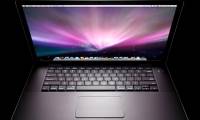
In the end, rumors of a new upgraded version of the Apple MacBook Pro laptop also came true. On February 26, Apple introduced the new MacBook Pro with a very powerful configuration. In addition to the new MacBook Pro version, Apple also released three laptops in the MacBook series with faster processors and larger hard drives. The MacBook Pro version is integrated with the latest Intel Core 2 Duo processor (clocked at 2. 6GHz, 6MB of L2 cache), larger hard drive (300GB), and 2GB of RAM as most MacBook Pro models. Apple also incorporates the latest NVIDIA graphics chip version with up to 512MB of video memory, and a new and innovative multi-tap mouse tap system.
Meanwhile, three new versions of the MacBook are also equipped with faster chips and larger hard drives. Specifically, the two MacBook models with 2. 1GHz and 2. 4Ghz chips are equipped with 120GB hard drives and 160GB (5400 rpm); and the remaining 2. 4GHz version (in black) is equipped with a 250GB hard drive (4500 rpm). All of these laptops have 2GB of RAM. Prices for the new MacBook and MacBook Pro versions are $ 1, 099 and $ 1, 999, respectively.
FAQ
What should I check before following these steps?
Confirm device and software compatibility, save important data, and make sure you have the required permissions, files, and account access.
Why might the process not work?
Common causes include outdated software, missing permissions, incompatible hardware, an unstable connection, or completing a step in the wrong order.
Can I undo the changes if necessary?
That depends on the tool or setting. Use built-in restore options when available, keep a backup, and record the original configuration first.
Related Articles
 Super Speed MacBook Pro Series Released in September3 minutes read
 MacBook Air // Pro Retina Will Be Released in June 20133 minutes read
 Apple Officially Launched a New Version of the MacBook Air3 minutes read
 MacBook Air Computers Will Be Released in the Summer3 minutes read
 New Generation MacBook Air May Debut This Week3 minutes read
 Macbook 2009 - Healthy, Competitive Price7 minutes read
Reader Comments 0
Sign in with email or Google to join the discussion.