Table of Contents
Regular Windows 10 support ended on October 14, 2025. Your PC can still start and run compatible apps. To keep receiving eligible Windows security fixes on a supported consumer device, enroll in Extended Security Updates (ESU). Microsoft currently lists October 12, 2027 as the consumer program’s end date.
Check the PC and enroll in consumer ESU
Open Settings > System > About and look for Windows 10 version 22H2. Install available updates, then open Settings > Update & Security > Windows Update and look for the ESU enrollment option. Check Microsoft’s consumer ESU page for eligible editions, account requirements, and the enrollment options in your region. Microsoft says coverage for already-enrolled consumer devices continues automatically through the extended deadline.
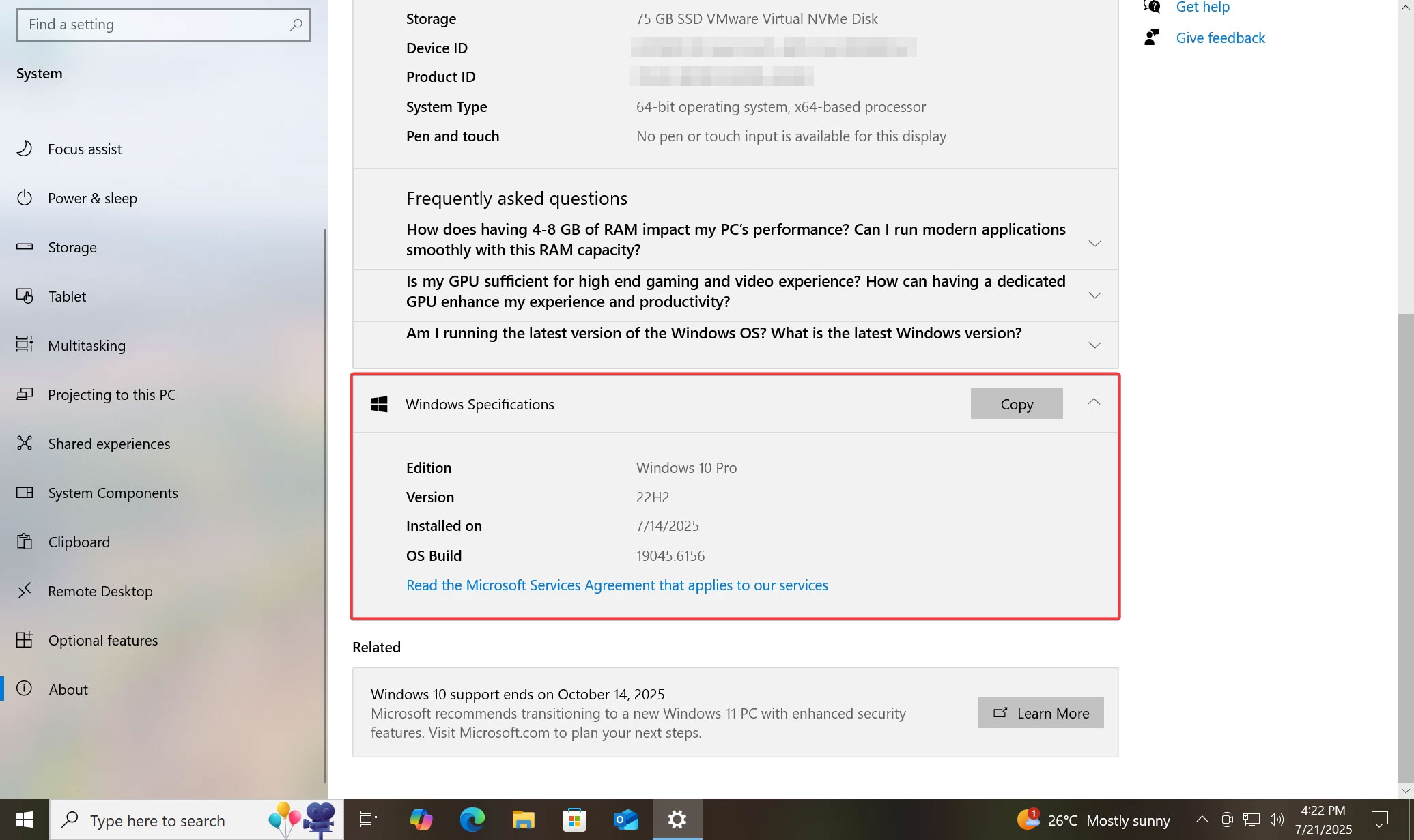
ESU covers eligible security fixes. It does not bring back normal feature development or full product support. A work-managed PC may have a separate commercial enrollment process and timeline.
Check application support separately
Browsers, games, and office applications have their own support schedules. Check the vendor for apps you rely on. Microsoft publishes a separate Microsoft 365 Apps timeline. Application updates do not patch the Windows operating system.
Choose what to run after Windows 10
- Compatible PC: Run Microsoft’s PC Health Check, back up your files, and use the official Windows 11 upgrade when Windows Update offers it.
- Incompatible PC: Use ESU as time to plan a supported replacement or test another supported operating system. Check printers, work apps, and accessibility needs before switching.
- Any migration: Make and verify a backup before changing drives or operating systems. Follow the Windows backup lesson or set up File History for personal files.
Related Articles
 List of MSI motherboards that support Windows 11
 Why did Microsoft end support for Windows 8.1?
 Why will so many people leave Windows forever when Windows 10 support ends?
 How to enable / disable TRIM support for SSDs in Windows 10
 Instructions for setting up Windows Hello face recognition on Windows 10
 Windows 7 is equipped with SHA-2 Support, which supports future updates
Reader Comments 0
Sign in with email or Google to join the discussion.