Table of Contents
This guide organizes the entries in "7 Great Distance Measuring Apps for Mobile Devices" and explains what each option, idea, or example offers. It also highlights practical details that matter when comparing the choices.
- The Best Pedometer Apps for Android and iOS
1. GPS Distance Calculator Trails
- Download GPS Distance Calculator Trails for Android
Whether you are hiking, cycling, walking or driving, GPS Distance Calculator Trails has you covered. It is one of the simplest distance measuring apps. Just grant location permissions, set your starting point and start moving. That's it!
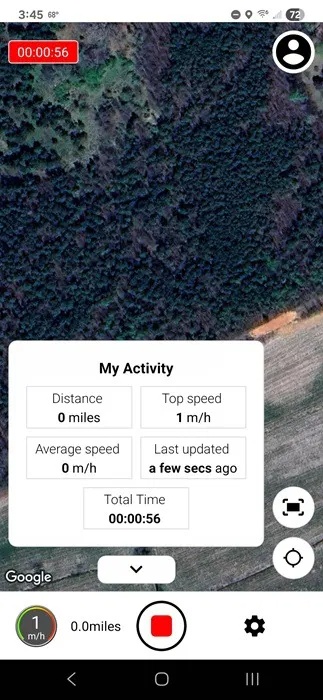
The best part is that you can choose the map style. This allows you to view your measured trails the way you want. You can also set your preferred unit of measurement. As mentioned, it's super easy.
2. Footpath Route Planner
- Download Footpath Route Planner for Android | iOS
While most hiking distance measuring apps measure distance as you go, Footpath Route Planner measures it during the planning stage. Want to Confirm that fun trail isn't too long or too steep? Just use your finger to accurately measure distance.
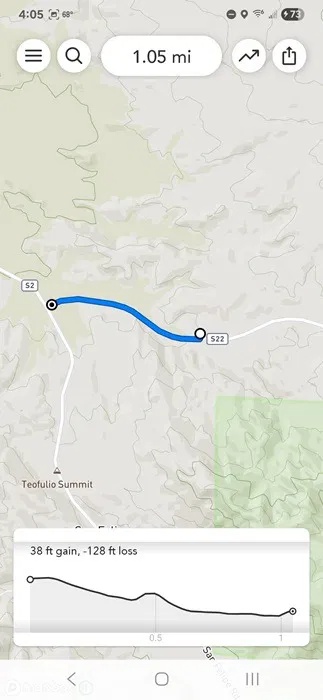
What makes this app different is that it doesn't just measure distance. It also measures elevation to help you more accurately determine the steepness of a trail before you hike.
3. GPS Fields Area Measure
- Download GPS Fields Area Measure for Android | iOS
GPS Fields Area Measure lets you start with a map and use it to measure the distance between two or more points. Measure the distance between two cities, the length of a road, or the perimeter, such as a field or other piece of land.
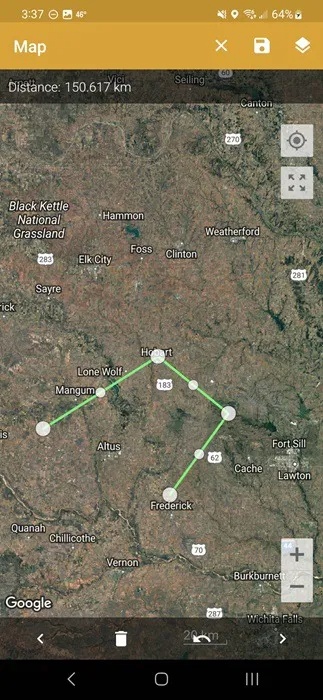
This app is designed for farmers who want to quickly measure the perimeter of their fields. However, it is really for anyone who wants to measure distances and perimeters around the world.
4. AR Ruler 3D
- Download AR Ruler 3D for Android | iOS
AR Ruler 3D, or AR Ruler App on the Google Play Store, turns your phone's camera into a tape measure. Whether you're renovating a room, designing a garden, or setting up a new floor plan, this app can help. It can handle everything from simple line measurements to volumes and distances.
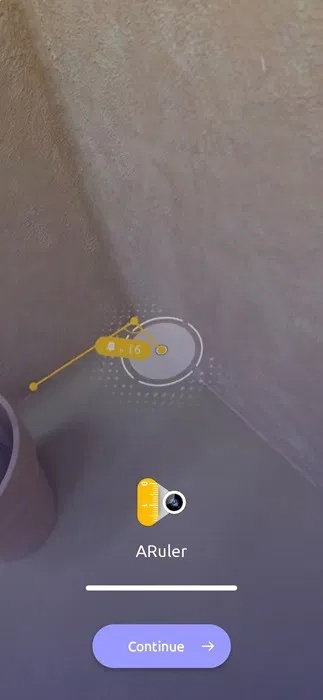
The app uses LiDAR technology to measure objects. Just gently move your phone according to the instructions in the app and you can start measuring your target. Choose the units of measurement (both metric and imperial), along with your measurement type, such as line, distance, volume, etc. The app even automatically detects shapes.
5. Map My Walk
- Download Map My Walk for Android | iOS
Want to know how far it is to walk from your favorite coffee shop to your house? Just use Map My Walk. The app tracks almost everything about your walk, like route, speed, and distance, using your phone's GPS.
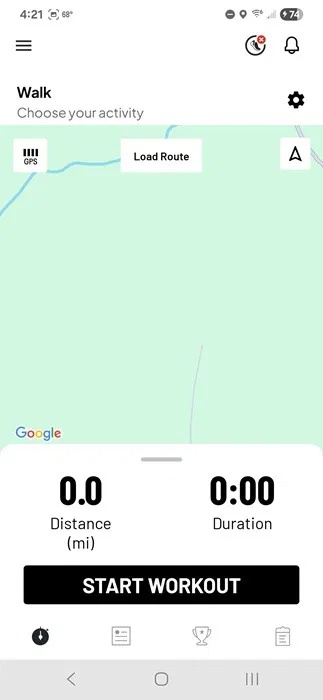
Unlike the other distance measuring apps on this list, this one is designed for fitness purposes, and even integrates with some fitness trackers and apps. There are even multiple walking and activity types to choose from. You can even use it to measure the distance of a hallway.
6. Google Maps
- Download Google Maps for Android | iOS | Web
While all the other apps on this list have paid options, Google Maps is free. Sure, you may have used it for traveling, but did you know it also has a built-in distance measuring tool? If you want to see distances for more than just a planned route, open the Measure Distance tool to get started.
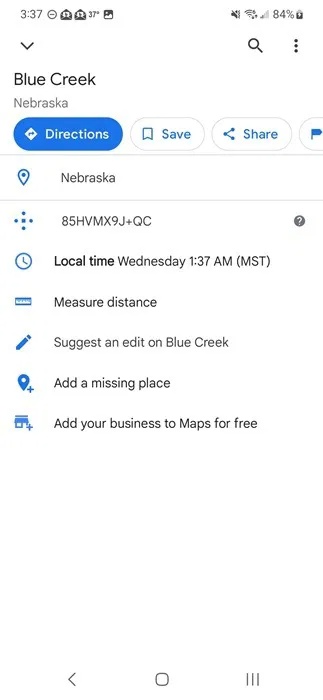
Measure areas as big or small as you like. Zoom in to measure your yard or the width of a local lake. Or, check the distance between cities, states, or countries. Right-click (Web) or long-press (App) the first point on the map. Select Measure distance , then select the other point(s). If you don't see this option, swipe up to see more options. The options can be straight lines or any shape you want.
7. GPS Land Measurement and Survey
- Download GPS Land Measurement and Survey for Android | iOS
GPS Land Measurement and Survey is a distance measurement and area calculation application in one. This application is mainly designed for land surveying, providing both manual and GPS measurement modes.
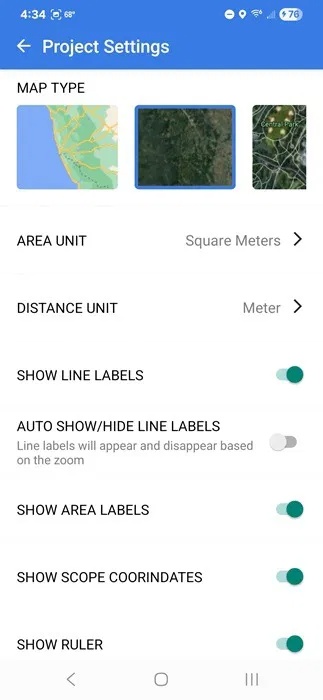
Maps looks like most other map apps, but use the Area, Distance, and Perimeter measurement tools in the lower right corner to select the target you want to measure. Choose between touch, range, draw, coordinates, and live GPS to plot your points. Once you've plotted your points, the distance and any other information will appear at the top and on the map.
FAQ
What should you know about 1. GPS Distance Calculator Trails?
Download GPS Distance Calculator Trails for Android
What should you know about 2. Footpath Route Planner?
Download Footpath Route Planner for Android | iOS
What should you know about 3. GPS Fields Area Measure?
Download GPS Fields Area Measure for Android | iOS
What should you know about 4. AR Ruler 3D?
AR Ruler 3D, or AR Ruler App on the Google Play Store, turns your phone's camera into a tape measure. Whether you're renovating a room, designing a garden, or setting up a new floor plan, this app can help. It can handle everything from simple line measurements to volumes and distances.
Related Articles
 How to Measure the Distance Between Two Points on Google Maps5 minutes read
 Is Measuring the Distance with an Electronic Ruler Accurate7 minutes read
 Top Best Exercise Apps: What You Need to Know7 minutes read
 Top Running Applications, Measuring Running Distance: What You Need to Know5 minutes read
 What Are the Key Mobile App Design Services?8 minutes read
 How to Secure Bluetooth Devices1 minutes read
Reader Comments 0
Sign in with email or Google to join the discussion.