Table of Contents
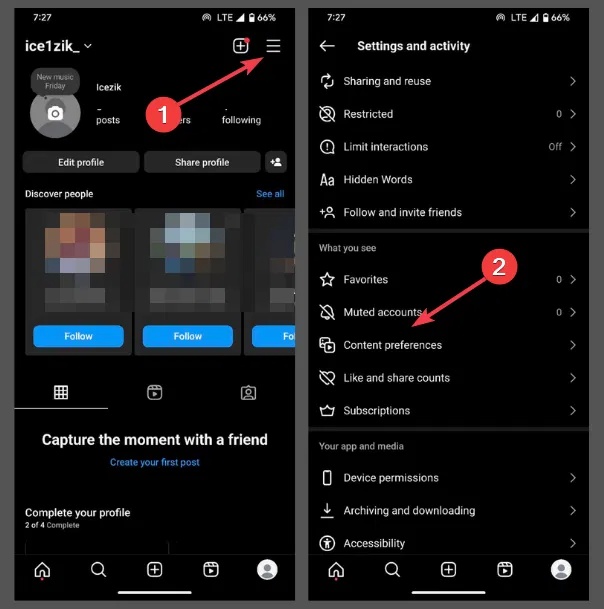
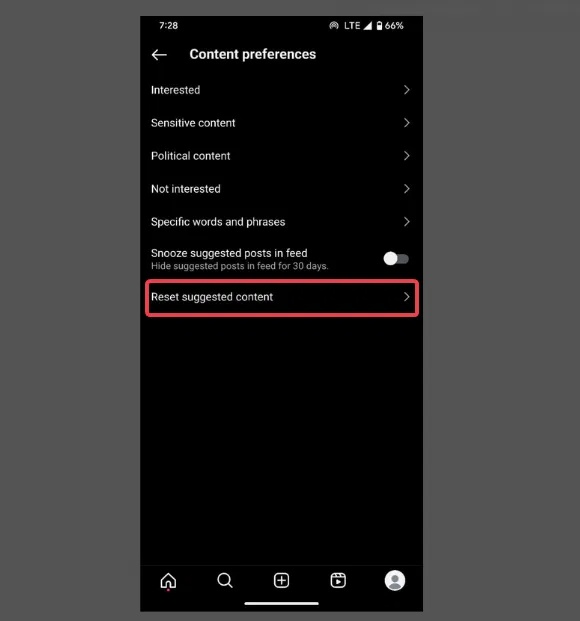
To reset Instagram recommendations, open the app and go to Profile > Menu > Content preferences > Reset suggested content. The reset gives recommendations in Feed, Reels, and Explore a fresh start. By itself, it doesn’t unfollow accounts.
Reset suggestions in the Instagram app
- Tap your profile picture, then tap the three-line menu. Under What you see, look for Content preferences. On some versions, you can also reach it from the three-dot menu on a suggested post.
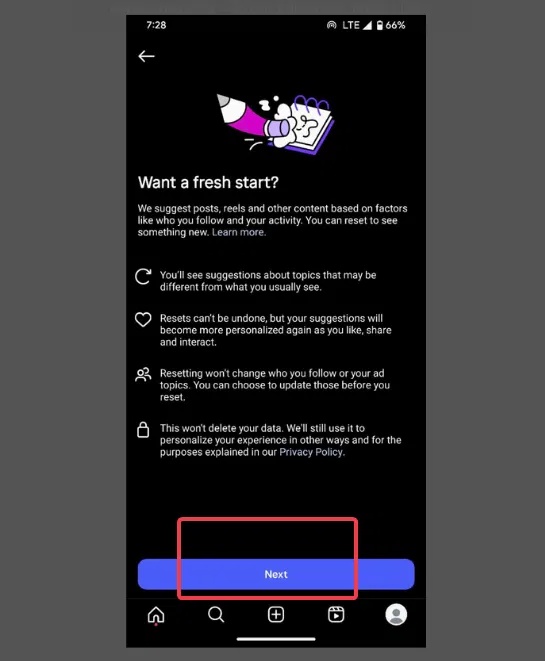
- Tap Reset suggested content and read the explanation, then tap Next.
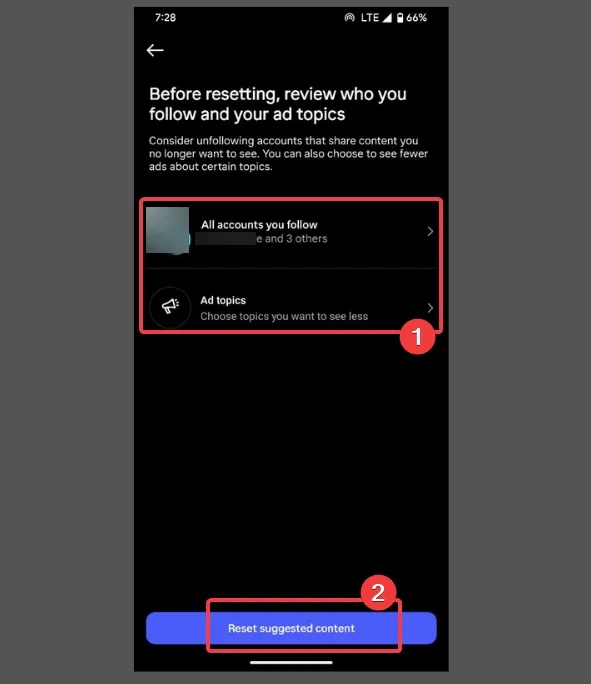
- Review followed accounts if you want to change them manually. Confirm the reset only if you want to rebuild your recommendations.
Guide what Instagram shows next
Recommendations will personalize again as you interact with posts and accounts. On a suggestion you don’t want, open its menu and select Not interested if available. Use Following when you want to browse posts from accounts you follow. Meta describes the reset as a change to recommendations. Use the ad settings for ad preferences.
If you can’t find the option, update Instagram and look again under Content preferences. If your actual problem is that Instagram won’t load or accept actions, start with these Instagram connection and account checks.
Related Articles
 Instagram is committed to adjusting the algorithm to limit the display of 'possibly harmful' content to users
 What determines what YouTube shows on your feed?
 Instagram tightens algorithms and censorship policies for racist acts
 Instructions for finding or creating an RSS feed for a website
 Threads tweaks algorithm to combat Bluesky's rise
 How to retrieve an Instagram password
Reader Comments 0
Sign in with email or Google to join the discussion.