Table of Contents
This guide organizes the entries in "6 Best Extensions for YouTube" and explains what each option, idea, or example offers. It also highlights practical details that matter when comparing the choices.
1. TLDR
YouTube is flooded with sensational content as creators compete for views. From misleading titles to thumbnails, it's increasingly difficult to tell whether the video you're watching will deliver on its promise. But how do you know if a video is worth watching before you click play?
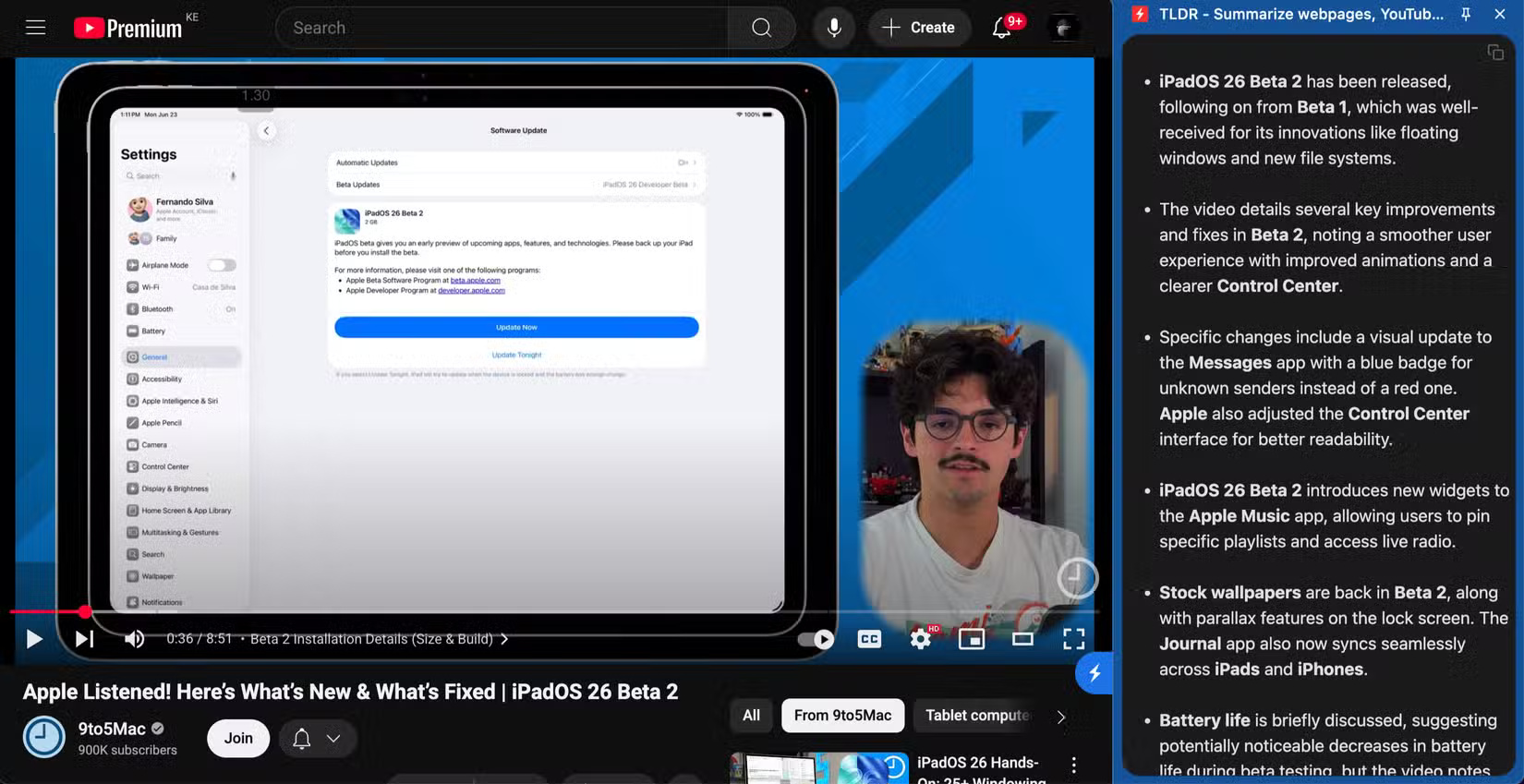
That's where the TLDR (Too Long; Didn't Read) extension comes in handy. It's a Chrome extension that extracts the main points from any YouTube video, so you can see what's being said and decide whether it's worth watching without wasting your precious time.
2. Video Speed Controller
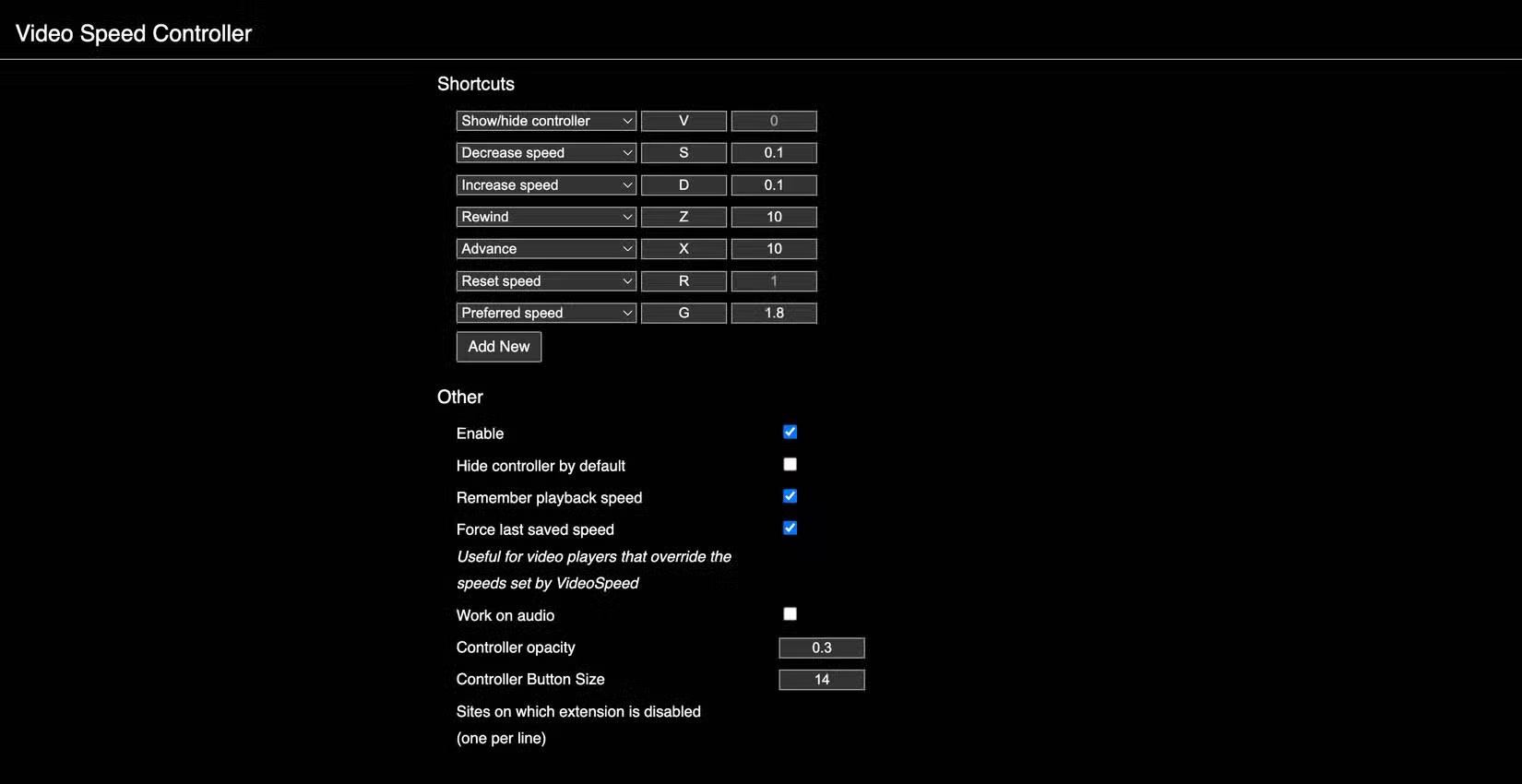
Sure, YouTube has a dedicated feature to control the playback speed of videos. But while it's robust enough with plenty of default options and customization options for finer control, it's not perfect. When you change the playback speed of a video, it only affects that video. When you play the next video, YouTube resets the playback speed to normal.
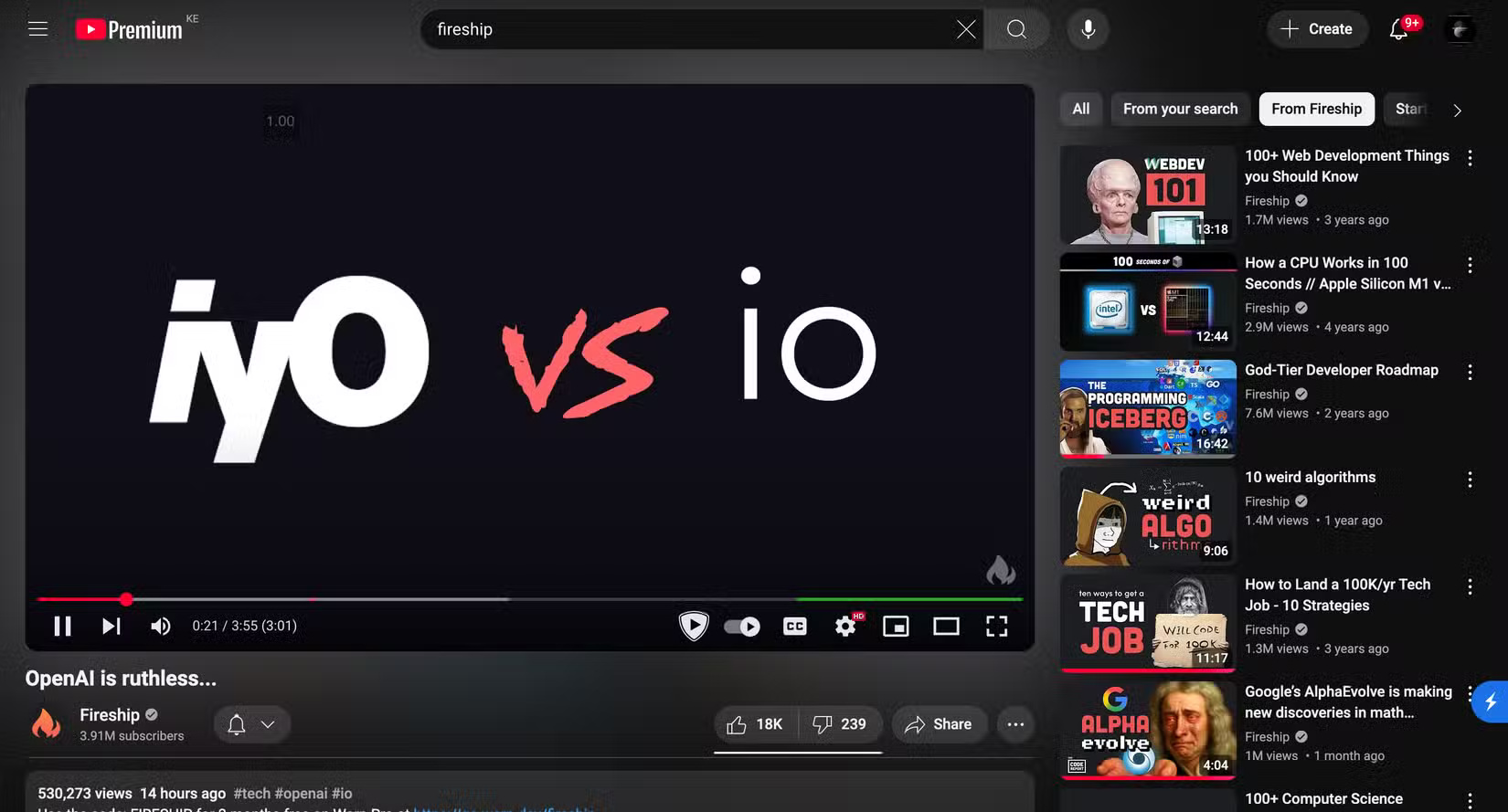
If you like to play videos at a certain speed, you'll quickly get frustrated having to make the same adjustment over and over again. That's why people use Video Speed Controller to handle this automatically by enabling both Remember playback speed and Force last saved speed in the extension settings. It gives you a control button in the top left corner of the video that you can click at any time to change the playback speed.
3. YouTube Auto HD + FPS
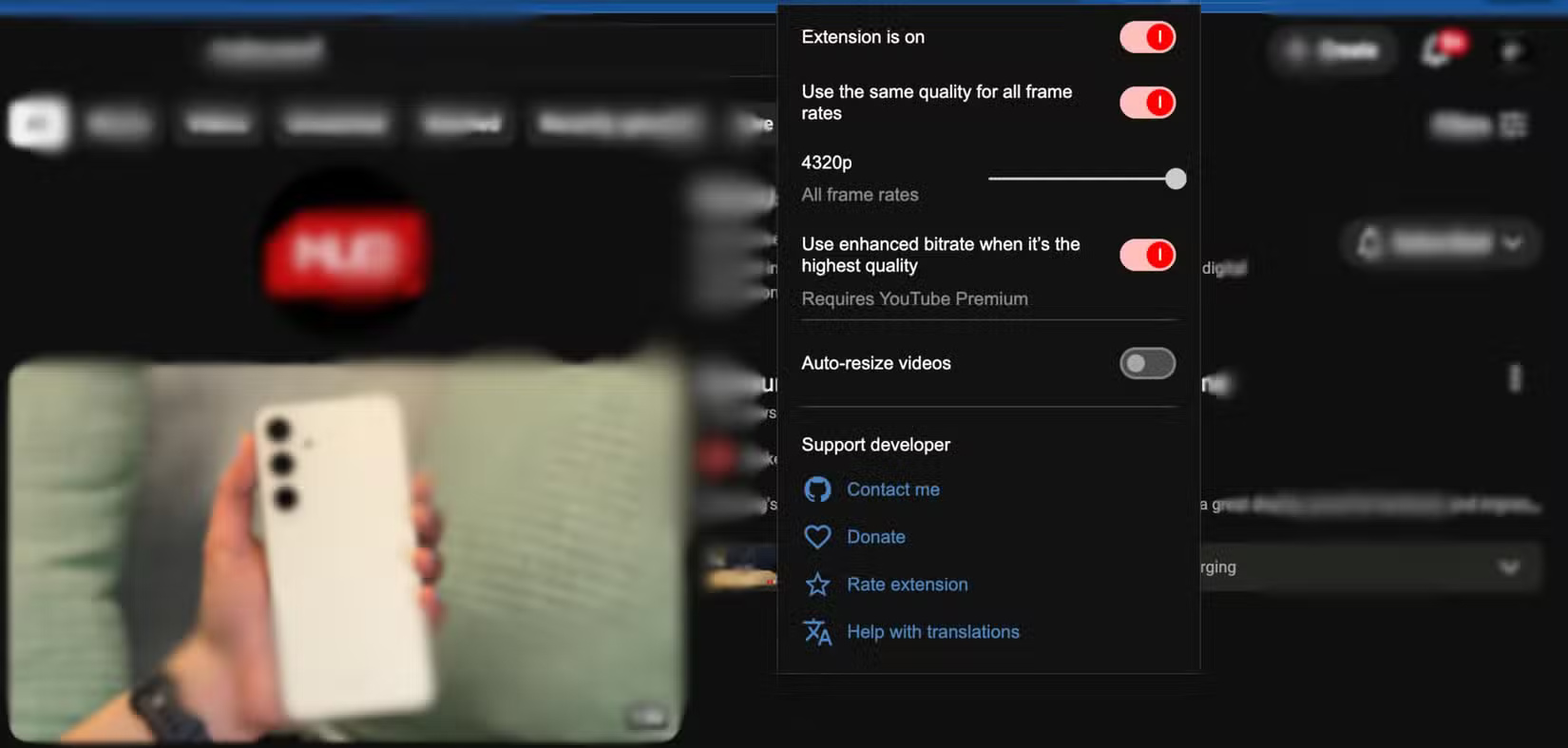
When you watch a video on YouTube, the playback quality depends on the current state of your Internet connection. If your Internet connection is experiencing problems, the platform will automatically adjust the playback quality to a lower resolution to avoid lag.
But you can disable this automatic adjustment on videos by manually adjusting the resolution through the settings provided. However, YouTube will not be as expected because your choice will not persist in subsequent videos.
4. Return YouTube Dislike
The decision to hide dislike counts on YouTube videos is one of the worst and most controversial changes the platform has made in recent memory. It's one of many ways YouTube has become worse. As someone who relies on dislike counts to judge whether a video is worth watching, it's hard to do so, especially as AI-generated content and clickbait on the platform continue to grow.
5. SponsorBlock
Have you noticed that sponsored segments on YouTube are getting longer? Creators put in the work and deserve to be rewarded for their efforts. However, sponsored segments have gotten longer, some up to 2 minutes or more. Or worse, videos are popping up where the segments are longer than the actual video content, or a creator is putting multiple sponsored segments into a video that is less than 20 minutes long.
Many people pay for YouTube in part to get rid of the increasingly annoying ads and enjoy the other perks of YouTube Premium. As a paid member, YouTube gives you a Jump Ahead button to skip some of these sections, but there's no way to do it automatically. Plus, it's not powerful or reliable, so it won't save you any time.
6. Enhancer for YouTube
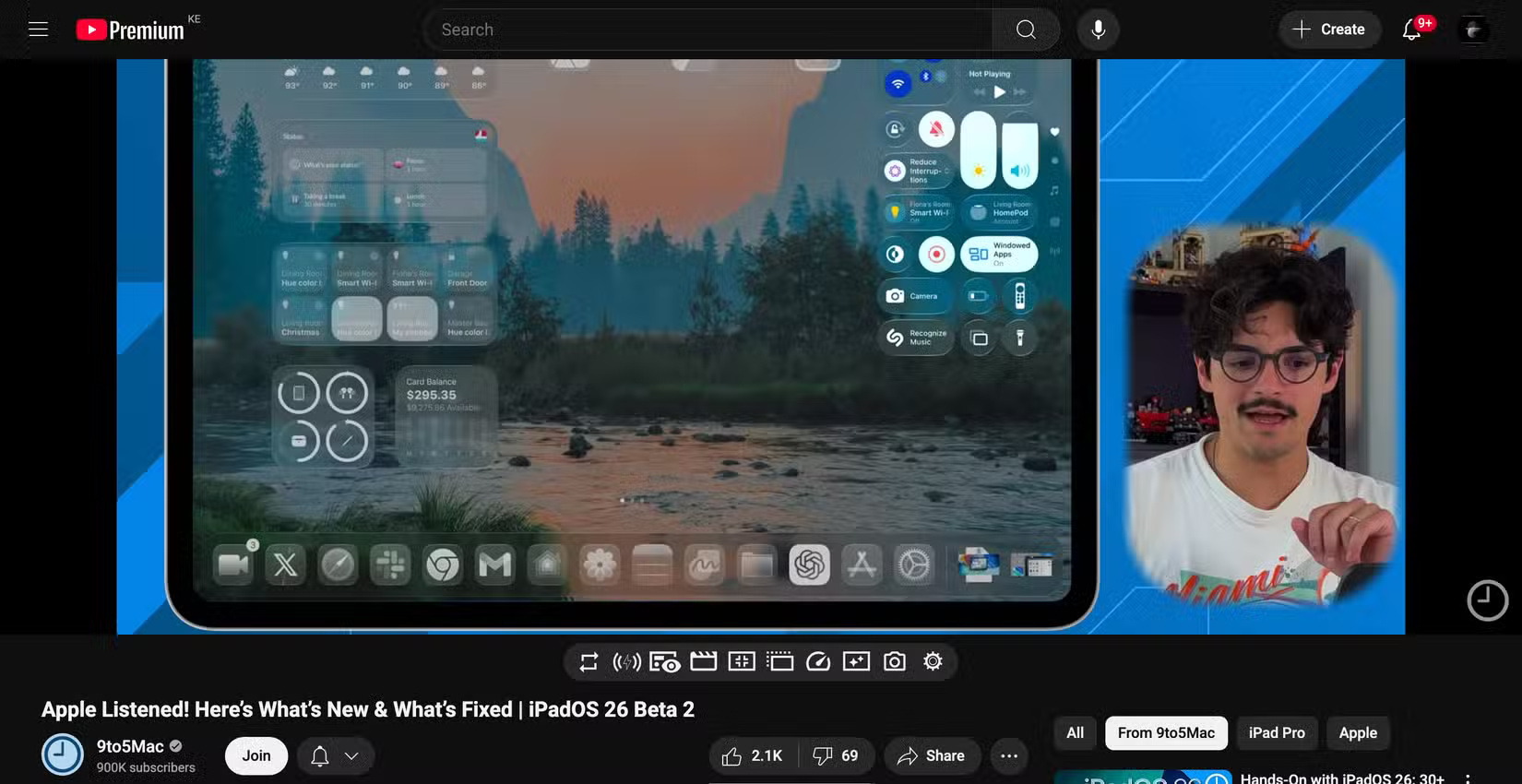
Enhancer for YouTube is an all-in-one extension packed with features that improve your overall YouTube experience. It improves almost every part of the YouTube interface - from the video player to the volume controls to the interface.
The first feature I like is support for Picture-in-Picture mode, which brings up a smaller player that you can use to watch videos while doing other tasks. There's also a mini player that shows a thumbnail version of the video you're watching when you scroll down to read comments.
In the extension's appearance customization settings, you can adjust the number of videos, Shorts, and posts per row; hide elements like chat, related videos, Shorts, and comments; automatically sort comments from newest to oldest, apply video filters, and more.
FAQ
What should you know about 1. TLDR?
YouTube is flooded with sensational content as creators compete for views. From misleading titles to thumbnails, it's increasingly difficult to tell whether the video you're watching will deliver on its promise. But how do you know if a video is worth watching before you click play?
What should you know about 2. Video Speed Controller?
Sure, YouTube has a dedicated feature to control the playback speed of videos. But while it's robust enough with plenty of default options and customization options for finer control, it's not perfect. When you change the playback speed of a video, it only affects that video. When you play the next video, YouTube resets the.
What should you know about 3. YouTube Auto HD + FPS?
When you watch a video on YouTube, the playback quality depends on the current state of your Internet connection. If your Internet connection is experiencing problems, the platform will automatically adjust the playback quality to a lower resolution to avoid lag.
What should you know about 4. Return YouTube Dislike?
The decision to hide dislike counts on YouTube videos is one of the worst and most controversial changes the platform has made in recent memory. It's one of many ways YouTube has become worse. As someone who relies on dislike counts to judge whether a video is worth watching, it's hard to do so, especially as AI-generated.
Related Articles
 Top 5 Best YouTube Extensions4 minutes read
 Great Web Applications and Extensions for YouTube13 minutes read
 Save Internet Bandwidth and Battery When Playing YouTube Videos4 minutes read
 4 YouTube Add-ons That Make Watching Long Videos More Enjoyable7 minutes read
 Listen to Music on YouTube? You Should Not Ignore These 5 Websites8 minutes read
 List of Some Types of Files That Are Potentially Dangerous on9 minutes read
Reader Comments 0
Sign in with email or Google to join the discussion.