Table of Contents
This article examines 5 Ways to Find and Watch YouTube Videos Super Cool. It presents the main facts, practical implications, and key points in a clearer, easier-to-follow format.
Not long ago, YouTube launched a new design for the website, including Dark Mode of dark screen. However, with its interface, this has not yet brought a whole new way to find and watch videos. When you need a whole new experience, explore the 5 tools below.
YouTube Roulette - Random Videos, Continuous Playback
Just like how StumbleUpon introduces sites that are continuously serialized, YouTube Roulette also offers YouTube videos in a row, allowing filtering by genres such as music, sports, games, TV shows and funny videos. This site does not specify the video selection mechanism, but it is nonetheless an interesting online video viewing experience. There is a search bar for you to search for keywords, such as movie trailers. There are also suggested tags like GoPro or Minecraft to find content you like.
 Search and watch videos continuously on YouTube Roulette.
In general, YTRoulette is the place where you can find videos you've never seen before, even though it's still on YouTube.
YouTube Map Explorer - Find Videos by the Location of Your Choice
YouTube is chosen by users around the world and YouTube Map Explorer helps you find videos around the world by geographic location. This is a world map, like Google Maps. When clicking on any location, users will find the uploaded video there.
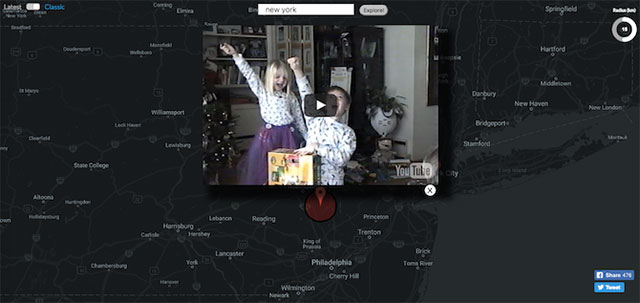 Watch videos posted on geographic location on the map.
The video is displayed as a pop-up on the map, so you don't have to leave the map to continue. select to the left or right you will see a new video. The search bar also helps to find places or find videos around your location.
YouTube Map Explorer also allows you to select the type of video it will display. In the left-hand corner there is a choice between. Latest and Classic to choose between new or much-liked videos. This is a great way to use the map.
Noutube - the Latest Video on YouTube
If you want to be a "brick" person, the first person to watch videos on YouTube, then choose NouTube because this site will find newly uploaded videos, updated every second.
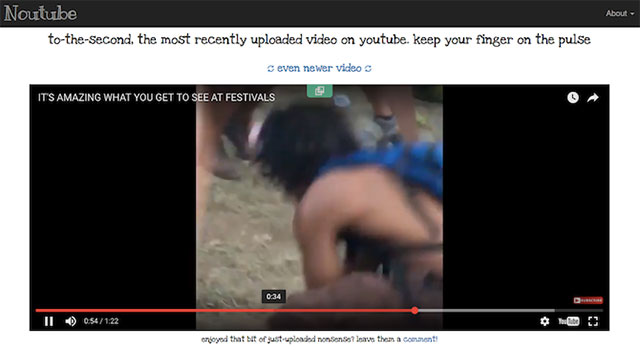 Watch the latest videos on YouTube
All it does is find the hottest videos to be uploaded to YouTube. Once you start watching the video and want to watch a. newer video , choose Even video button at the top right. Because the number of videos uploaded to YouTube is numerous and frequent, you can almost always press this button.
My 90s TV - 90s TV Program on YouTube
If you are old and like TV shows of the 90s, My 90s TV is the website for you. YouTube has many videos playing back old shows on TV.
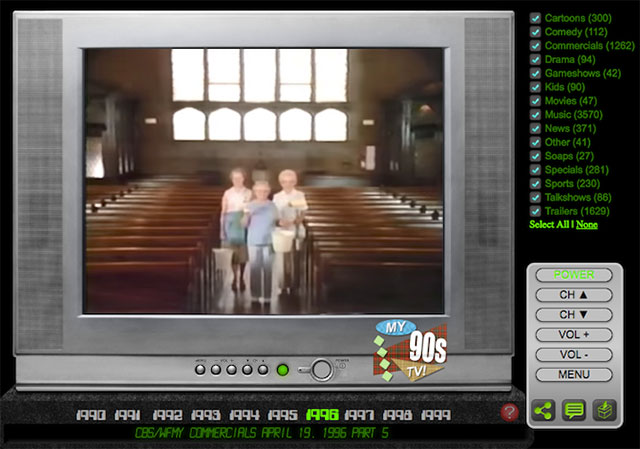 Watch old shows on TV in the 90s
You will see CRT TV images and a remote control next door. Choose the year (from 1990 to 1999) and select the channels. Many categories help viewers choose easier channels, such as animation, comedy, game shows, children's shows, movie trailers, music, sports, news, talk shows, commercials, plays. This is like a treasure you can search like on the internet Archive.
MINI Fast Forward - Fast Forward Through Videos
YouTube does not have a very simple feature of video rewind and Mini Cooper S has created a utility on Chrome to bring this feature. After installation, you can use the S key to fast forward the video.
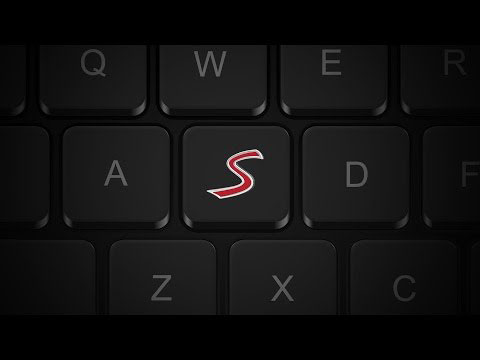 Fast forward YouTube videos with MINI Fast Forward.
You may already know the 10-second forward trick with the L key, but the operation of this operation is not the same. This utility speeds up video 8 times faster than normal speed and zooms in so you can know what happens on the video every second.
Only you will not hear any sound while rewinding YouTube videos with MINI Fast Forward, but even so, this utility is still very useful when you need to browse through to know the video content.
With the above websites and utilities, perhaps the YouTube homepage will no longer be your regular place to find new videos on YouTube.
FAQ
What is the main point of 5 Ways to Find and Watch YouTube Videos Super Cool?
Not long ago, YouTube launched a new design for the website, including Dark Mode of dark screen. However, with its interface, this has not yet brought a whole new way to find and watch videos.
Why is 5 Ways to Find and Watch YouTube Videos Super Cool important?
5 Ways to Find and Watch YouTube Videos Super Cool matters because it can affect how readers understand, choose, use, or respond to the subject discussed in the article.
What should readers verify about 5 Ways to Find and Watch YouTube Videos Super Cool?
Check the date, product or software version, compatibility, and any current guidance before acting, especially when technology, security, health, or pricing is involved.
Related Articles
 Ways to Find Hot Videos on YouTube9 minutes read
 YouTube Is Building a Paid Channel to Watch Non-promotional Videos4 minutes read
 Watch Blocked YouTube Videos with a Free Chrome Extension3 minutes read
 The Easiest Way to Download Videos from YouTube3 minutes read
 The Best 3 Alternative YouTube Apps for Android: YouTube Adnroid4 minutes read
 Simple Ways to Share a Specific YouTube Video10 minutes read
Reader Comments 0
Sign in with email or Google to join the discussion.