Table of Contents
WhatsApp backups can grow in size, but you can shrink them in many ways like turning off video backup, deleting unnecessary media...
WhatsApp backups help us restore WhatsApp messages intact when you switch devices. WhatsApp backups can increase in size, but you can shrink them in many ways such as turning off video backups, deleting unnecessary media, moving files out of the WhatsApp folder, etc. This will reduce the size of WhatsApp backup files, making them easier to send. Here are 5 ways to reduce WhatsApp backup file size.
Turn off WhatsApp video backup
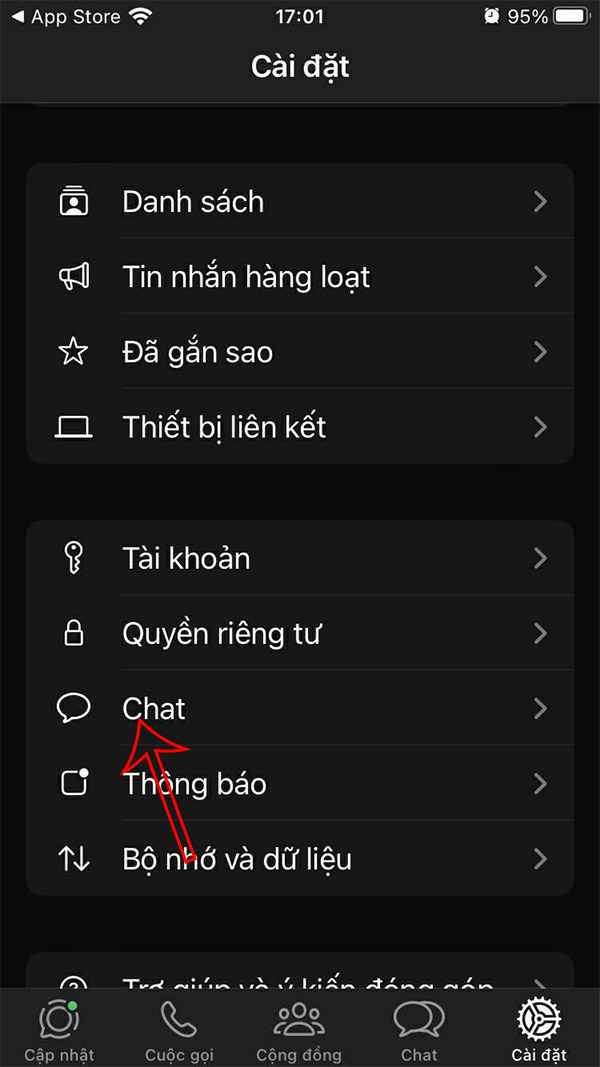
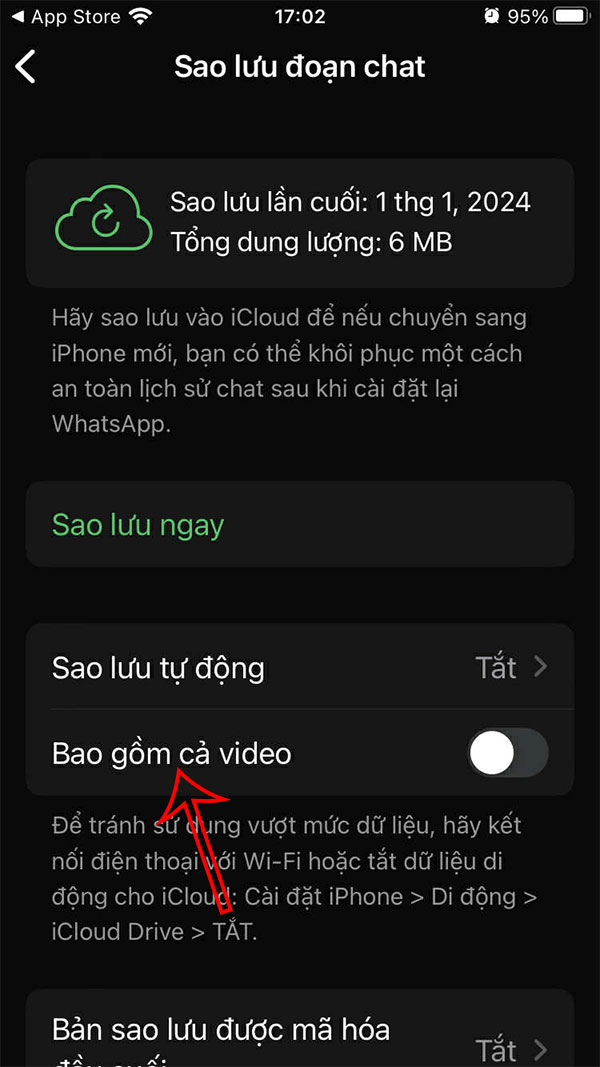
One of the best tips to reduce WhatsApp backup file size is to turn off video backup.
You access the settings on the application and then click on Chat . Next, click on Chat backup To adjust. At this time, You should Turn off Include video .

Move the file to another location
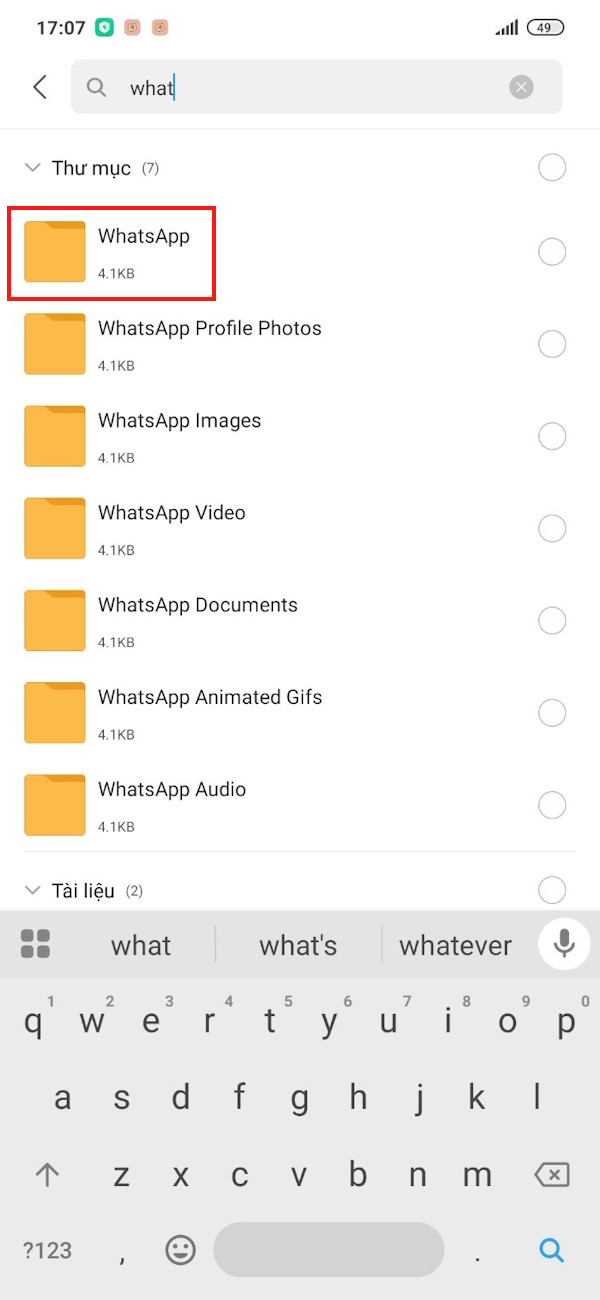
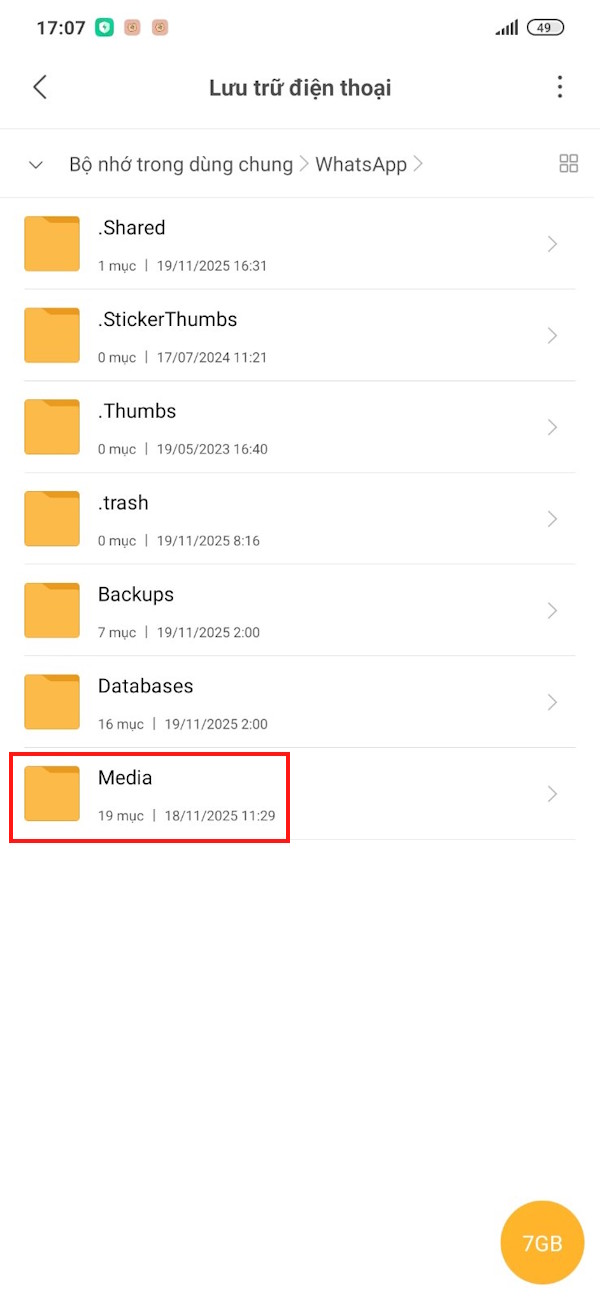
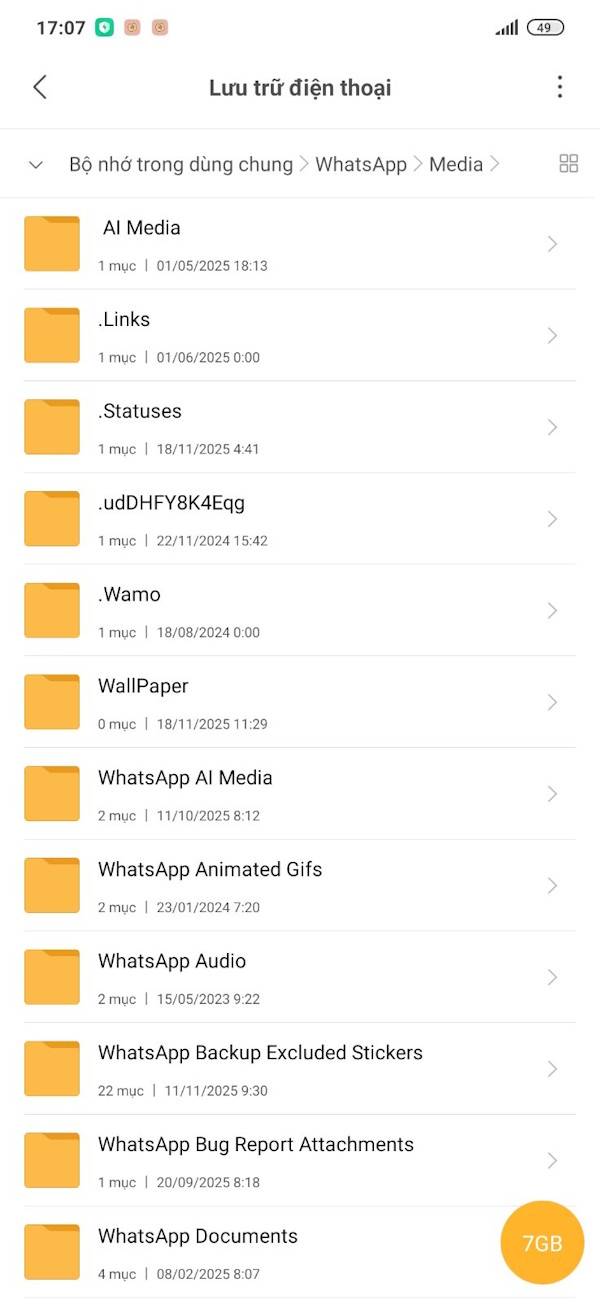
On your Android phone, open The File Manager app On your phone, then tap the magnifying glass icon, Type WhatsApp To search for the folder. Now tap to select the folder, then tap The Media folder .
Here you will find dedicated folders for GIFs, documents, images, videos, avatars, sticker packs, etc. These folders can be moved to another location.
Delete unwanted files
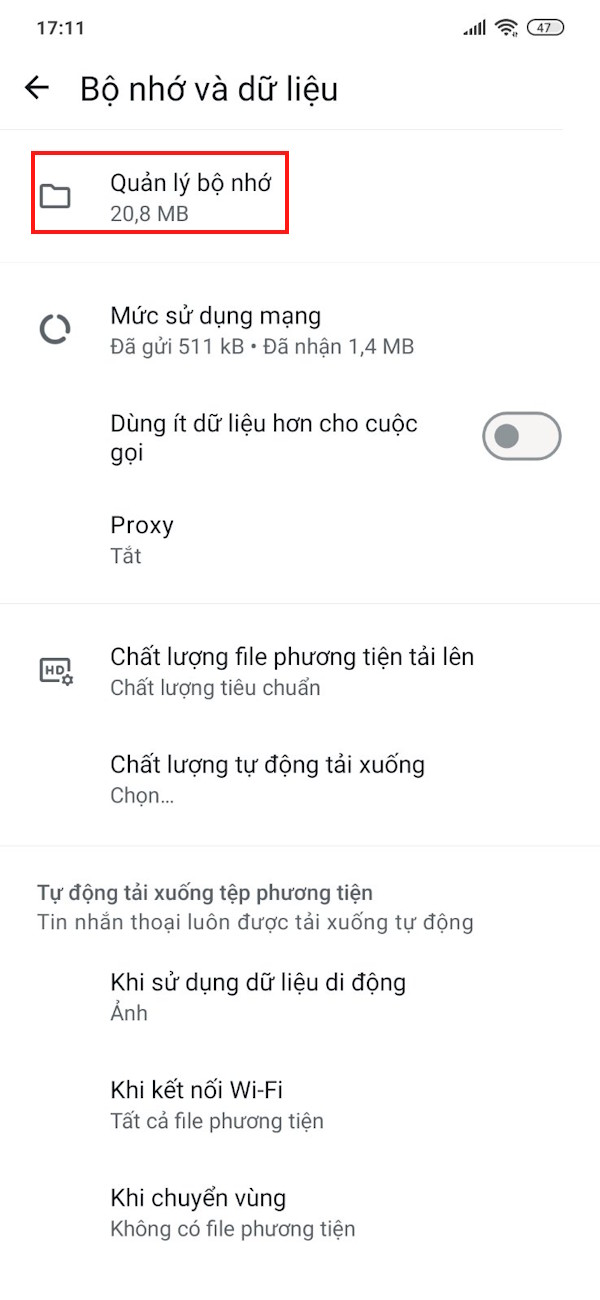
We access Settings And then select Memory and data . Next, select Memory management . Check and delete unused files or large chats.


Create a new Google backup account
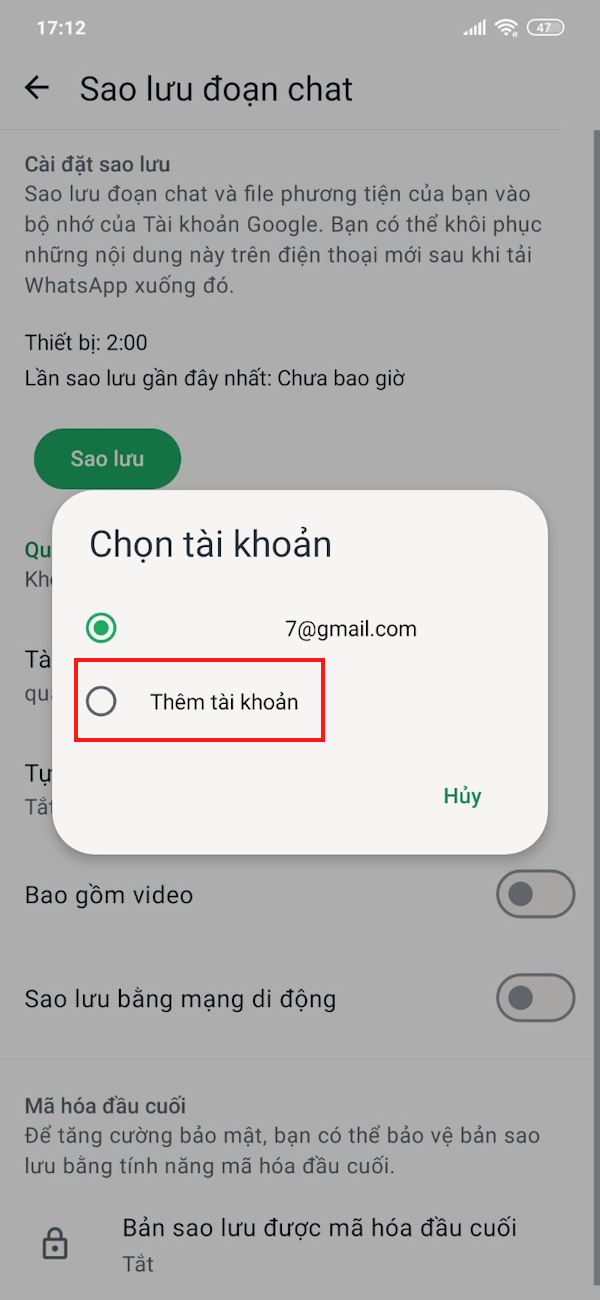
If your Google account no longer has enough storage space for your WhatsApp backup file, you can switch to a new backup account.

Use Cleaner for WhatsApp app
- Download Cleaner for WhatsApp app
The app has the feature to delete unwanted WhatsApp files, caches and thus reduce the size of WhatsApp backup file.
FAQ
What should you know about the options in this guide?
In practical terms, WhatsApp backups can grow in size, but you can shrink them in many ways like turning off video backup, deleting unnecessary media.
Which option is the best choice?
The best choice depends on your priorities, compatibility, budget, and the specific features discussed in the comparison.
What should you compare before deciding?
Compare core features, limitations, ease of use, compatibility, and long-term value before making a decision.
Related Articles
 Tips to Reduce the Size of Powerpoint Files Should Be Known11 minutes read
 How to Reduce the Size of Excel Files3 minutes read
 How to Reduce the Size of JPG Files in Windows 106 minutes read
 8 Tips to Enhance Security for WhatsApp7 minutes read
 How to Compress PDF Files on macOS Does Not Reduce Quality5 minutes read
 How to Reduce PDF File Size Online: How to Compress PDF Files7 minutes read
Reader Comments 0
Sign in with email or Google to join the discussion.