Table of Contents
Google Drive offers 15GB of storage, while Apple only offers 5GB of free iCloud storage. Since the free plan has limited storage, saving daily WhatsApp chat backups can quickly fill up your space. Here's how to turn off WhatsApp message backups.
How to turn off WhatsApp message backup on iPhone
Step 1:
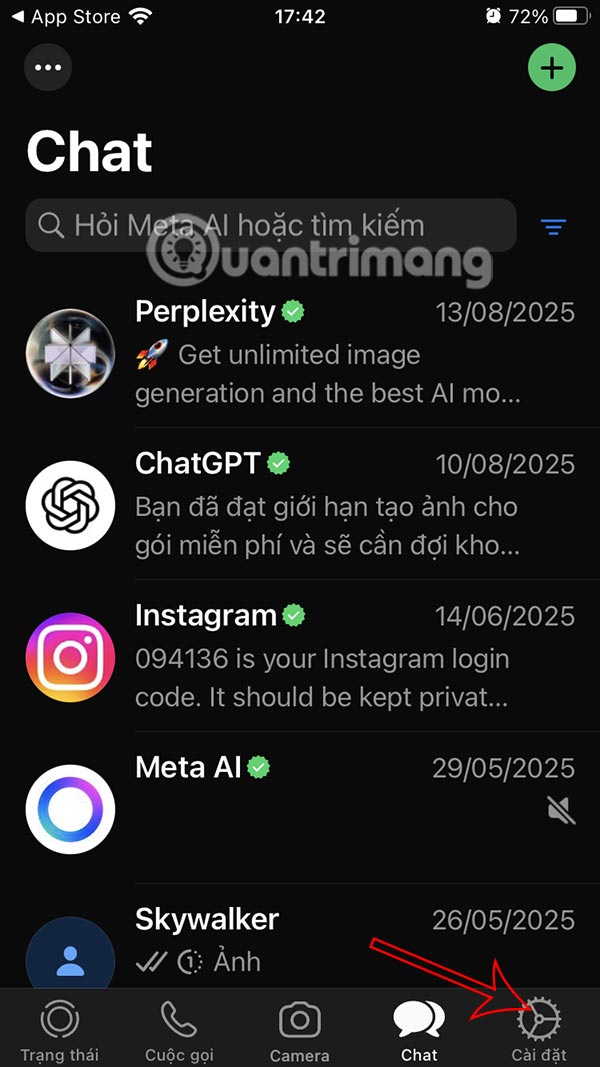
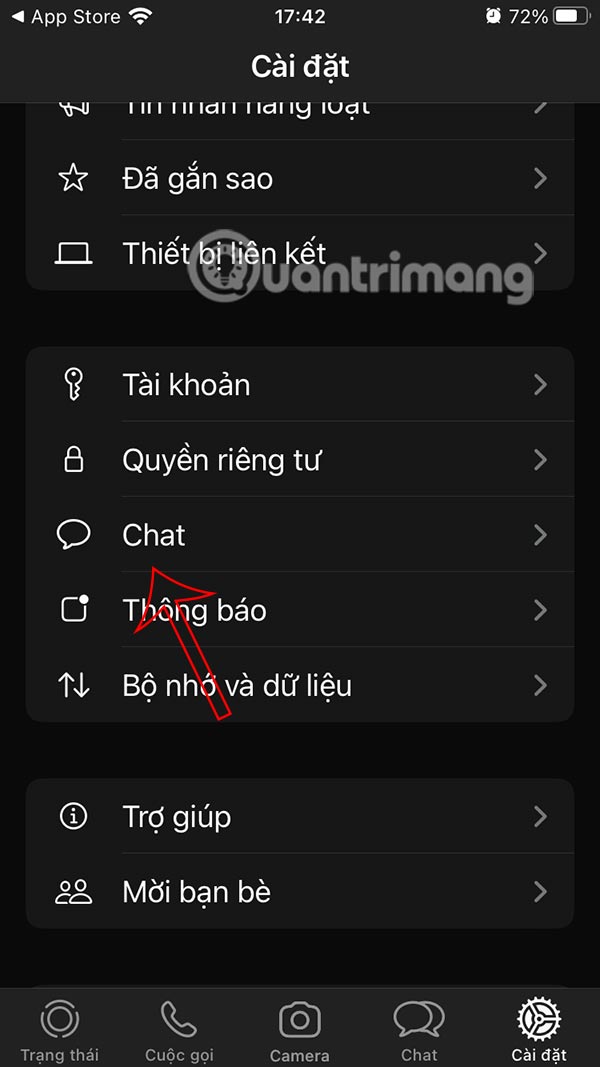
On the WhatsApp application interface, select Settings . Switch to the application settings interface, select Chat to adjust.
Step 2:
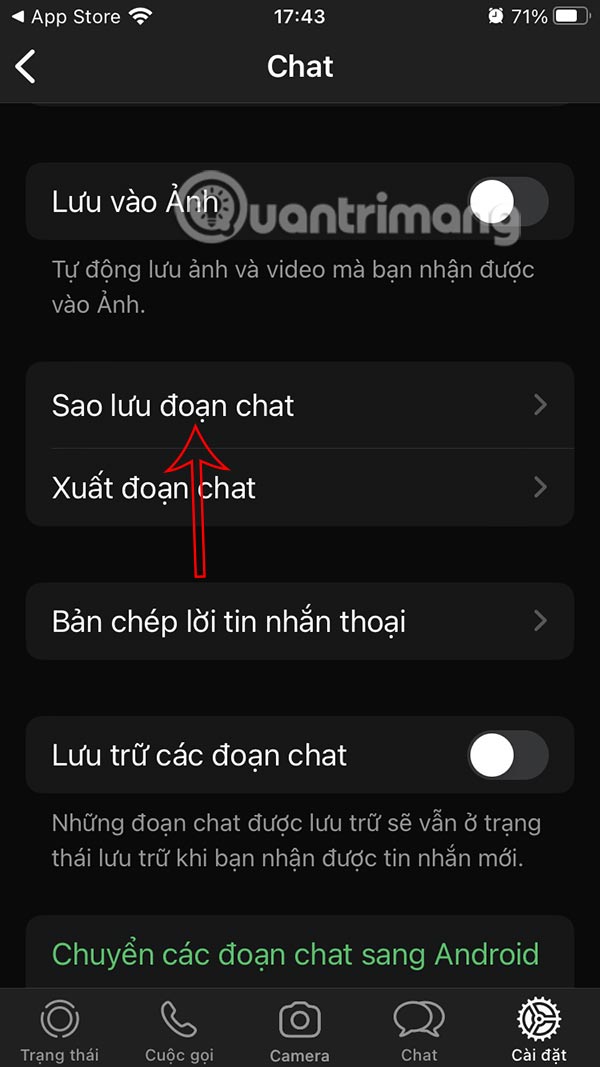
In the WhatsApp message settings interface, users select the Chat Backup item.
Step 3:
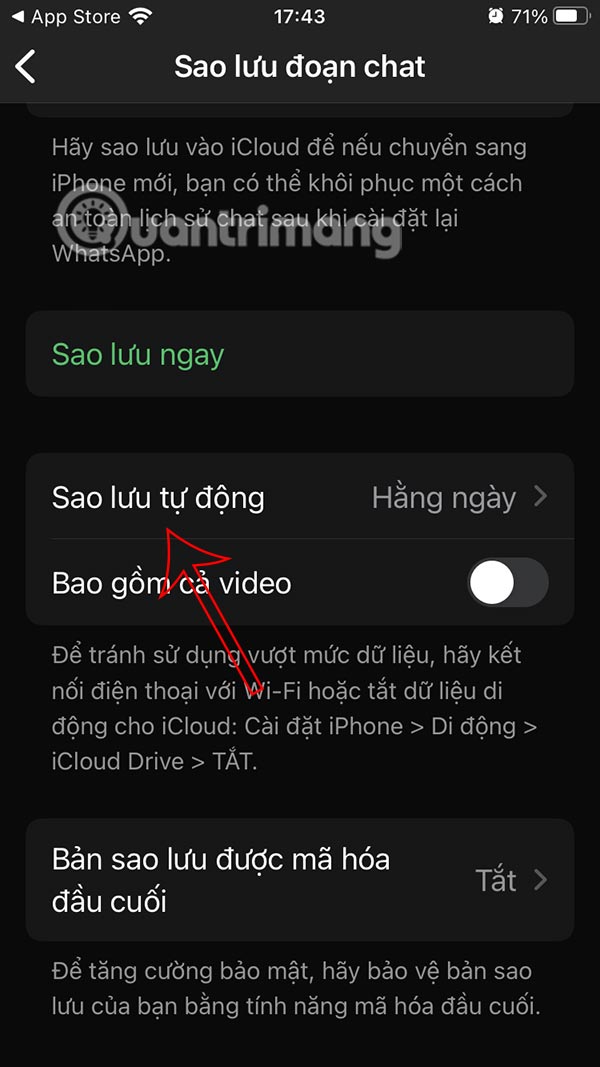
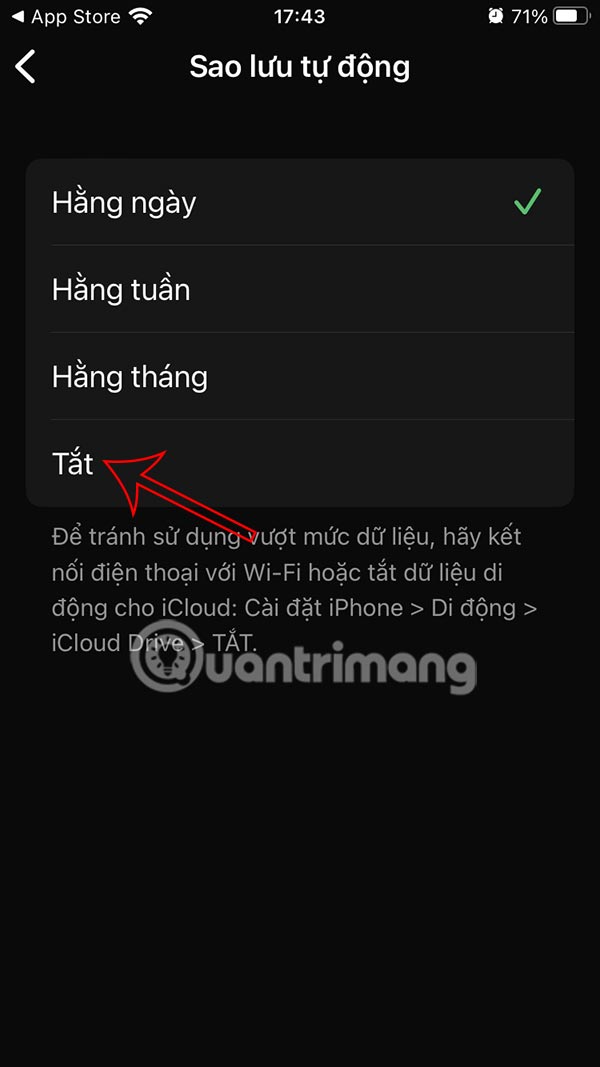
Now you will see the WhatsApp message backup mode automatically performed in a period of time that you have set. We click to change the backup mode again.
Step 4:
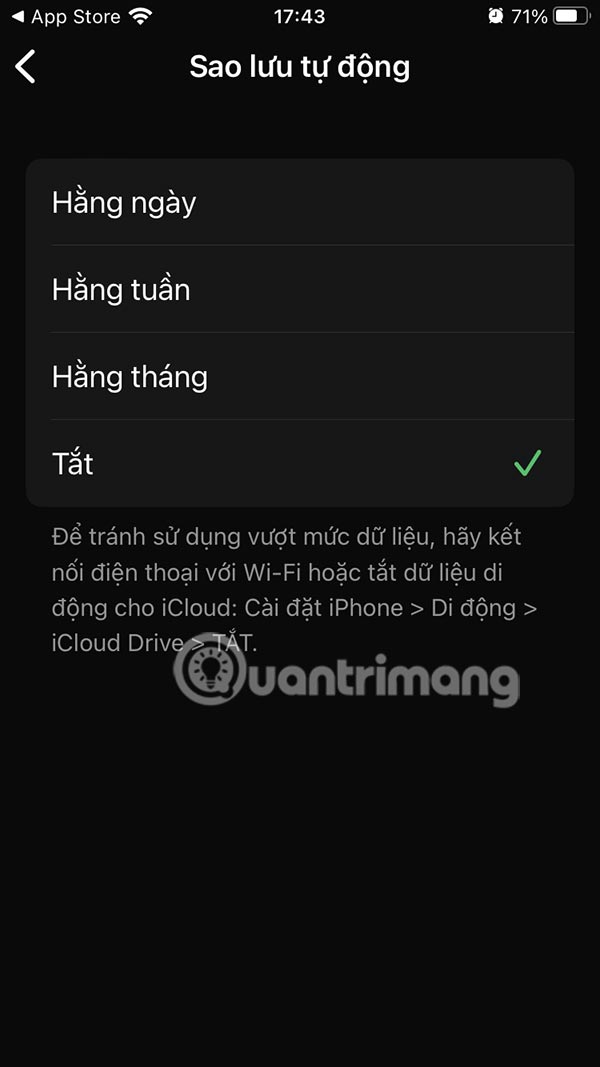
Now you need to tap on Off to turn off WhatsApp iPhone message backup mode .
How to Turn Off WhatsApp Chat Backup Android
Step 1:
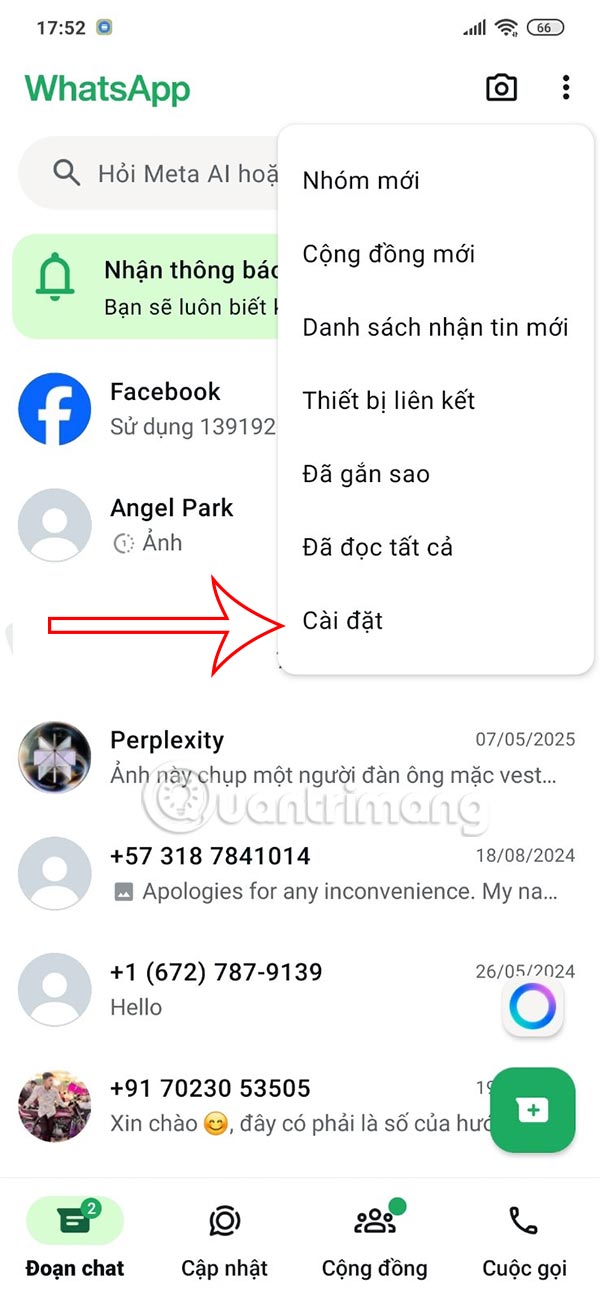
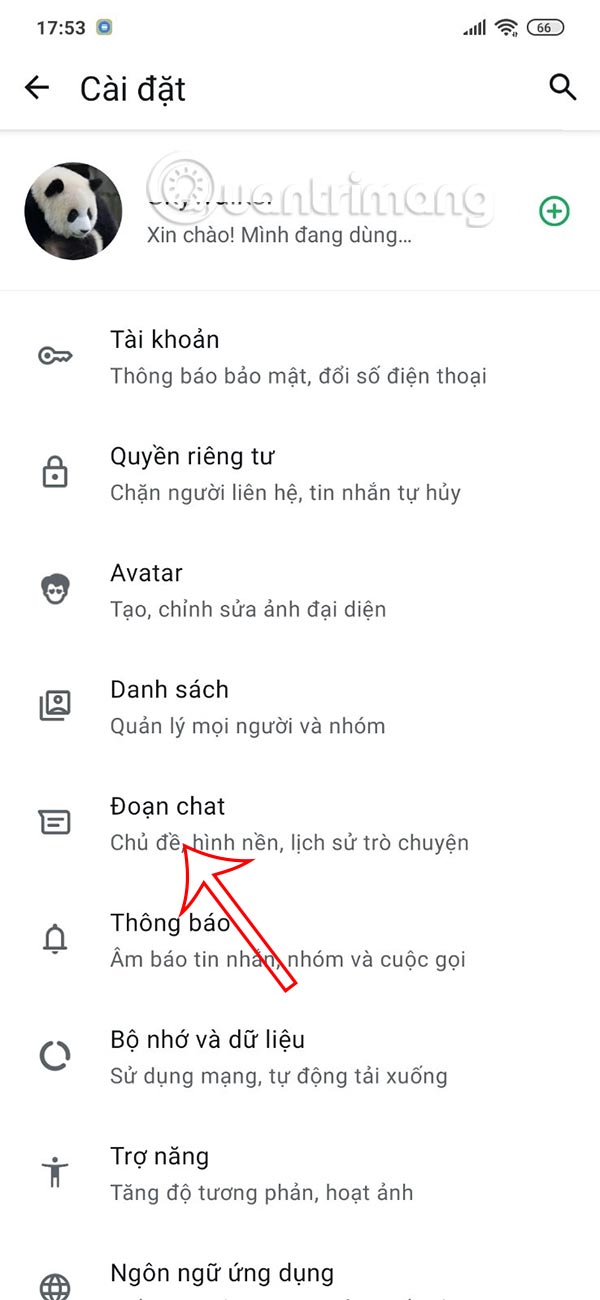
At the WhatsApp Android application interface, select the 3-dot icon and select Settings in the list. Next, select the Chat section to adjust.
Step 2:
Moving to the next interface, the user clicks on the Chat Backup item .
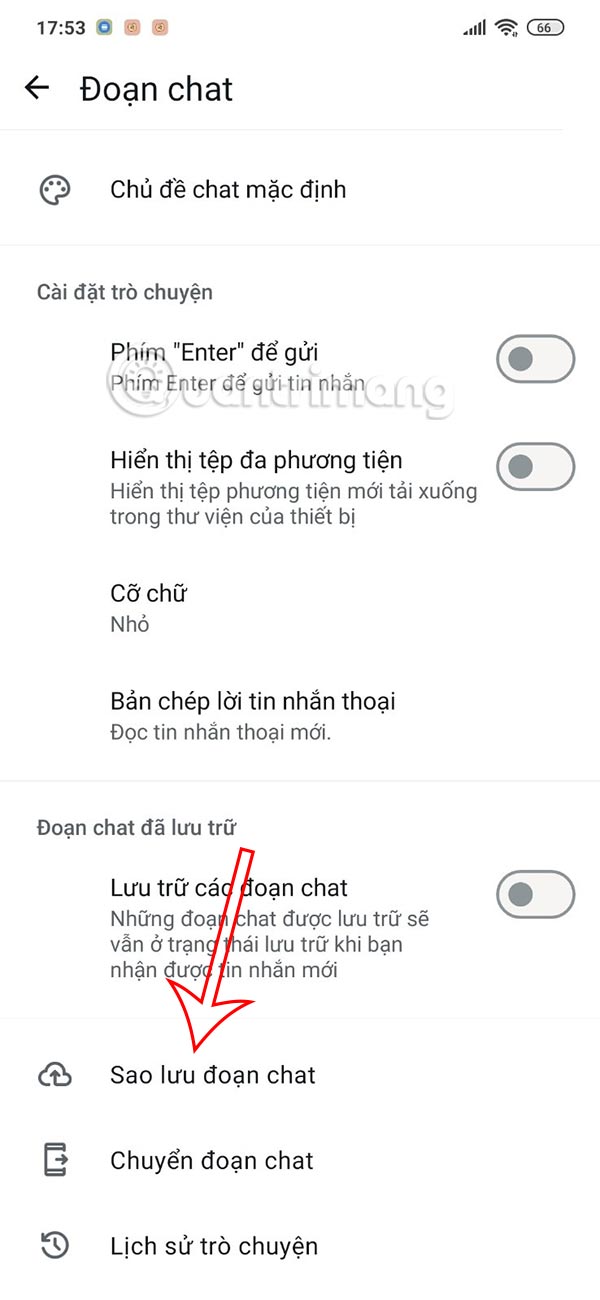
Step 3:
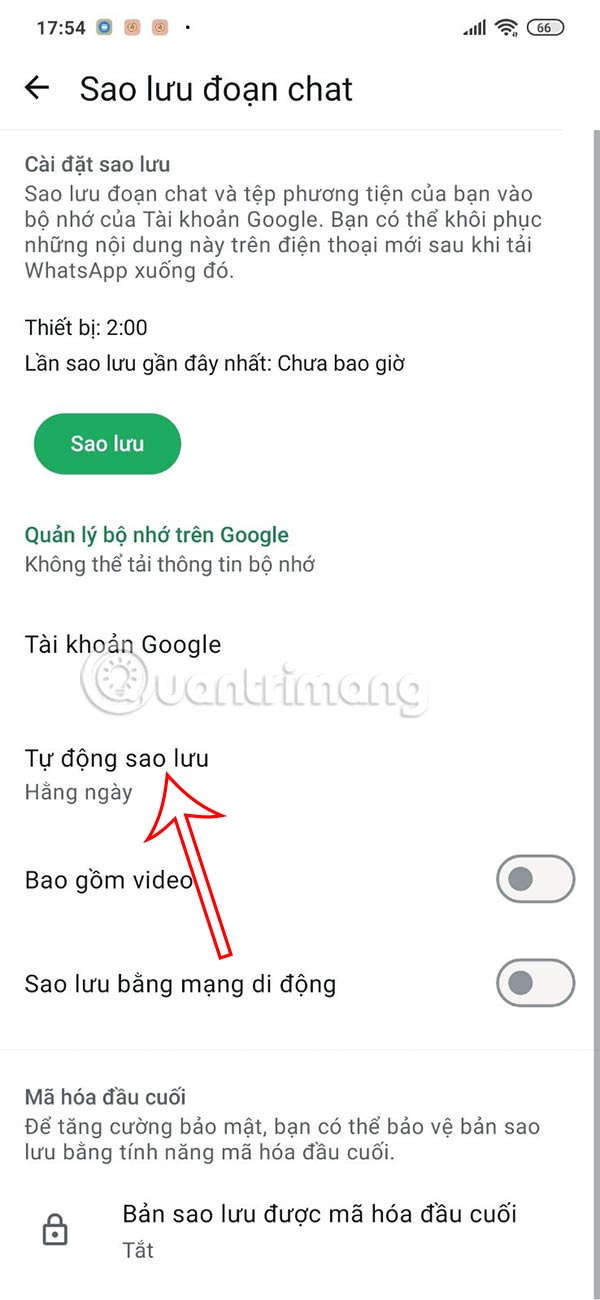
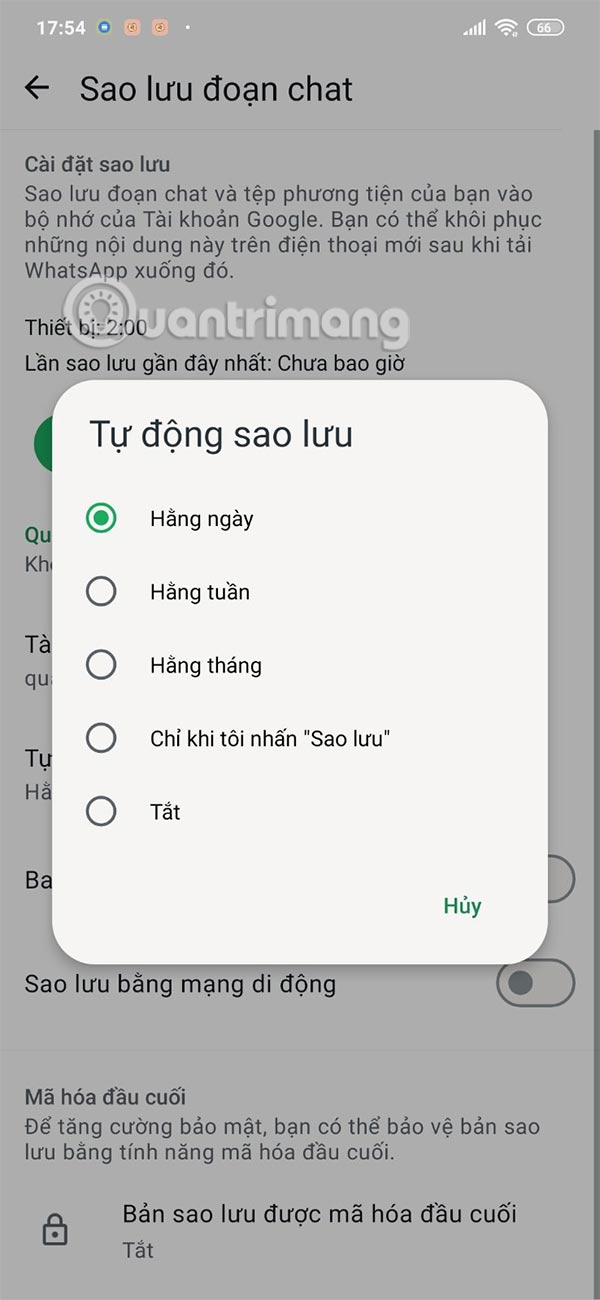
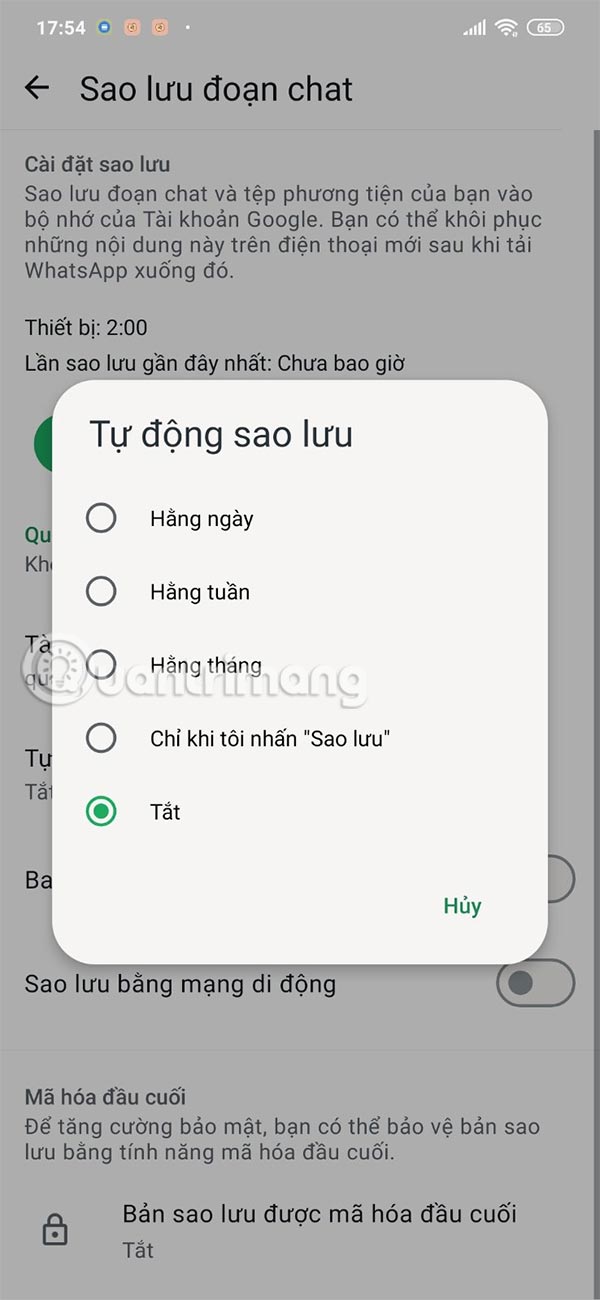
Now you will see the item Automatically backup in the time period when. You need to select this mode to change it again. Then you need to switch to Off to turn off WhatsApp message backup mode.
Final Thoughts
Following the steps in order and checking version-specific settings should make it easier to Turn Off WhatsApp Message Backup on Phone. If an option looks different, verify the device, app, or operating-system version before changing additional settings.
FAQ
What is the best way to Turn Off WhatsApp Message Backup on Phone?
Start with the requirements described in the article and follow the steps in order. Google Drive offers 15GB of storage, while Apple only offers 5GB of free iCloud storage. Since the free plan has limited storage, saving daily WhatsApp chat backups can quickly fill up your space. Here's how to turn off WhatsApp message backups.
What should you know about How to turn off WhatsApp message backup on iPhone?
On the WhatsApp application interface, select Settings. Switch to the application settings interface, select Chat to adjust.
What should you do if the instructions do not match your screen?
Check the device, software version, account permissions, and regional settings. Interfaces can change after updates, so use the closest matching option and consult the official support documentation when necessary.
Related Articles
 How to Encrypt Whatsapp Message Backups3 minutes read
 How to Turn Off Whatsapp Message Notifications3 minutes read
 These Features Make It Easier to Master Whatsapp16 minutes read
 5 Tips to Reduce WhatsApp Backup File Size: Practical Guide3 minutes read
 How to Turn Off Whatsapp Message Notifications from Specific People3 minutes read
 How to Set Up Away Message on WhatsApp2 minutes read
Reader Comments 0
Sign in with email or Google to join the discussion.