Table of Contents
This guide organizes the entries in "5 Limitations Claude Needs to Improve" and explains what each option, idea, or example offers. It also highlights practical details that matter when comparing the choices.
5. No image creation features, disrupting creative workflow
Claude leaves users confused when it comes to visualizing ideas or creating quick diagrams. There is no built-in visualization feature, and that is something many people often need for their work.
ChatGPT introduced native visualization in its interface in March 2025, powered by the GPT-4o model. You can describe a concept and get a visual instantly. ChatGPT's visualization feature is definitely great, which is useful for brainstorming sessions or explaining ideas.
Switching back and forth between platforms is distracting, disrupting the flow of conversation that made Claude so effective in the first place.
4. Mobile apps feel like a stripped-down idea
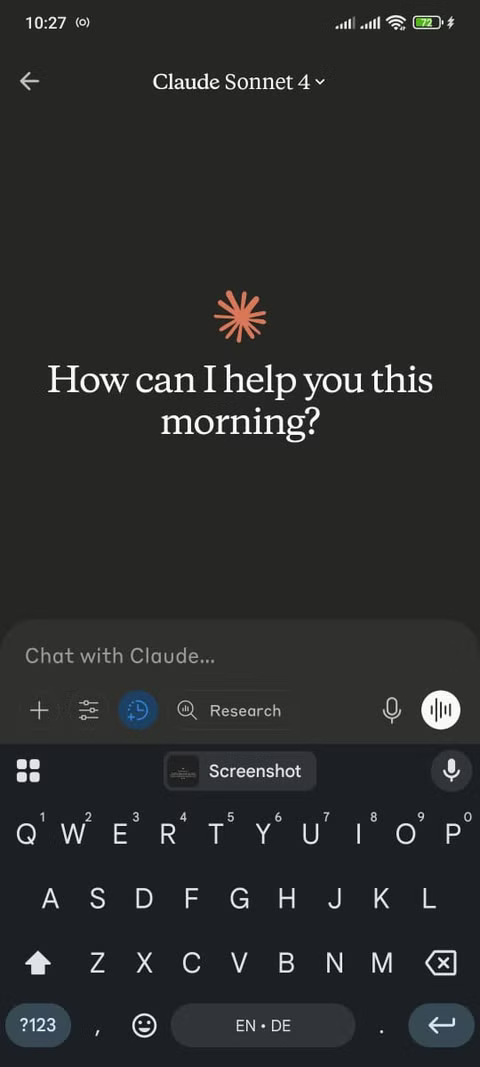
Claude's mobile app seems simple compared to ChatGPT's feature-rich interface. When you open ChatGPT, you'll see action buttons right on the home screen, including " Create image ," " Analyze data ," and "Help me write ," among others. Claude, on the other hand, displays a simple text box, putting all the burden on you to start a conversation.
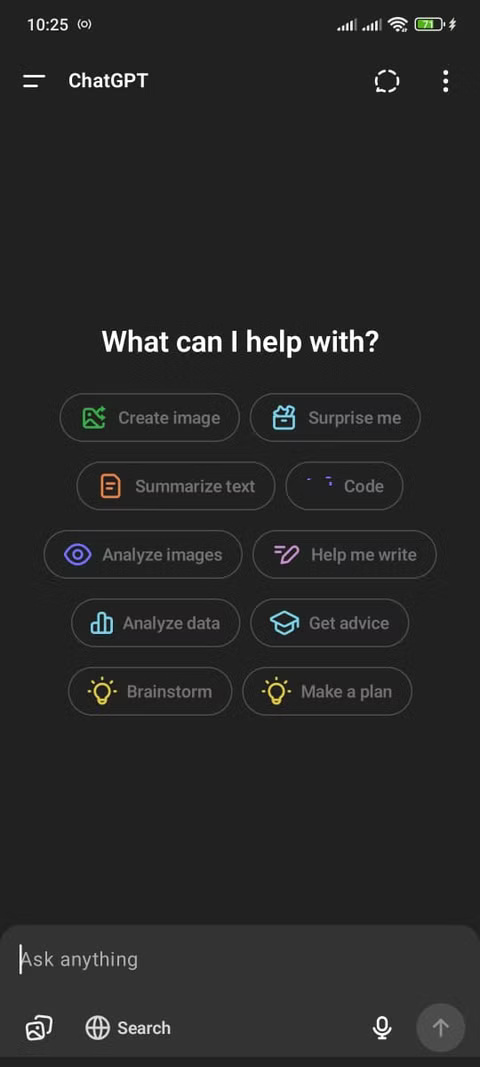
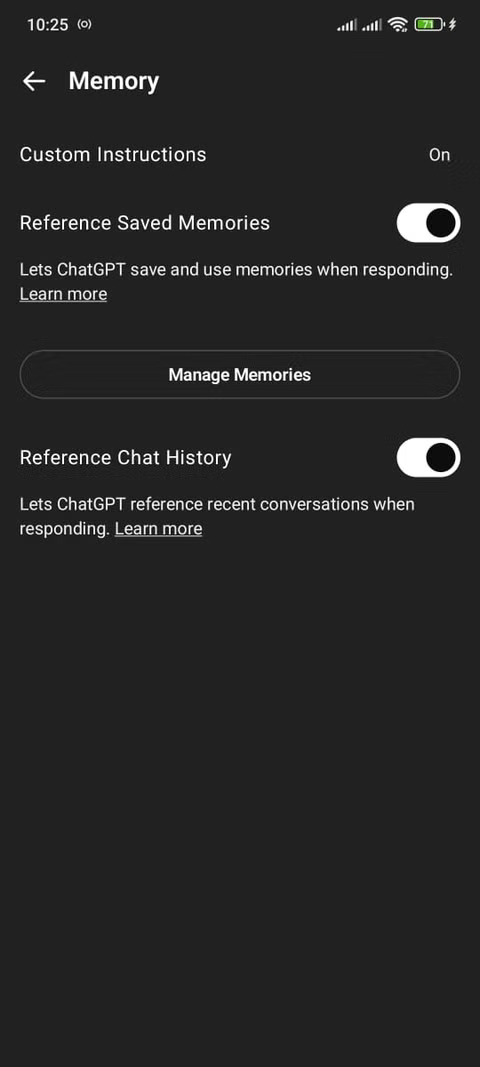
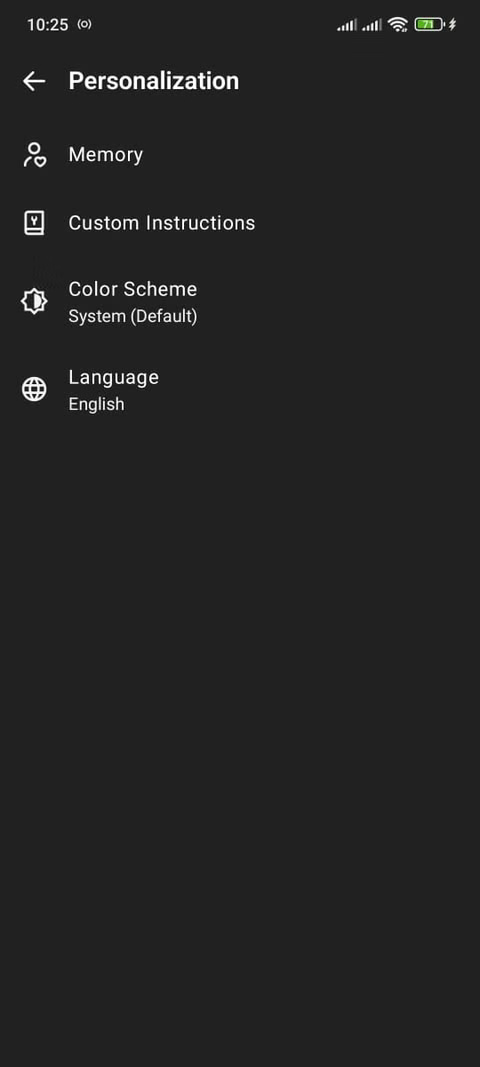
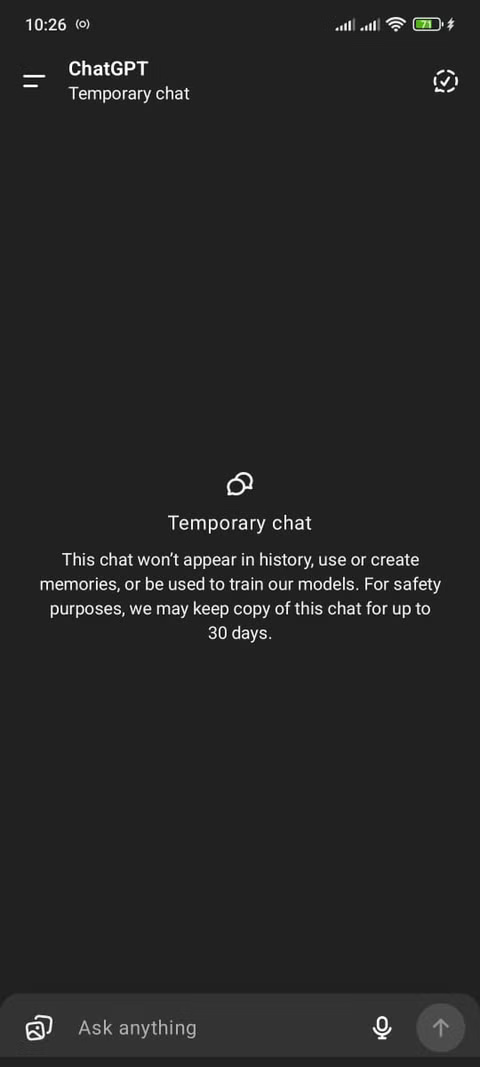
The differences become more apparent as you dig deeper. ChatGPT offers memory settings, customization guides, an image library, and a GPT repository full of specialized tools.
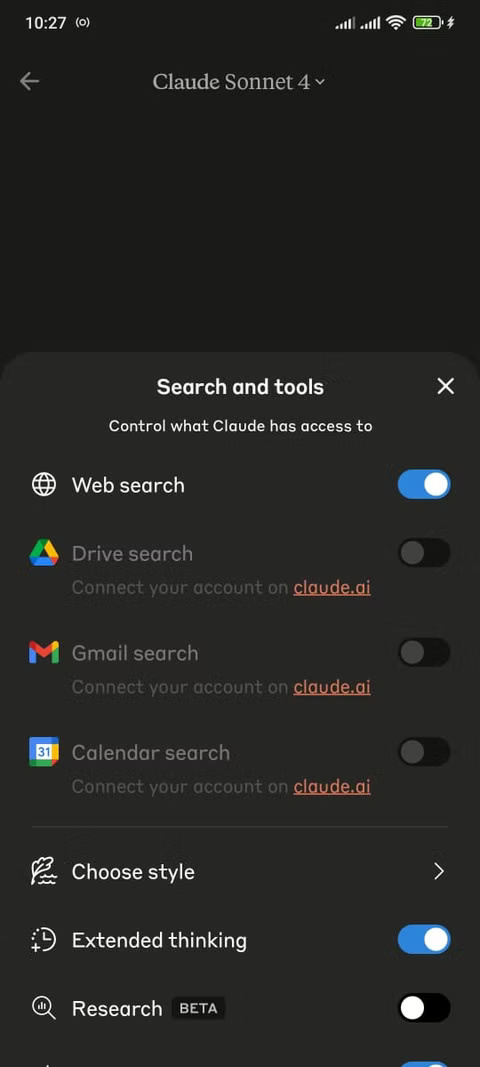
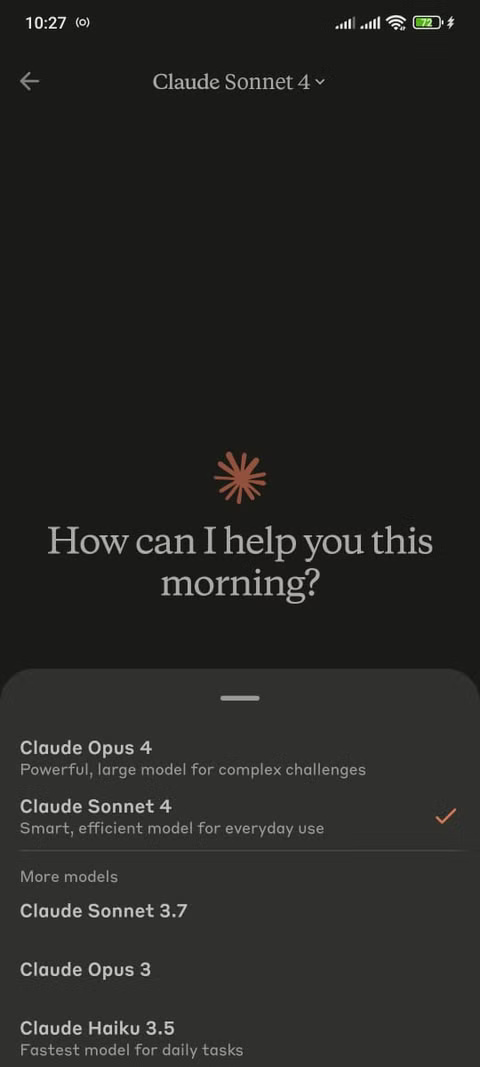
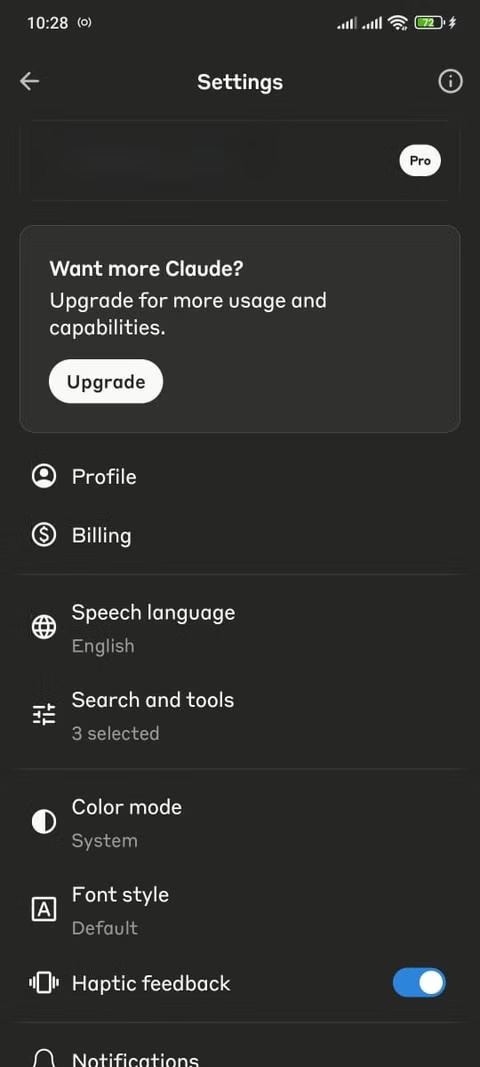
Some of Claude's settings feel like an afterthought. It has basic options for color mode and font style, but lacks the depth of customization that would make it more useful on the go.
3. Claude's ecosystem feels lonely compared to ChatGPT
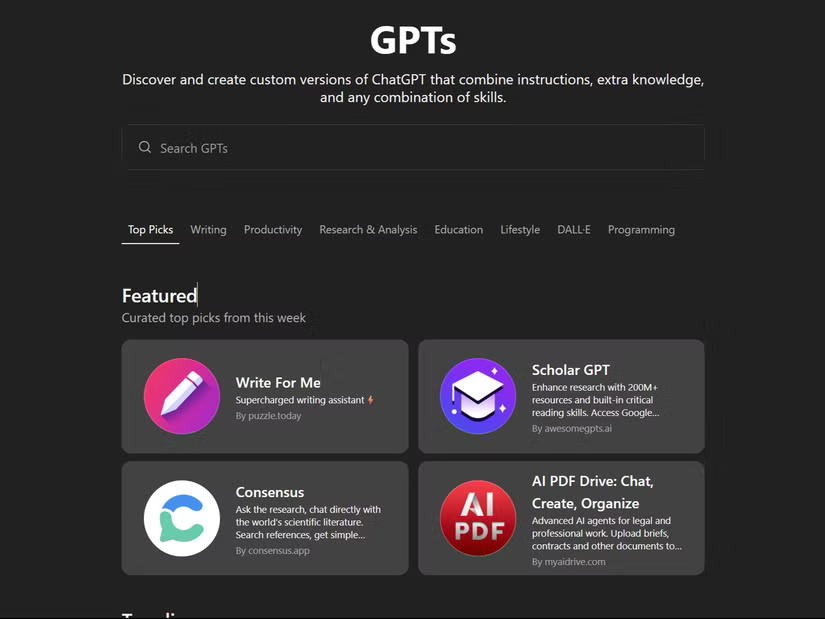
ChatGPT's ecosystem left Claude feeling isolated. The GPT Store offered thousands of specialized tools, such as coding assistants and text editors, that extended its functionality in ways that Claude couldn't yet match.
When it comes to handling a specific task, such as analyzing legal documents or creating marketing copy, there's often a custom GPT pre-designed for that.
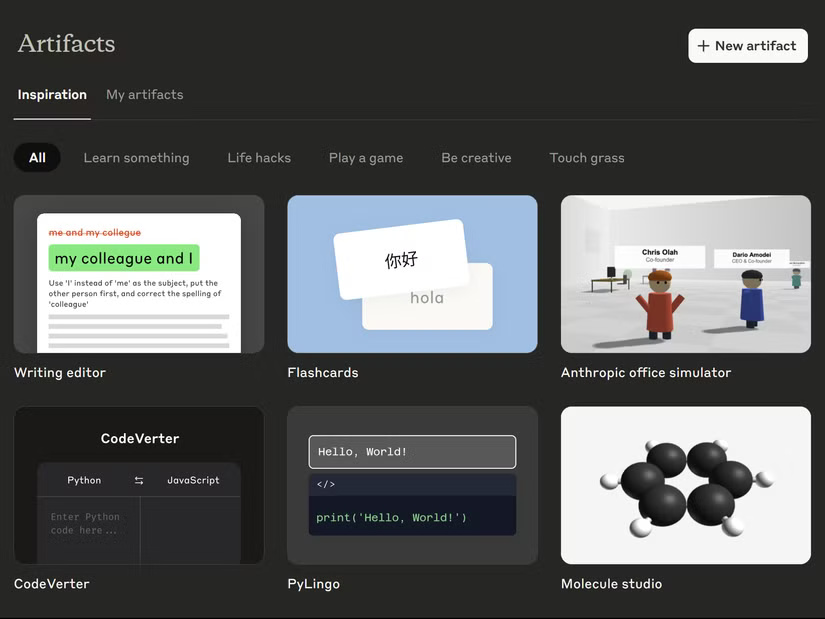
Claude does offer Artifacts – pre-built tools like a code converter, flashcard generator, and text editor. These apps work well for basic tasks and are consistently high quality. However, the selection seems more curated than community-driven.
2. Interface prioritizes simplicity over power
Claude's interface is perhaps too clean. It seems like Anthropic has gone for a minimalist design, which is great for beginners. But for someone who uses these tools every day, the simplicity feels like a limitation. People want powerful features to be available at all times. It's a trade-off that doesn't currently benefit workflow.
This focus on simplicity means that more advanced features feel like they're added on rather than built in. However, the overall experience lacks the all-in-one toolkit feel that competitors offer.
So the elegance of the interface comes at the expense of ease of use for professional users. While the clean interface is visually appealing, it doesn't support a feature-rich workflow.
1. When is Claude effective and when is it not?
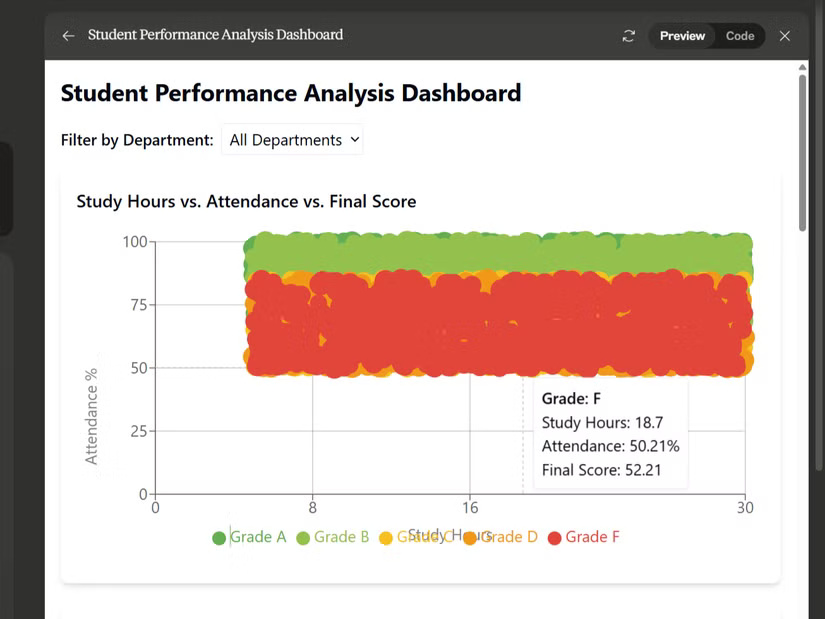
Claude excels at tasks that require deep thinking. Complex programming problems require thorough explanation rather than quick fixes. Detailed analysis tasks such as parsing research papers or reviewing CSV files are Claude's strong suit. So when it comes to understanding why something works rather than just making it work, Claude always gives thoughtful feedback.
However, creative projects often bring users back to ChatGPT. Claude can analyze the images you upload, of course, but can't create them.
Long work sessions highlight another weakness. The strict usage limits on Claude often force users to start new conversations, disrupting the context and flow of a project.
FAQ
What should you know about 5. No image creation features, disrupting creative workflow?
Claude leaves users confused when it comes to visualizing ideas or creating quick diagrams. There is no built-in visualization feature, and that is something many people often need for their work.
What should you know about 4. Mobile apps feel like a stripped-down idea?
Claude's mobile app seems simple compared to ChatGPT's feature-rich interface. When you open ChatGPT, you'll see action buttons right on the home screen, including " Create image," " Analyze data," and "Help me write," among others. Claude, on the other hand, displays a simple text box, putting all the burden on you to start a.
What should you know about 3. Claude's ecosystem feels lonely compared to ChatGPT?
ChatGPT's ecosystem left Claude feeling isolated. The GPT Store offered thousands of specialized tools, such as coding assistants and text editors, that extended its functionality in ways that Claude couldn't yet match.
What should you know about 2. Interface prioritizes simplicity over power?
Claude's interface is perhaps too clean. It seems like Anthropic has gone for a minimalist design, which is great for beginners. But for someone who uses these tools every day, the simplicity feels like a limitation. People want powerful features to be available at all times. It's a trade-off that doesn't currently benefit.
Related Articles
 What Are Claude Artifacts?: What You Need to Know10 minutes read
 How to use Claude Skills to improve work efficiency4 minutes read
 What Is the Claude Code: Clear Explanation7 minutes read
 Claude API: How to Get the Key and Use the API: Explained19 minutes read
 What Is Claude AI: Clear Explanation9 minutes read
 How to Work More Effectively With Claude Code12 minutes read
Reader Comments 0
Sign in with email or Google to join the discussion.