Table of Contents
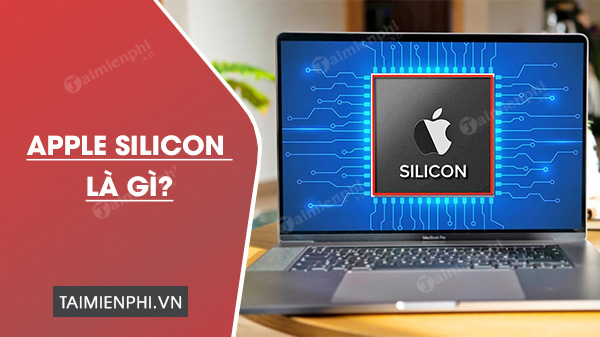
Apple silicon is Apple's name for the custom chips it designs for its devices. On the Mac, the term usually refers to M-series systems on a chip that replaced Intel processors beginning in late 2020. These chips combine CPU cores, graphics, memory controllers, media engines, security components, and other functions in one tightly integrated design.
Apple silicon is broader than one Mac chip
Apple has designed chips for iPhone, iPad, Apple Watch, Apple TV, and other products for years. The 2020 announcement extended that approach to the Mac. The M1 was the first Apple-designed chip for a Mac, followed by later M-series generations and higher-performance variants.
Apple introduced M1 models of the MacBook Air, 13-inch MacBook Pro, and Mac mini in November 2020. The company continued replacing Intel models and completed the Mac transition when it introduced an Apple-silicon Mac Pro in 2023.
Which Macs use Apple silicon?
Macs with an M-series chip use Apple silicon. This includes M-series versions of the MacBook Air, MacBook Pro, iMac, Mac mini, Mac Studio, and Mac Pro. Some product names have existed in both Intel and Apple-silicon versions, so the model name alone is not always enough to identify an older used Mac.
To check a Mac, open the Apple menu > About This Mac. An Apple-silicon model displays a Chip entry such as an M-series name. An Intel Mac displays Processor with an Intel model. Apple's maintained list of Mac computers with Apple silicon can confirm a specific model.
Why Apple moved the Mac to its own chips
Hardware and software can be designed together
Apple controls both the chip design and macOS, allowing the operating system, built-in apps, and hardware features to be developed as one platform. This can improve how power management, media processing, graphics, machine learning, and security features work together.
Performance per watt
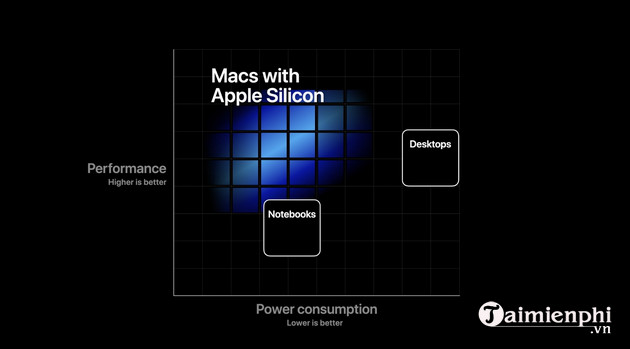
Apple silicon emphasizes high performance without requiring the same power draw as many traditional desktop-class designs. The practical benefit depends on the Mac and workload, but lower power use can support longer battery life in notebooks and quieter cooling in some systems.
Unified memory
Apple-silicon Macs use a unified memory architecture in which the CPU, GPU, and other on-chip engines access a shared memory pool. This reduces some data copying between separate CPU and graphics memory pools. The memory is integrated into the package and cannot be upgraded later, so buyers should choose capacity for the expected life of the Mac.
Dedicated media and machine-learning hardware
M-series chips include specialized engines for tasks such as supported video formats and machine-learning workloads. Software must be designed to use those engines; their presence does not make every application equally faster.
How Mac app compatibility works
- Apple silicon apps are compiled specifically for Apple-designed Mac chips.
- Universal apps contain code for both Apple silicon and Intel Macs.
- Intel-only apps may run through Rosetta, Apple's translation technology, while it remains supported.
Rosetta works in the background; it is not an emulator that users normally configure. Compatibility is not absolute: an Intel application may rely on an old plug-in, driver, kernel extension, or hardware accessory that does not work on a newer Mac. For an important professional workflow, confirm the main app and every required add-on before moving from an Intel Mac.
Apple has announced that broad Rosetta support will be reduced in a future macOS release. For long-term compatibility, update Intel-only software to a Universal or Apple-silicon version. Apple's current Rosetta support guidance explains how to identify an app's type.
Can Apple-silicon Macs run iPhone and iPad apps?
They can run compatible iPhone and iPad apps distributed for the Mac through the App Store. Availability is controlled by the developer, and some mobile apps are withheld or work poorly with a keyboard and mouse because they were designed for touch, sensors, or cellular hardware.
See how to find and run iPhone apps on a Mac for the basic App Store workflow.
Important limitations
- No later memory upgrade: unified memory is part of the chip package, so it must be chosen at purchase.
- Different external-display support: the number and resolution of displays varies by chip and Mac model.
- Specialized software may need updates: virtualization, audio plug-ins, device drivers, and older games deserve extra compatibility checks.
- Windows compatibility changed: Boot Camp for installing Intel Windows is not available on Apple-silicon Macs. Virtualization options use Arm versions of operating systems and have their own licensing and compatibility limits.
Apple silicon is not a single feature or one processor generation. It is Apple's integrated chip strategy across its devices, and on the Mac it marks the architectural change from Intel processors to M-series systems on a chip. When comparing Macs, check the exact chip, memory, storage, ports, display support, and software compatibility rather than relying on the “Apple silicon” label alone.
Related Articles
 Linux 6.2 Officially Supports Apple Silicon4 minutes read
 What Is Silicon Valley? Explained2 minutes read
 Ordinary Things in Silicon Valley but Strange to the Rest of the5 minutes read
 How to Install Asahi Linux on an Apple Silicon Mac8 minutes read
 List of Devices Upgraded to iOS 124 minutes read
 9 Start-up Lessons from Silicon Valley: Entrepreneurs8 minutes read
Reader Comments 0
Sign in with email or Google to join the discussion.