Table of Contents
A TXT file is a plain-text document, usually saved with the .txt extension. It stores characters and line breaks without document features such as font choices, columns, embedded images, or page layouts. That simplicity makes TXT files small, easy to search, and compatible with almost every operating system.
Plain text is well suited to notes, logs, configuration data, code snippets, and information that does not require visual formatting. Use a document format such as DOCX, ODT, or PDF when layout and styling must be preserved.
What does a TXT file contain?
A TXT file contains bytes interpreted according to a character encoding. UTF-8 is the most common modern choice because it can represent characters from many writing systems. Older files may use Windows code pages, ISO encodings, UTF-16, or another scheme.
If a file opens with replacement symbols, boxes, or garbled accented characters, it may not be damaged—the editor may have selected the wrong encoding. Reopen it and choose the expected encoding, then save a copy as UTF-8 when appropriate.
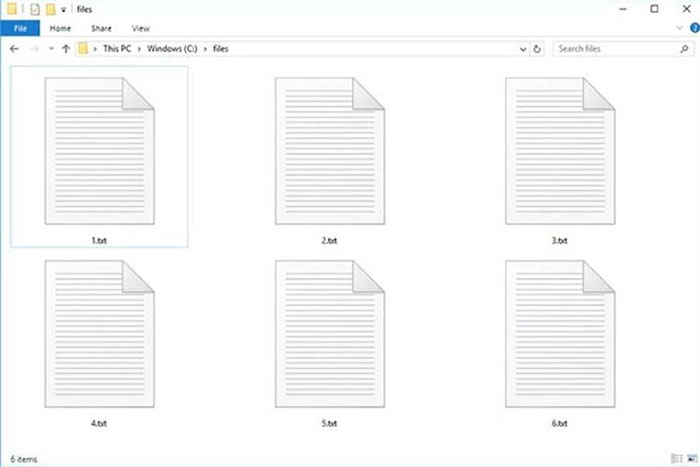
How to open a TXT file
- Windows: open it with Notepad, or right-click and choose Open with to select another editor.
- macOS: open it with TextEdit or a code editor.
- Linux: use a graphical text editor or a terminal editor such as nano or Vim.
- iPhone, iPad, and Android: use the Files app, a notes or document app, or a dedicated text editor.
For a very large log or data file, use an editor designed to stream or index large files. A basic editor may become slow because it attempts to load the entire document into memory.
How to create a TXT file
Windows Notepad
- Open Notepad and type or paste the text.
- Choose File > Save As.
- Enter a filename ending in .txt.
- Select UTF-8 encoding unless the receiving system requires another encoding.
- Save the file, then reopen it to confirm the characters display correctly.
macOS TextEdit
- Open TextEdit and choose Format > Make Plain Text if the document is in rich-text mode.
- Enter the text and choose File > Save.
- Use a .txt filename and select an appropriate plain-text encoding when prompted.
TextEdit can create rich-text documents, so choosing plain-text mode matters. Simply changing an RTF or DOCX filename to .txt does not remove its formatting structure correctly.
TXT has no built-in formatting
Tabs, spaces, punctuation, and line breaks are stored as characters, but bold text, margins, page numbers, and images are not native TXT features. Some plain-text formats use visible markup—Markdown uses symbols such as # and **, while JSON and CSV use punctuation to structure data—but they are still interpreted by other software rather than styled by the TXT container.
How to convert TXT to PDF
Use a local application when the text is private:
- Open the TXT file in a text editor or word processor.
- Set the font, page size, margins, and line wrapping.
- Choose Print and select the system's PDF printer, or use Export as PDF.
- Open the PDF and check long lines, page breaks, special characters, and links.
This creates a fixed-layout reading copy. Keep the TXT file if you still need easy editing, searching, or use by scripts.
How to convert TXT to DOCX or ODT
Open the TXT in Microsoft Word, LibreOffice Writer, or another word processor, then use Save As to choose DOCX or ODT. The text is imported, but the application cannot reconstruct formatting that was never stored. Add headings, lists, tables, and page layout manually before saving.
Common TXT problems
| Problem | Likely cause | What to do |
|---|---|---|
| Garbled characters | Wrong character encoding | Reopen with the expected encoding and save a verified copy as UTF-8 |
| All text appears on one line | Unexpected line-ending format or missing line breaks | Use an editor that recognizes Windows, Unix, and classic Mac line endings |
| File saved as name.txt.txt | Known extensions were hidden or the editor added one | Show file extensions and rename the file carefully |
| Formatting disappeared | Rich text was pasted or exported as plain text | Use DOCX, ODT, RTF, or PDF when formatting is required |
Check the real file extension
A file that looks like notes.txt may actually be notes.txt.exe when an operating system hides known extensions. Display full filenames before opening unexpected attachments. Plain text itself is passive, but a misleading filename can disguise an executable or script.
Related Articles
 All You Need to Know About ZIP Files - What Is a ZIP File?5 minutes read
 What Is a DAT File? How to Open DAT Files, How to Read DAT12 minutes read
 What Is DMG File?7 minutes read
 M3U Is What File? How to Open, Edit and Convert M3U Files8 minutes read
 What Are BMP Files? What Is a DIB File?5 minutes read
 How to Reduce PDF File Size by Software6 minutes read
Reader Comments 0
Sign in with email or Google to join the discussion.