Table of Contents
An M4A file is an audio-only file based on the MPEG-4 container. Most M4A files contain either lossy AAC audio or lossless ALAC audio. The extension describes the container, so it does not by itself tell you whether the recording is lossless or what bitrate it uses.
M4A is common in music libraries, voice recordings, podcasts, and Apple-device workflows. Current phones and media applications generally support it, but an older player or specialized system may accept MP3 and not M4A.
M4A, AAC, and ALAC are not the same thing
- M4A is the filename extension commonly used for audio in an MPEG-4 container.
- AAC is a lossy audio codec that can provide small files for streaming and portable listening.
- ALAC is Apple Lossless Audio Codec, which reduces size without discarding decoded audio data.
Two files ending in .m4a can therefore have very different sizes and compatibility. Inspect the file's media information when the codec matters.
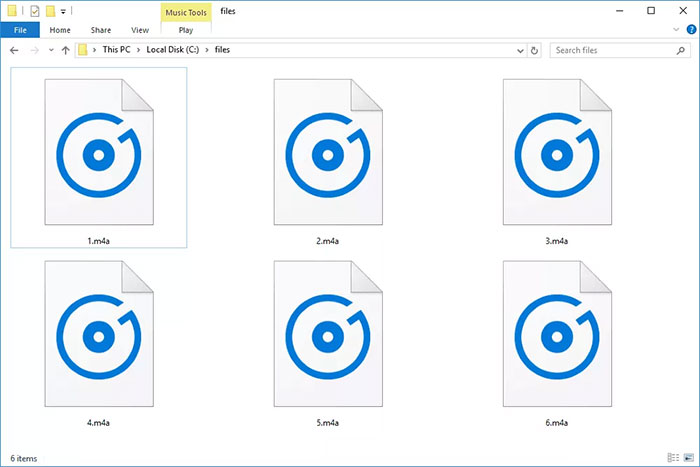
How M4A relates to MP4, M4P, M4B, and M4R
M4A and MP4 belong to the same container family, but .mp4 is more commonly used when a file includes video. Other extensions may signal an intended use: M4B is often used for audiobooks, M4R for iPhone ringtones, and M4P has historically identified protected audio in Apple ecosystems. Changing an extension does not remove protection, change the codec, or guarantee compatibility.
How to open an M4A file
Try the device's built-in music or media app first. Apple Music and QuickTime Player on macOS, Media Player on current Windows systems, and the standard media frameworks on iPhone, iPad, and many Android devices can handle common AAC or ALAC files. VLC is a useful cross-platform alternative.
If the file will not play:
- Confirm that the download completed and the file size is plausible.
- Try a current trusted player with broad codec support.
- Inspect the codec; a device may support AAC in M4A but not ALAC, or vice versa.
- Check whether the file is protected or tied to an account.
- Do not install codecs from an unexpected pop-up or unknown download site.
Should you convert M4A to MP3?
Convert to MP3 when the receiving player, car stereo, website, or workflow does not accept M4A. If the M4A contains AAC, converting to MP3 means decoding one lossy format and encoding another, which can reduce quality. Keep the original and avoid repeated conversions.
If the source contains ALAC, use FLAC when you need a lossless file for a non-Apple workflow. Use WAV when uncompressed PCM is specifically required for editing or interchange, while recognizing that the output will be much larger.
How to convert M4A with a desktop app
Many audio editors and converters can read M4A and export another format. The exact menu names vary, but the process is:
- Open or import the M4A file.
- Check whether it contains AAC or ALAC and note the sample rate and channel count.
- Choose Export or Convert.
- Select MP3 for compatibility, FLAC for lossless storage, or WAV for uncompressed editing.
- For MP3, choose a quality or bitrate appropriate for speech or music.
- Save under a new filename and listen to the beginning, middle, and end.
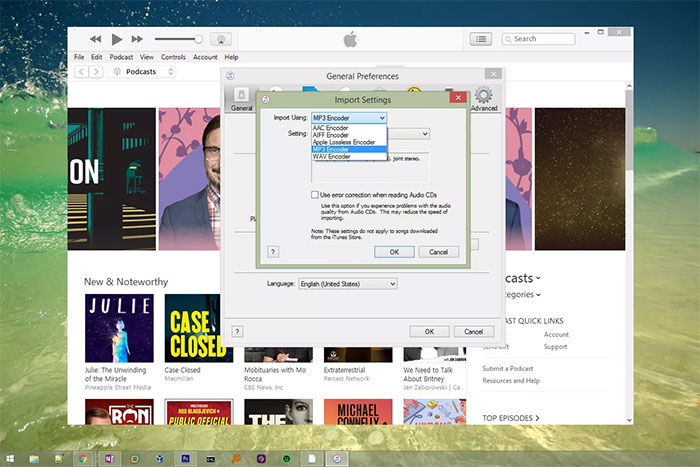
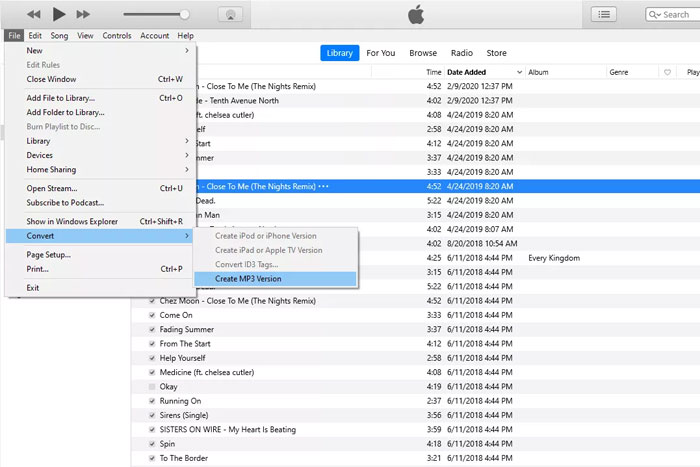
Which output format should you choose?
| Target format | Choose it for | Tradeoff |
|---|---|---|
| MP3 | Maximum compatibility and easy sharing | Lossy; re-encoding AAC can reduce quality |
| FLAC | A lossless copy of ALAC audio in a broadly supported open codec | Larger than lossy audio; metadata may need checking |
| WAV | Editing or systems that require PCM | Much larger; converting lossy audio does not restore detail |
| AAC in M4A | Modern mobile and streaming playback | Not accepted by every legacy device |
Editing an M4A file
An editor can trim, normalize, fade, or combine M4A audio, but saving usually requires re-encoding. For repeated edits, import once, work in the editor's lossless project format, and export delivery copies only at the end. Do not use higher bitrate settings as a promise of improved quality when the source is already compressed.
Online converters and privacy
A browser-based converter uploads the recording to a third party. Use a local app for meetings, interviews, voice notes, unreleased music, or any file containing personal or confidential information. If you use an online service for non-sensitive audio, check its size limits, output settings, and file-retention policy.
Verify the result
Before deleting the M4A source, confirm the converted file's duration, audio channels, loudness, metadata, artwork, and playback on the intended device. Preserve the original or another lossless master when you may need a different format later.
Related Articles
 All You Need to Know About ZIP Files - What Is a ZIP File?5 minutes read
 What Is a DAT File? How to Open DAT Files, How to Read DAT12 minutes read
 What Is DMG File?7 minutes read
 M3U Is What File? How to Open, Edit and Convert M3U Files8 minutes read
 What Are BMP Files? What Is a DIB File?5 minutes read
 How to Reduce PDF File Size by Software6 minutes read
Reader Comments 0
Sign in with email or Google to join the discussion.