Table of Contents
This article provides a clear overview of Viewing Music and Video History in Chrome Is About to Be, with the main facts, useful context, and practical details organized for easy reading.
Recently, a Google engineer from the Chromium Gerrit team has confirmed that a new feature is about to be added to Chrome browser on Windows 10, Linux and macOS platforms called 'Media History'. As the name implies, this feature helps you manage and track your media playback history in the browser to easily find a video or song once heard when needed.
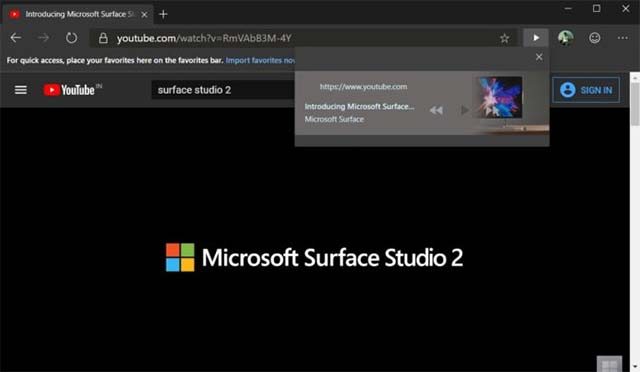
As described, when you enable this feature, the history of multimedia content will be aggregated and displayed separately in a window, similar to the normal browsing history. Here, media playback history will be categorized by specific date / month for you to easily search. Also show the URL for you to access or share to others.
However, this Media History section will be synchronized with the browsing history, meaning that the links you have deleted in browsing history will automatically disappear from Media History.
Currently, you can access the beta UI of this feature in Chrome: // media-history after enabling the flag in Chrome Canary. There is a basic user interface in development but not really complete.
It is likely that Google will announce the Media History feature right after launching Chrome 83 for global users, promising a lot of things worth experiencing.
FAQ
What is the main focus of Viewing Music and Video History in Chrome Is About to Be?
The article explains the most important facts, context, and practical details related to Viewing Music and Video History in Chrome Is About to Be.
Who may find this information useful?
It is useful for readers who want a clear overview, practical context, and a better understanding of the subject.
What should readers verify before taking action?
Check current product versions, official requirements, regional availability, and any details that may have changed since the original publication.
Related Articles
 3 Extensions That Support Managing Browsing History in Chrome7 minutes read
 How to Delete Browsing History on Chrome and Firefox5 minutes read
 How to Delete Download History on Chrome3 minutes read
 New YouTube Features Help You Get Complete Information About the Songs in the Video You Are Watching4 minutes read
 How to Be a Music Video Director: Step-by-Step Guide13 minutes read
 10 Best Best Video Viewing Software 20207 minutes read
Reader Comments 0
Sign in with email or Google to join the discussion.