Table of Contents
In the learning process, a thorough understanding of a concept is always a crucial foundation for acquiring new knowledge. However, learners don't always easily grasp this content. Therefore, Gemini's Learning mode becomes an effective learning solution.
Instead of just providing dry theory, this tool uses visual illustrations to help learners understand the subject more naturally. In particular, after each explanation, the system provides quick quizzes to assess the level of understanding. Below is an example of how to utilize Gemini's Learning mode to understand concepts and definitions.
How to master the definition using Gemini Learning mode
Step 1:
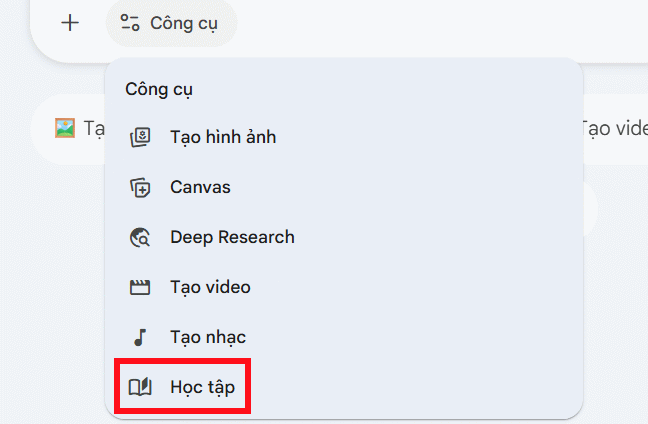
First, access Gemini and then select the Learning mode as shown below. Using the Pro version is recommended for best results.
Step 2:
Then you continue by entering commands to deploy any definition or knowledge you want to understand in more depth, along with visual representations from Gemini for certain theories.
Tôi muốn học về [chèn khái niệm]. Tôi đã hiểu [những gì bạn đã biết], nhưng tôi chưa hiểu [phần bạn đang bị vướng]. Bạn có thể giải thích rõ phần đó giúp tôi không?

Step 3:
Please wait a moment while Gemini analyzes the knowledge and provides content to help you better understand the parts you don't yet grasp.
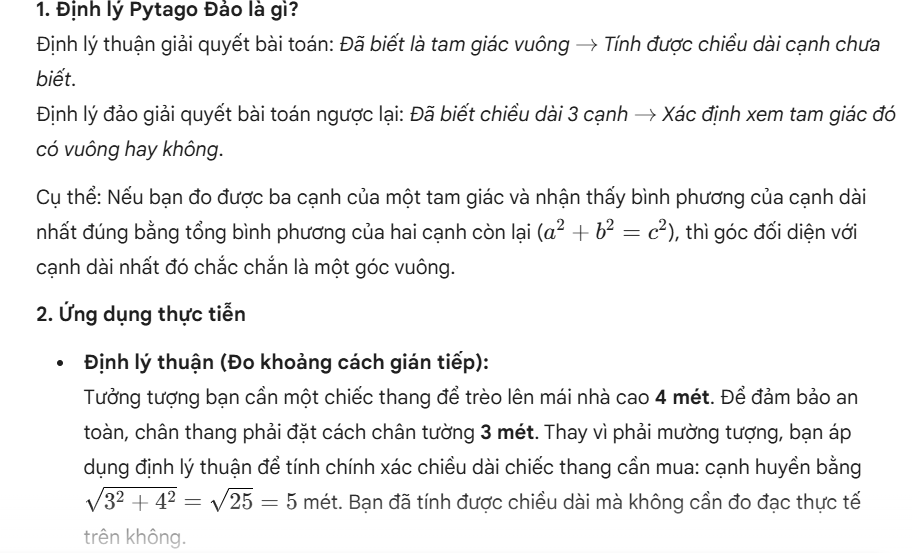
For example, with the Pythagorean theorem, Gemini will implement the knowledge exactly as you request.
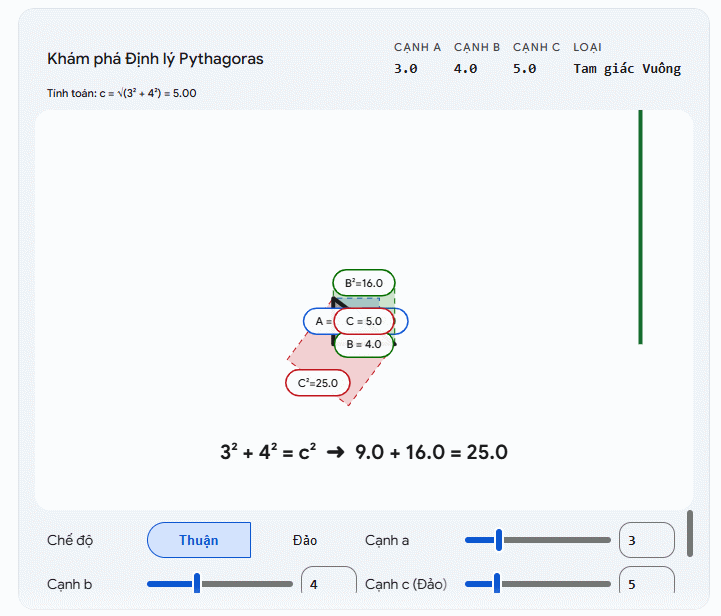
Specifically, below there are interactive illustrations simulating the process , allowing learners to change the parameters themselves to see how the results change.
Step 4:
Below, we see that Gemini also presents a problem for learners to develop based on the knowledge and definition above to test how well you grasp and understand the issue.

If you answer incorrectly or are unsure how to solve the problem, Gemini will guide you through the solution.

Related Articles
 Compare ChatGPT and Gemini Learning Modes7 minutes read
 5 Ways Gemini Helps Students Learn Smarter7 minutes read
 How to Designing Ideas and Structuring Outlines Using Gemini3 minutes read
 4 Practical Ways to Use Gemini's Camera Mode Around the House7 minutes read
 How to use Gemini API14 minutes read
 Google Launches Gemini 3: Surpasses GPT-5.1 on Many Important AI: Key Details4 minutes read
Reader Comments 0
Sign in with email or Google to join the discussion.