Table of Contents
This guide covers toshiba's cheap 8. 5-hour netbook with practical context and easy-to-follow details. Use it to understand the subject and apply the information confidently.
Not only at the launch of a series of laptops this week, Toshiba also introduced a netbook NB250 10. 1-inch screen and upgraded the NB305 with the Atom N455 processor. Mini NB250 has 1, 024 x 600 pixel resolution screen, Intel Atom N455 processor clocked at 1. 66 GHz, 1 GB DDR3 RAM, Intel GMA 3150 graphics chip and 250 GB hard drive.
This model also includes 3 USB ports, memory card reader, webcam, Wi-Fi standard n, LAN and Bluetooth. The device comes with a 3-cell battery but has a 6-cell option, which allows battery life up to 8. 5 hours continuously.
The Toshiba NB250 has a starting price of only $ 299 while NB305 has a starting price of $ 379.
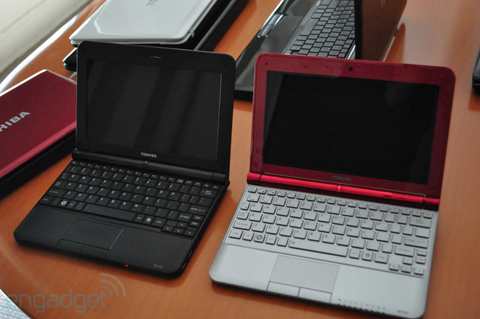 Mini NB250 (left) and NB305 (right).
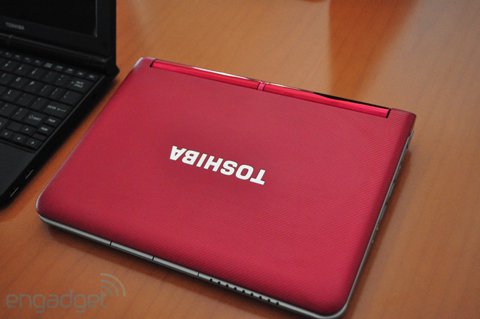 Mini NB305 remains the same style but upgraded processor chip.
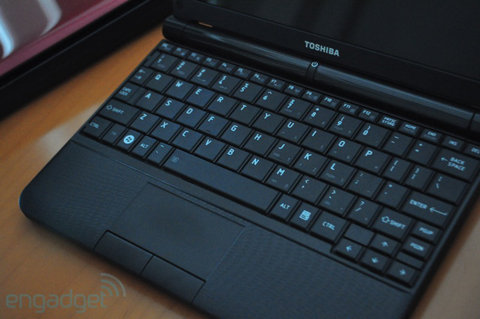 The NB250 does not have a chiclet keyboard.
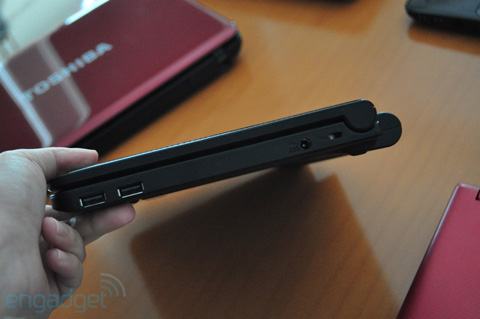 With 6-cell battery, the device can be used continuously for up to 8. 5 hours.
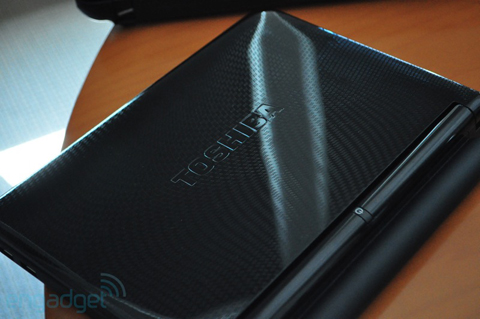 Plastic ball cover.
FAQ
What should I check before following these steps?
Confirm device and software compatibility, save important data, and make sure you have the required permissions, files, and account access.
Why might the process not work?
Common causes include outdated software, missing permissions, incompatible hardware, an unstable connection, or completing a step in the wrong order.
Can I undo the changes if necessary?
That depends on the tool or setting. Use built-in restore options when available, keep a backup, and record the original configuration first.




Reader Comments 0
Sign in with email or Google to join the discussion.