Table of Contents
This guide covers dell's new inspiron r line costs only 449 usd with practical context and easy-to-follow details. Use it to understand the subject and apply the information confidently.
With a price of only 449 USD (according to Dell's website), users can choose the new laptop line of this product with 5 colors: black, pink, red and blue with screen sizes of 14, 15 and 17 inch HD resolution standard.
In addition to the Core i processor, the Dell Instpiron R series is also powerful with the option to upgrade DDR3 RAM to 8GB, 640 GB hard drive, ATI discrete graphics card with 1GB VRAM and SRS Premium Sound speaker system.
The most special feature of this product line is that despite being quite cheap, it is equipped with Intel's Wireless Display technology to help broadcast wireless high-definition video signals to TVHD.
 Surface in scratched aluminum is a new trend in the design of manufacturers.
 Touchpad.
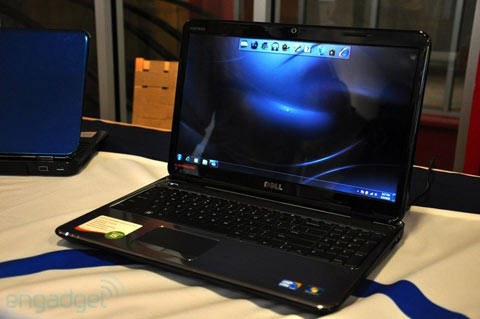 The 15 and 17 inch models own a full keyboard with the right side number pad.
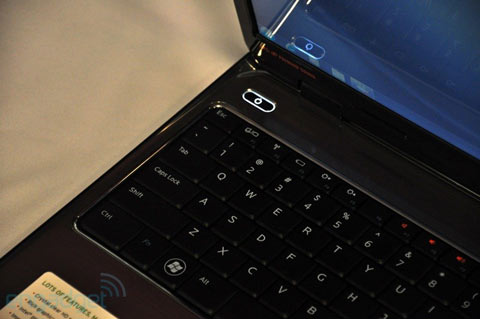 SRS Premium Sound speaker system.
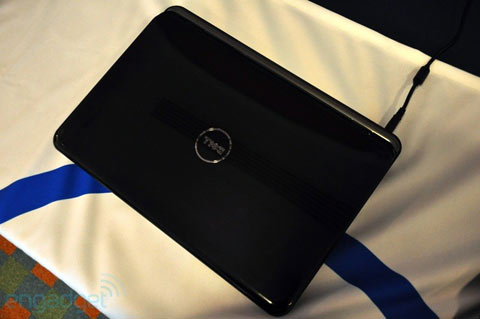 Upper surface with glossy plastic cover.
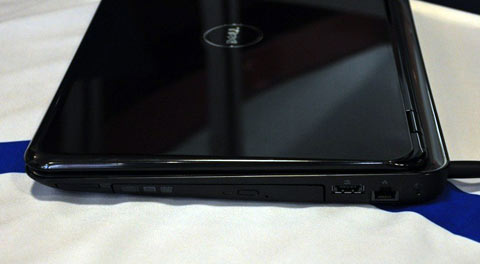 Next to the optical drive.
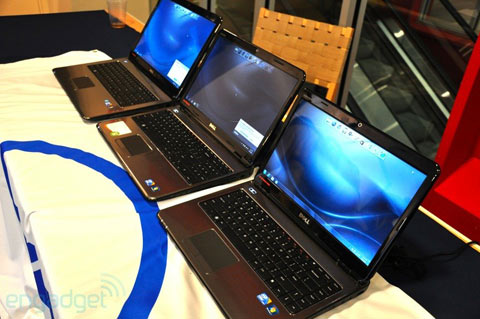 Three models of Inspiron R series with screen sizes of 17, 15 and 14 inches respectively from left to right.
FAQ
What should I check before following these steps?
Confirm device and software compatibility, save important data, and make sure you have the required permissions, files, and account access.
Why might the process not work?
Common causes include outdated software, missing permissions, incompatible hardware, an unstable connection, or completing a step in the wrong order.
Can I undo the changes if necessary?
That depends on the tool or setting. Use built-in restore options when available, keep a backup, and record the original configuration first.
Related Articles
 Dell Launched Many New Computers Inspiron Line4 minutes read
 Dell Inspiron 1210 Costs Less Than 7 Million3 minutes read
 Dell Revealed the Inspiron 910 Netbook3 minutes read
 Dell Discontinues XPS and Inspiron Product Lines4 minutes read
 Inspiron 17 Inch Costs from 9 to 50 Million3 minutes read
 Dell 'Wiped Out' Inspiron Mini Netbook3 minutes read
Reader Comments 0
Sign in with email or Google to join the discussion.