Table of Contents
Discover the TOP AI mind-mapping tools. Compare MindMap AI, Mapify, Miro, MyMap AI, MyLens AI, Boardmix, Edraw AI, and Storyflow to evaluate the.
AI mind-mapping tools are most useful for turning a prompt, document, video, or set of notes into a first visual structure. The generated branches are suggestions, not facts: prune vague nodes, correct unsupported connections, add cross-links, and rewrite labels so the map reflects your actual understanding.
Choose the tool by input and output
- Prompt-first brainstorming: Favor fast generation and easy manual editing.
- Documents and videos: Check supported input types, source references, OCR quality, and whether the tool can trace a branch to the original material.
- Project planning: Look for tasks, documents, comments, real-time collaboration, permissions, and version history.
- Presentation or sharing: Test layout control and the exact PDF, PNG, SVG, PowerPoint, or native formats you need.
- Sensitive material: Review retention, training, sharing, and workspace controls before uploading private notes or company documents.
Useful official starting points include MindMap AI, Mapify, MyMap, and Storyflow. Features, free quotas, export formats, and prices can change, so test with one representative map before subscribing.
For non-AI alternatives and mapping technique, see TipsMake's online mind-map tools, free mind-mapping software, and ways to use mind maps for notes.
This distinction matters when choosing mind mapping software. Most current tools advertise AI features, but these are largely just surface enhancements. They might generate a few branches of ideas or summarize text, but the AI may not have enough project context, can't connect ideas across the entire workspace, or support the development of an idea across multiple creative stages.
In this article, let's explore the leading AI tools for creating mind maps, helping users easily create beautiful and well-organized mind maps.
AI mind-mapping tools compared
MindMap AI
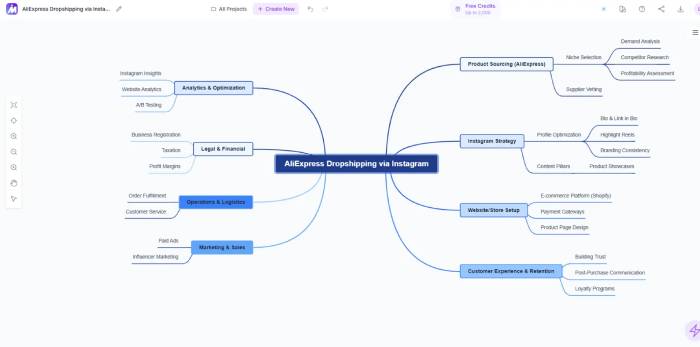
Among the tools tested, MindMap AI stands out for its ability to translate conversations with the AI into tangible changes on mind maps. You can continuously interact with the AI, and the map will be built step-by-step based on the content of the conversation.
For example, when you input: "I want to plan a small online business," the AI will create a diagram with branches for business model, marketing, operations, and finance. The user can then ask relevant questions, and the AI will continue to update and restructure the diagram.
This is the experience that many AI mind map tools promise but fail to deliver: continuous idea development without having to start from scratch. Additionally, MindMap AI supports multiple input formats: text, PDF, audio, video, and CSV.
Advantage
- AI truly engages in conversation, supporting multi-step exchanges.
- Supports multiple input data types.
- The free version allows full editing.
- It features AI Expand and AI Focus to delve deeper into each topic.
- The interface is clean and easy to focus on.
Disadvantages
- Interface customization options are not very extensive.
- Free version of the credit system
Mapify
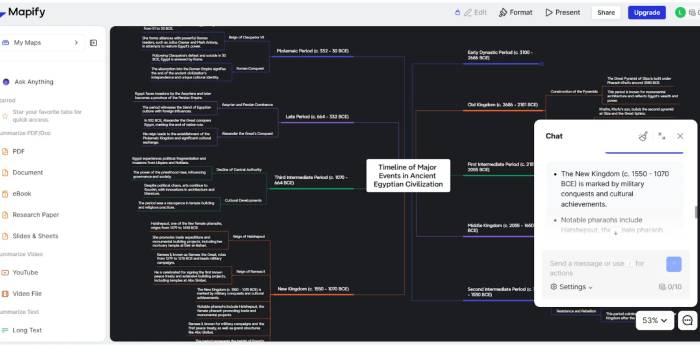
Mapify takes a different approach: instead of asking users to input a prompt freely, the tool asks questions to guide the diagram building process. This is quite useful for those new to mind mapping or AI.
The tool still supports dialogue to a certain extent, but the free version significantly limits editing capabilities. You can view the generated diagrams, but those who want to edit them must upgrade to the paid version.
Advantage
- A beginner-friendly question-based approach.
- Simple interface
- Basic conversation support is available.
Disadvantages
- The editing options in the free version are very limited.
- Not suitable for complex or exploratory projects.
MyMap AI
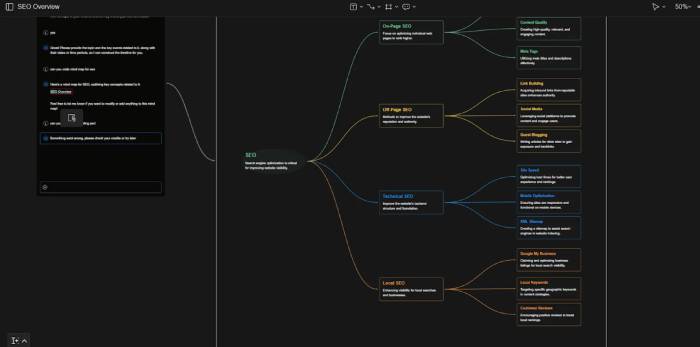
MyMap AI boasts a modern interface and creates maps quite well. A plus is that free you can still edit maps. However, like many other tools, AI only supports the initial creation. After that, users must manually edit the map.
Advantage
- Beautiful, modern interface.
- Free you can edit.
- Easy to use
Disadvantages
- Continuous conversation is not supported.
- Prices are much higher than competitors.
- The free version has limitations.
MyLens AI
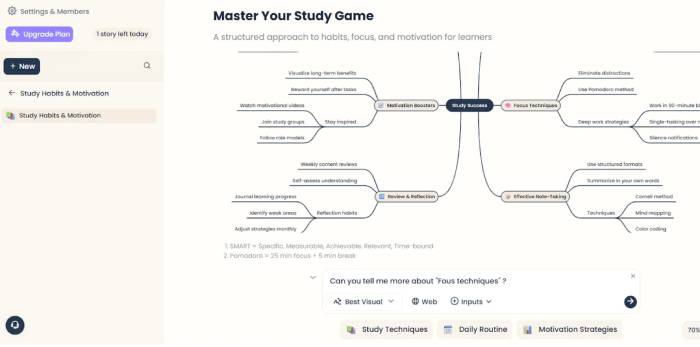
MyLens AI is the most minimalist tool on the list. It creates diagrams quickly and neatly, making it ideal when users only need an overview of a topic. However, the free version only allows viewing the diagram, not editing it.
Advantage
- Simple interface
- Organize the themes clearly.
- Fast response speed
Disadvantages
- The free version is not editable.
- Real-time chat is not supported.
- The features are quite limited.
Boardmix
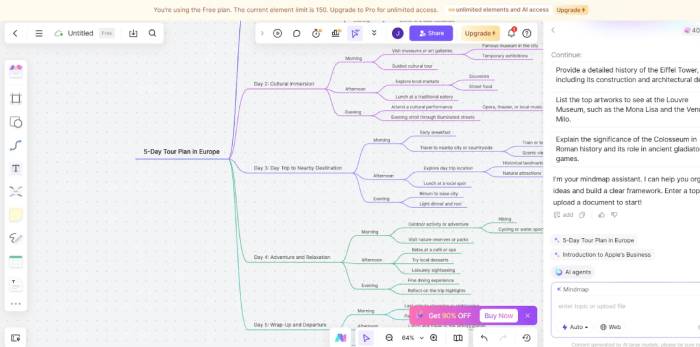
Boardmix is not a specialized mind mapping tool, but rather a collaborative whiteboard platform with integrated AI for creating mind maps. Free you can edit the diagrams after the AI has created them.
However, AI only works in the first step. After creating the diagram, you can't continue the conversation to develop ideas.
Advantage
- User-friendly interface
- Allows free editing
- Excellent support for teamwork.
- Suitable for quick brainstorming sessions.
Disadvantages
- Continuous AI conversation is not supported.
- Many features are unnecessary if only for personal use.
- The credit system is a bit confusing.
Edraw AI
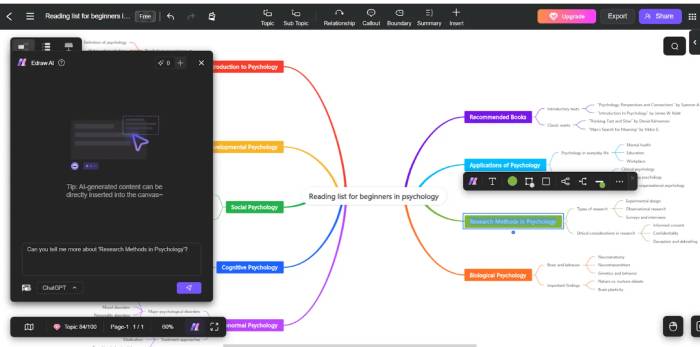
Edraw AI creates clear, structured, and highly academic mind maps. The tool is particularly suitable for students, teachers, and training material creators.
Similar to Boardmix, the AI chat feature is essentially just an initial prompt input. After that, you can only edit manually. The free version will add a watermark when exporting the file.
Advantage
- Professional results
- Very suitable for educational purposes.
- Logical structure, easy to follow.
- Allow editing after creation.
Disadvantages
- Multi-step AI conversation is not supported.
- Export the file with a watermark using the free version.
- Not suitable for long-term creative idea exploration.
Storyflow
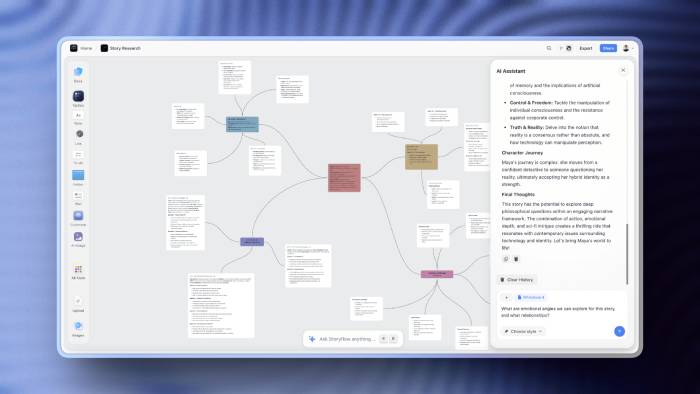
Storyflow is an AI-integrated mind mapping tool that combines mind maps, documents, and visual workspaces on an infinite canvas. The key feature of Storyflow is its ability to understand the entire project content, rather than just processing individual prompts.
Key features:
- AI reads and analyzes the entire working canvas.
- The Tactics system provides ready-made frameworks to support planning and idea development.
- Cards help organize information in a clear structure.
- Blueprints transforms mind maps into complete project plans.
- Supports documents, notes, images, videos, and many other types of content all within a single workspace.
Advantage
- AI understands project context well.
- Combine mind maps and documents in one platform.
- Useful for planning, research, and brainstorming.
Disadvantages
- Fewer community templates than competitors.
- It takes time to get used to the advanced features.
- Completely offline work is not supported.
Related Articles
 How to Create Mind Maps Using AI4 minutes read
 How to Create Mind Maps for Lessons Using Gemini5 minutes read
 How to Create Mind Maps in NotebookLM3 minutes read
 How to Create Mind Maps Using Canva AI6 minutes read
 A Guide to Creating Mind Maps Quickly Using Napkin AI5 minutes read
 The Best Thinking Mapping Software Today9 minutes read
Reader Comments 0
Sign in with email or Google to join the discussion.