Table of Contents
In iOS 26, a compatible iPhone can turn certain photos into Spatial Scene wallpapers. The phone separates parts of the image by depth so the Lock Screen appears to move in 3D as you tilt the device. Apple supports the feature on iPhone 12 and later, but not every photo is eligible.
The 3D effect applies to the Lock Screen. If you set a wallpaper pair, the Home Screen does not display the same Spatial Scene motion.
What makes a good Spatial Scene photo?
iOS has to estimate depth from a still image, so results depend heavily on the composition. Apple says eligible photos typically have strong lighting, clear separation between the subject and background, or a landscape orientation. A person, pet, object, or scene with distinct visual layers usually works better than a flat graphic or a busy group photo.
- Choose a sharp, well-lit original rather than a screenshot or heavily compressed copy.
- Look for clean edges around the main subject.
- Leave enough room for the clock, widgets, notifications, and bottom controls.
- Avoid images in which several subjects overlap or the background has a similar color and texture.
Create a Spatial Scene from Wallpaper settings
- Open Settings > Wallpaper.
- Tap Add New Wallpaper, then choose Photos.
- Open the Spatial Scene category to see photos that iOS has identified as suitable, then select one.
- Wait while the phone generates the scene. Processing time varies with the image.
- Preview the effect by tilting the iPhone gently.
- Tap Add, then choose a wallpaper pair or customize the Home Screen separately.
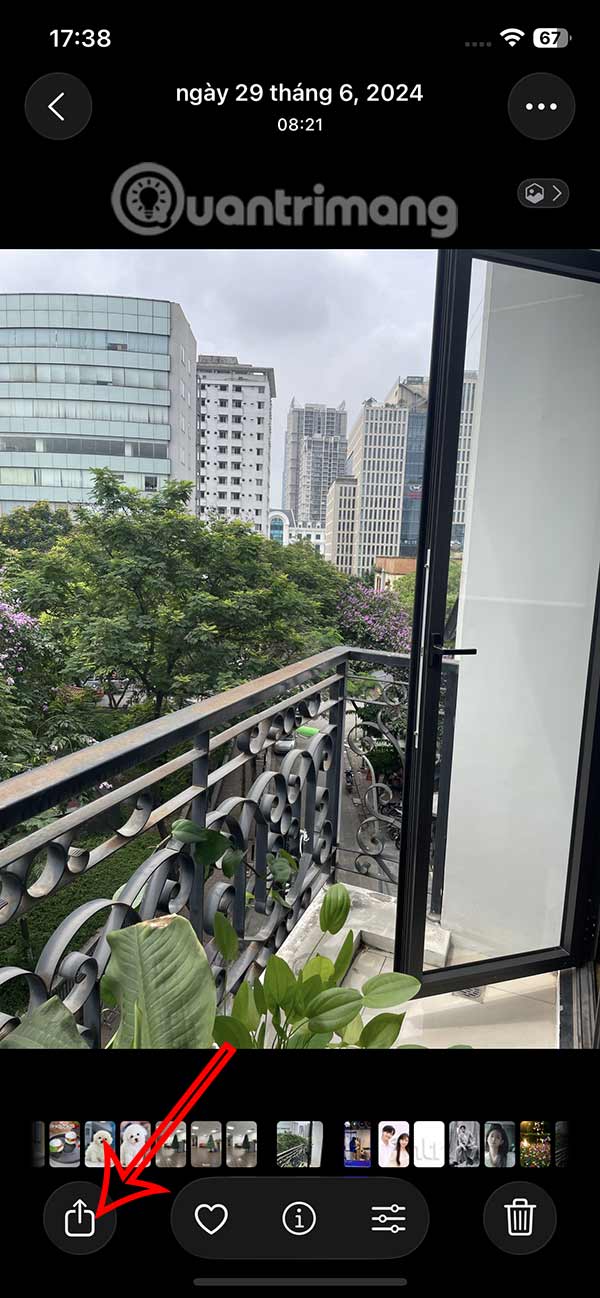
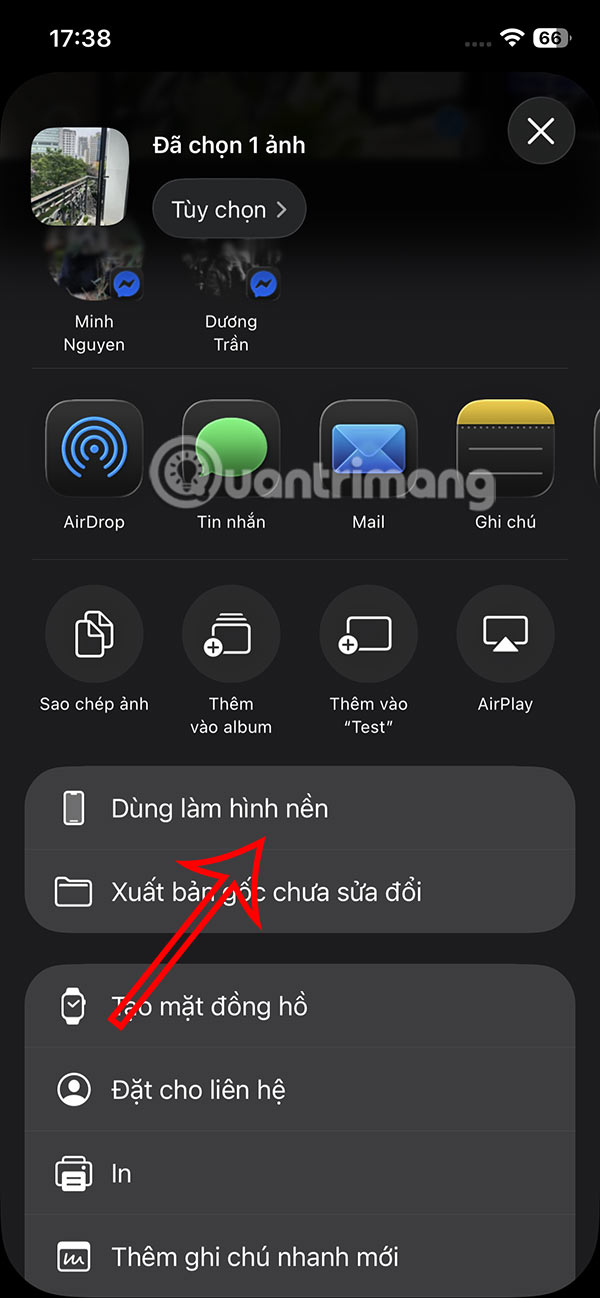
On supported iOS builds, you can also open a photo in Photos, tap the Share button, and choose Use as Wallpaper.
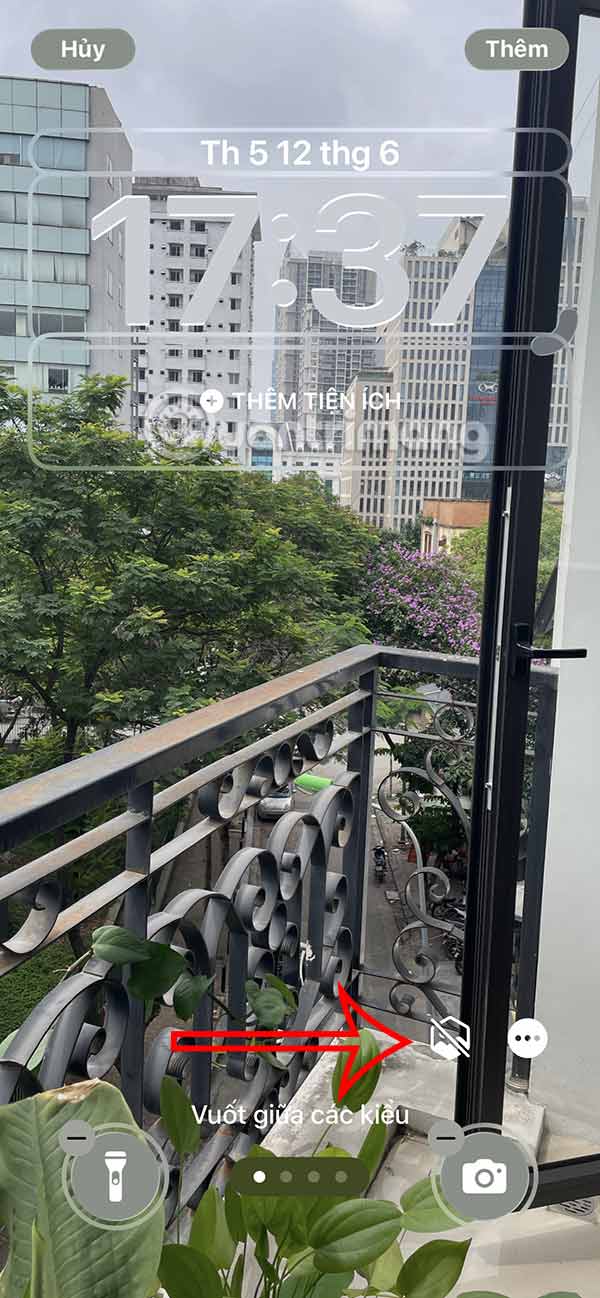
Turn the Spatial Scene effect on
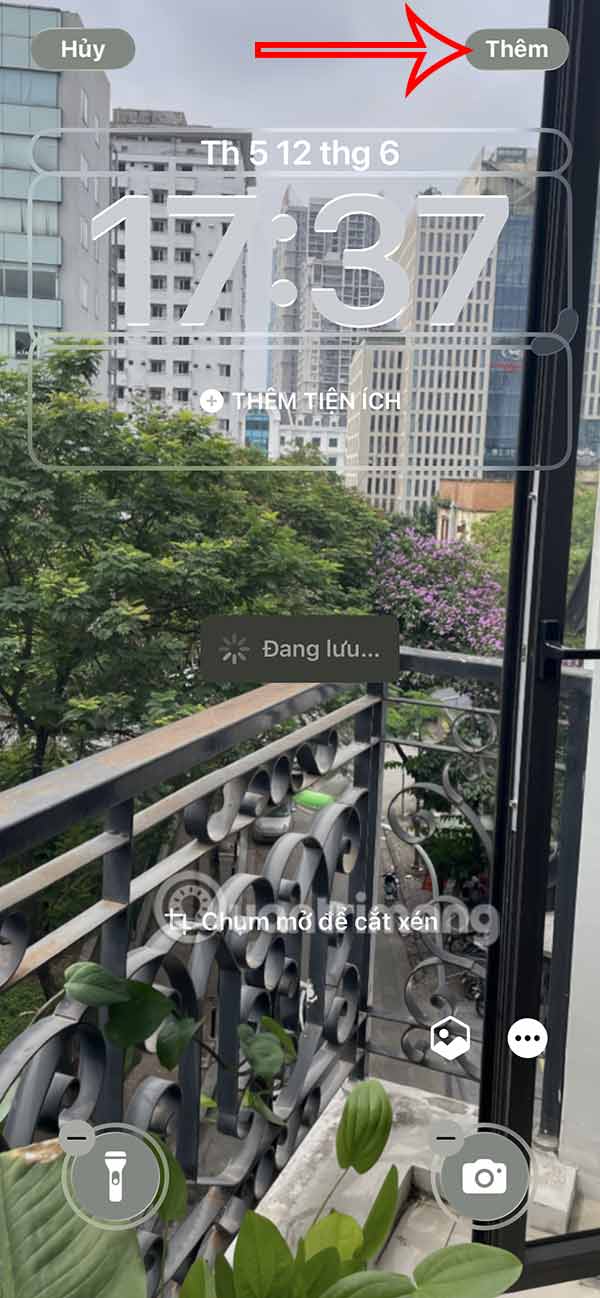
In the wallpaper editor, tap the Spatial Scene button if the selected photo supports it. If iOS must create depth information, a generation message appears while the image is processed. Do not leave the editor until the preview is ready.
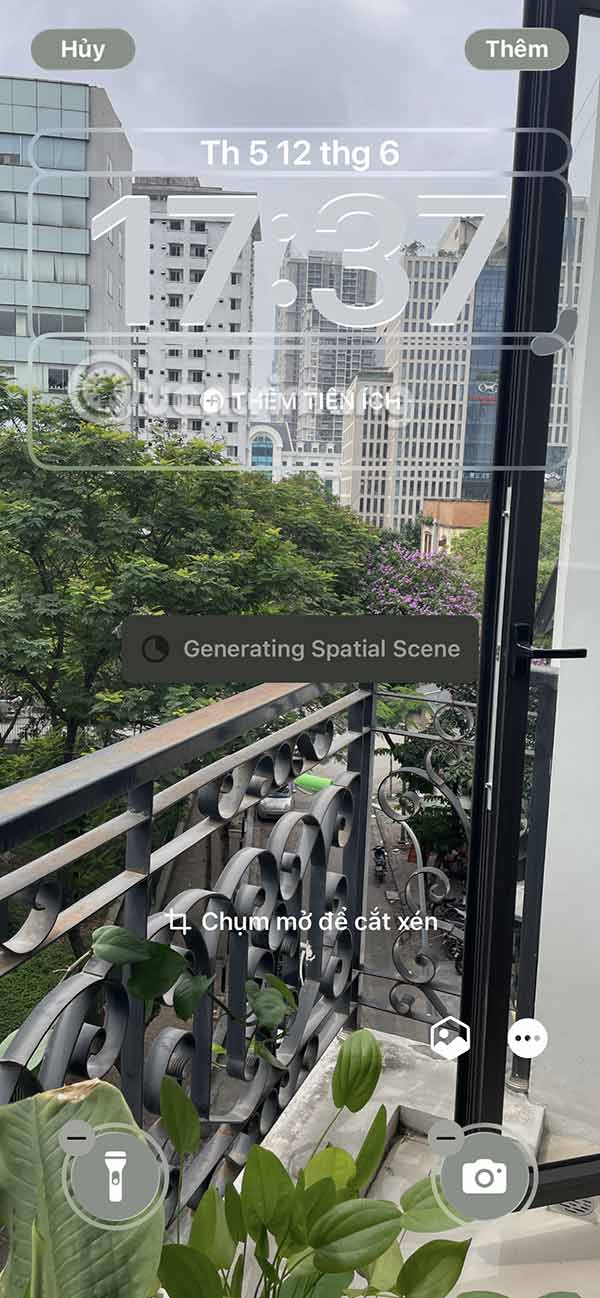
Pinch and drag to adjust the crop before saving. Keep the main subject visible without allowing it to cover too much of the time or other interface elements.
If Spatial Scene does not appear
- Confirm the device and software. The 3D photo wallpaper requires iOS 26 on iPhone 12 or later.
- Try the Spatial Scene category. Photos listed there have already been identified as suitable candidates.
- Use another image. Some photos cannot be converted even when the feature works normally on the phone.
- Improve the source. Use the original photo instead of a social-media copy, screenshot, or low-resolution preview.
- Change the crop. Repositioning can produce a more convincing preview, although it cannot make an ineligible image eligible.
- Allow processing to finish. A complex image may take time before the effect can be previewed.
If the Spatial Scene button is unavailable for one image but appears for others, the image is the likely limitation. iOS does not provide a manual depth editor in the wallpaper interface.
Spatial Scene vs. the older Depth Effect
Depth Effect, introduced with the customizable Lock Screen in iOS 16, layers a detected subject in front of the clock. Spatial Scene goes further by generating depth and motion across the image as the phone moves. A photo may work with one effect and not the other because the processing requirements differ.
Keep the Lock Screen practical
A dramatic 3D effect is useful only if the Lock Screen remains readable. Check the finished wallpaper with real widgets and notifications, and tilt the phone under normal use rather than moving it aggressively. If the motion distracts from the content, choose a subtler image or use the photo without the Spatial Scene effect.
For more backgrounds, browse these Full HD, 2K, and 4K phone wallpapers or the iOS 17 wallpaper collection. You can also add information with iPhone Lock Screen widgets. Apple's current wallpaper support page lists the official requirements and setup steps.
Related Articles
 How to Create Liquid Glass Effect on iPhone Screen4 minutes read
 How to Add iPhone Lock Screen Effect5 minutes read
 How to Move Widgets Below iPhone Lock Screen: Step-by-Step Guide3 minutes read
 How to Make iPhone Video Wallpaper?: Step-by-Step Guide7 minutes read
 Custom Android Lock Screen Tips You Shouldn't Overlook7 minutes read
 How to Download OnePlus 6 Wallpapers for Your Phone4 minutes read
Reader Comments 0
Sign in with email or Google to join the discussion.