Table of Contents
Overview
This guide covers things you don't know about printing in Canva in clear, practical terms. It covers the key concepts, recommended steps, common limitations, and useful checks so you can make a better-informed decision.
Designing and printing has never been easier or more fun with Canva Print. With Canva Print, you can turn your designs into high-quality, physical products, delivered straight to your door or conveniently picked up in stores. Whether you're creating mugs, posters or business materials, Canva Print offers eco-friendly solutions that make the process simple and sustainable.
But Canva Print is so much more than that. In addition to beautifully printed products, it's packed with features to enhance your creativity and streamline your workflow. From AI-powered photorealistic images to data-driven storytelling tools and ready-to-use templates, Canva Print opens up endless creative possibilities for every occasion.
Always stick to the brand
Inside Canva Print, Brand Kit lets you design branded, print-ready materials that reflect your unique identity. By centralizing your brand's fonts, logos, colors, and other assets, Brand Kit ensures every print product – from business cards to flyers – is consistent and polished.
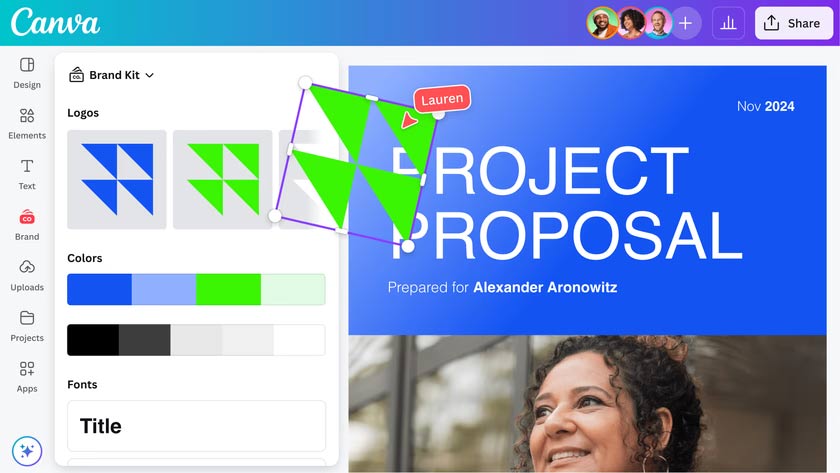
Pre-designed templates and brand design guidelines in the editor make it easy to accurately represent your brand identity, so you can focus on bringing your ideas to life. Whether you're starting from scratch or uploading existing assets, Canva Print and Brand Kit work together to help you create high-quality, print-ready materials that represent your brand at its best.
Print stunning photorealistic designs with Dream Lab
Bring your print designs to life with stunning photorealistic images created in Dream Lab. Canva's latest image creation tool, powered by Leonardo. Ai's advanced Phoenix model, lets you easily create stunning, professional-quality images for posters, flyers, custom merchandise, and more. From vibrant landscapes to super-detailed product shots, Dream Lab opens up endless possibilities for adding eye-catching imagery to your designs.
Once your images are ready, seamlessly integrate them into print projects to create high-quality, polished, and striking documents. With Dream Lab, your print designs are limited only by your imagination.
Add data stories to your creations
Data design doesn't have to be boring! With the new Charts features, you can easily make your printed materials more impactful by turning complex data into compelling visuals.
Whether you're designing posters, flyers or reports, data storytelling allows you to simplify complex information, highlight key metrics and introduce new trends to communicate insights clearly and effectively. Combined with Canva Print, your data stories will translate into high-quality print materials that engage and inspire.
Take advantage of Work Kits
Work Kits are designed to help professionals across a wide range of industries easily create high-quality printed materials without having to start from scratch. Packed with customizable templates like project plans, classroom posters, and marketing proposals, Work Kits are designed to make everyday design tasks a breeze.
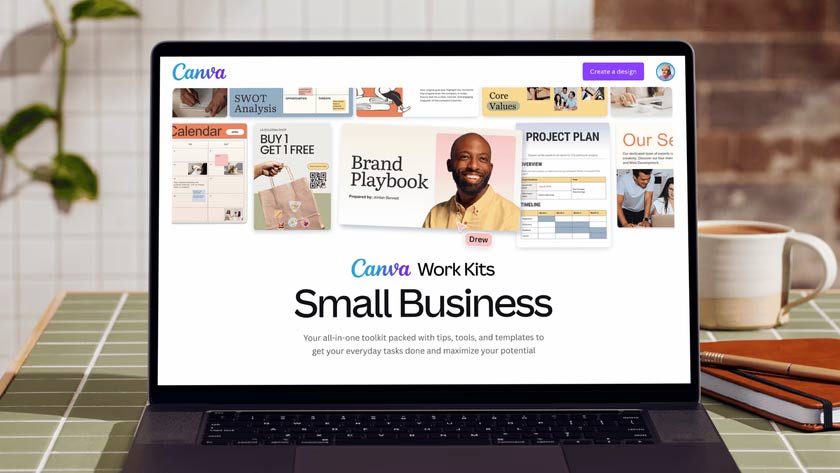
Simply pick a template, add your own personal touch, and turn it into stunning, print-ready documents with Canva Print. Whether you're presenting your annual report in a beautiful booklet or turning your brand manual into a polished flyer, each Work Kit saves you time while ensuring every design looks professional and cohesive.
Resize any design to fit your printing needs
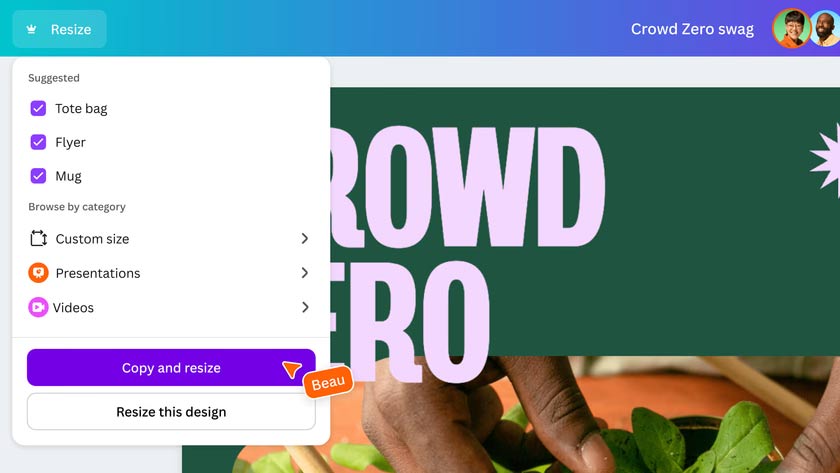
With Magic Resize, adapting designs to any product or printable is easy. Swap the size, language or format of your design in seconds – whether you're resizing a flyer to a poster, a pamphlet to a booklet or translating a document into multiple languages. It's the ultimate shortcut to creating versatile, print-ready documents without starting from scratch.
Key Takeaways
Use the guidance above as a practical reference for things you don't know about printing in Canva. Check compatibility, follow the steps carefully, and verify important details with official documentation when software, security, accounts, health, or purchases are involved.
FAQ
What is the main point of this article?
This article explains things you may not know about Canva print, including the central facts, context, practical implications, and details needed to understand the topic.
Why does this topic matter?
It may affect performance, cost, safety, convenience, purchasing decisions, or how people understand a broader development.
Could the information change over time?
Yes. Product details, software features, prices, policies, codes, and news developments can change, so verify time-sensitive information with official sources.
Related Articles
 How to Ensure Accurate Color Printing When Using Canva4 minutes read
 4 Things to Consider Before Paying for Canva Pro5 minutes read
 Kittl Explained7 minutes read
 10 Things You Can Create with Canva9 minutes read
 How to Get Better Results with Canva's AI Image Maker: Clear Instructions10 minutes read
 How to Print Web Pages Without Ads3 minutes read
Reader Comments 0
Sign in with email or Google to join the discussion.