Table of Contents
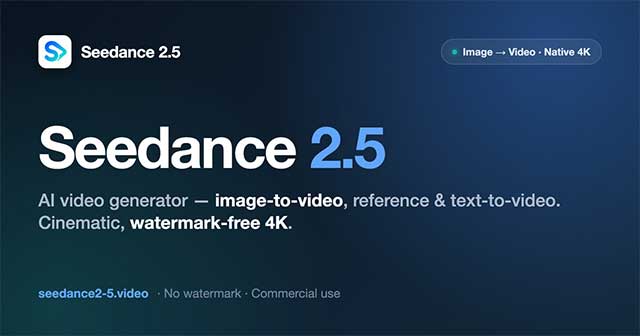
ByteDance's Seed team officially launched Seedance 2.5 on July 31, 2026. The joint audio-video generation model can produce clips up to 30 seconds in a single pass, use as many as 50 multimodal reference files, extend an existing result, and edit selected time ranges.
Those are ByteDance's stated capabilities, not an independent quality benchmark. Output consistency still depends on the prompt, references, scene complexity, and product interface through which the model is used.
What ByteDance announced
The official Seedance 2.5 launch post identifies three main upgrades:
- Longer single-pass generation: up to 30 seconds of synchronized audio and video, compared with the 15-second generation described for the previous version.
- More reference material: up to 30 images, 10 video clips, and 10 audio clips in one request.
- More targeted control: prompts can specify events and edits by timestamp, with added support for green-screen, camera-perspective, and reference-based editing.
The model also supports multiple rounds of extension. ByteDance says it aims to preserve the main characters, environment, audiovisual style, and pacing as new sections are appended. As with any generative-video system, users should test that continuity rather than assume it will hold in every scene.
Thirty seconds is about narrative control, not only length
A longer generation is useful only if the model can maintain identities, objects, lighting, movement, sound, and spatial relationships over time. Seedance 2.5 is designed to organize several connected shots within a 30-second result instead of merely stretching one moment.
Creators can describe a timed sequence in the prompt. For example:
16:9 product film, 30 seconds. 0–5 seconds: close-up of the unopened package on a kitchen counter. 6–14 seconds: hands open the package and place the product beside a cup. 15–24 seconds: medium shot showing the product in use. 25–30 seconds: clean hero shot with empty space on the right for a title. Preserve the packaging design from the reference images. Natural morning light and synchronized room sound. Do not generate on-screen text.
Time ranges give the model a clearer rhythm, but they do not create frame-accurate editing by themselves. Check the actual cut points, object continuity, and audio synchronization in the generated file.
Up to 50 references in one generation
The 50-input limit is divided across formats: 30 images, 10 videos, and 10 audio clips. References can communicate different parts of the brief:
- character or product appearance from still images;
- locations, props, wardrobe, and color direction from a style board;
- camera movement or physical action from reference video;
- voice, music, rhythm, or environmental sound from audio; and
- blocking and camera position from a simple 3D or clay render.
More references do not automatically produce a better result. Conflicting faces, lighting, camera language, or product details can make the instruction ambiguous. Label each reference in the prompt and say exactly what the model should take from it.
Use Images 1–3 only for the actor's appearance and wardrobe. Use Image 4 for the room layout. Use Video 1 for camera movement, not visual style. Use Audio 1 for timing and ambience. Preserve the product shape and label from Images 5–7.
Editing with timestamps and reference controls
Seedance 2.5 can target a time range when changing a character, action, plot beat, camera move, or other audiovisual element. This is more useful than regenerating an entire clip when only one section is wrong.
A focused edit might read:
Edit 8–12 seconds only. Keep the actor, voice, background, lighting, and all other timing unchanged. Replace the fast push-in with a slow lateral camera move from left to right.
ByteDance also highlights green-screen editing and camera-perspective changes. For professional use, compare the edited result with the source frame by frame. Local edits can still change edges, shadows, reflections, lip movement, or nearby objects.
Does Seedance 2.5 generate 4K video?
Some ByteDance-affiliated creation interfaces advertise 4K output for Seedance 2.5. However, ByteDance's core launch announcement emphasizes 30-second generation, multimodal references, and editing without defining a universal native resolution, frame rate, codec, or whether 4K is generated directly or provided as an export or enhancement option.
For an accurate workflow, check the specific service and plan you use. Confirm:
- native generation resolution versus upscaled export;
- available aspect ratios and frame rates;
- compression and watermark behavior;
- credit cost for a 30-second clip and for extensions;
- commercial-use and data-upload terms; and
- whether the feature is available in the account's region.
A “4K” label alone does not guarantee detailed, artifact-free frames or make a clip ready for production.
Availability
At launch, ByteDance said Seedance 2.5 was rolling out through Jimeng AI, Doubao Pro, and other platforms, with API access planned through BytePlus ModelArk. The Seedance 2.5 model page provides current access links.
Availability, usage quotas, features, and product names may differ by country and can change after launch. Verify the official model selector before paying for a third-party service that claims to provide the model.
How it fits into the AI video market
Seedance 2.5 competes in the same broad category as other prompt- and reference-driven video systems from Google, OpenAI, and specialized video companies. Direct ranking is difficult because interfaces expose different clip lengths, resolutions, audio options, safety rules, and editing tools.
A useful comparison should give every model the same task and source material, then score:
- identity and product consistency across shots;
- prompt and reference adherence;
- physical plausibility of movement;
- camera and scene continuity;
- speech, music, and sound synchronization;
- editing precision;
- generation time and cost; and
- rights, privacy, provenance, and deployment controls.
ByteDance itself acknowledges remaining room for improvement in complex physical motion and scenes with several interacting subjects. That is a more useful caveat than treating a polished showcase as proof that every prompt will work.
Copyright, likeness, and disclosure
Seedance 2.0 drew criticism from entertainment companies and performers over outputs involving protected characters and recognizable people. ByteDance said it respects intellectual-property rights and would strengthen safeguards. Those disputes concern the earlier release, but they remain relevant to how any successor model is used.
Creators should not assume that a model accepting a prompt means the resulting use is lawful. Before publishing or selling a video:
- use reference material you own or are licensed to use;
- obtain consent for a recognizable person's likeness or voice;
- avoid presenting a synthetic event as authentic footage;
- check logos, characters, music, packaging, and background art;
- retain records of source assets, licenses, and approvals; and
- label AI-generated or materially edited media when viewers could otherwise be misled.
What Seedance 2.5 changes for creators
The practical advance is not that one sentence automatically produces a finished film. It is that a single generation can carry a longer timed sequence, while a larger reference set and targeted edits provide more ways to direct it. That can reduce the number of disconnected clips a creator must assemble.
Production still requires a script, shot plan, reference management, review, conventional editing, audio checks, rights clearance, and export testing. Seedance 2.5 is a more controllable generation tool, not a substitute for those decisions.
Related Articles
 How to Create Videos Using AI with Dreamina Seedance 2.0 in CapCut5 minutes read
 AI Creates Dancing Videos with Just a Single Photo3 minutes read
 Doskey Command in Windows: What You Need to Know23 minutes read
 Edit Command in Windows: Tips and Examples3 minutes read
 Dont Complain About Why Youre Single, This Is the Answer for You6 minutes read
 Guide to Creating Lip-sync Videos with AI Lip Sync8 minutes read
Reader Comments 0
Sign in with email or Google to join the discussion.