Table of Contents
Apple stopped updating Clips and made it unavailable to new users from October 10, 2025. Existing users should save important work as playable video files rather than relying only on Clips projects.
Apple's Clips support page says previously downloaded copies can be downloaded again through the same Apple account, and describes continued use on iOS 26 and iPadOS 26 or earlier. That is not a promise of compatibility with every future system release.

Save a finished video with its effects
- Open the video in Clips and tap Share.
- Open Options and select Video, not a project.
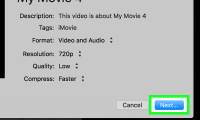
- Choose the available format options, then tap Done.
- Use Save Video for Photos or Save to Files for a chosen location.
Open the exported file in Photos or another player. Check the whole video, including sound, titles, framing, and the ending. Give the file a recognizable name and keep a separate backup if it matters to you.
Save original clips for further editing
For footage recorded directly inside a Clips project, select a clip, swipe through the tools, and choose Save Clip. This saves the original without effects. If the control is unavailable, look for the original in your photo library.
A finished export preserves the visible result, while original clips give another editor more flexibility. Keeping both can be useful. Do not assume a Clips project will open as an editable timeline in another app.
Move to another editor
You can use the exported videos or originals in iMovie or another compatible editor. For basic steps, see combining videos in iMovie on iPhone and trimming clips in iMovie.
Test a small import before moving all your projects. Verify that the editor supports the footage's format and that your exported copies are complete before removing anything from the original device.
Clips and App Clips are different
The discontinued video editor is Clips. App Clips are small, task-focused parts of other apps. The names are similar, but the discontinuation described here concerns the video-editing app.




Reader Comments 0
Sign in with email or Google to join the discussion.