Table of Contents
This guide covers sony's 'terrible' gaming laptop with practical context and easy-to-follow details. Use it to understand the subject and apply the information confidently.
Sony's new laptop has a wide screen of 16. 4 inches, a resolution of 1, 920 x 1, 080 pixels. The power of the F1190X comes from the 1. 6 GHz Core i7-720QM processor (which can be up to 2. 8 GHz with TurboBoost technology) and the 512 MB NVIDIA GeForce 310M graphics card. In addition, the device also has DDR3 4G memory (with an option to add up to 8 GB), 320 GB hard drive and Blu-Ray optical drive included.
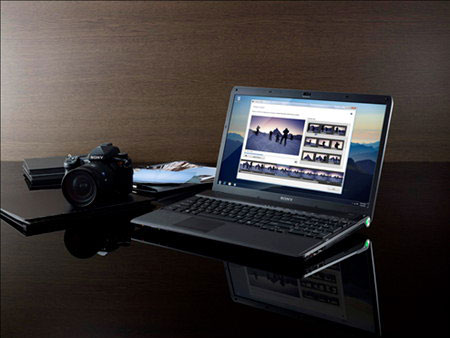 F1190X is suitable for gamers (Photo: Notebookcheck) .
Sony's new gaming notebook products are also equipped with N-standard Wi-Fi, two Bluetooth ports, SD card reader and HDMI port. F1190X also includes webcam and microphone for remote video meetings.
F1190X comes preinstalled with Windows 7 operating system and has started to be marketed in the US with the price for the lowest configuration (without Blu-ray drive) of 999 USD.
FAQ
What should I check before following these steps?
Confirm device and software compatibility, save important data, and make sure you have the required permissions, files, and account access.
Why might the process not work?
Common causes include outdated software, missing permissions, incompatible hardware, an unstable connection, or completing a step in the wrong order.
Can I undo the changes if necessary?
That depends on the tool or setting. Use built-in restore options when available, keep a backup, and record the original configuration first.
Related Articles
 Top 3 Most Awesome Gaming Laptops 20194 minutes read
 The Necessary Notes When Buying a Gaming Laptop10 minutes read
 5 Reasons Not to Buy a Gaming Laptop10 minutes read
 Sager NP5160, 'Terrible Goods' Good Price4 minutes read
 MSI Presents a Laptop with 3K Screen, Dual SSD3 minutes read
 10 Best Best Gaming Laptops 202017 minutes read
Reader Comments 0
Sign in with email or Google to join the discussion.