Table of Contents
This guide covers Samsung launched dual-core atom processor netbook with practical context and easy-to-follow details. Use it to understand the subject and apply the information confidently.
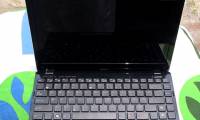
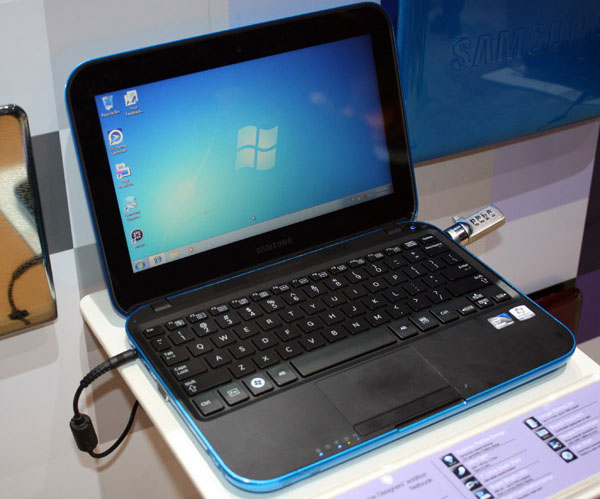 Samsung netbook NS310.
The NS310 Is a netbook with rounded edges and a dark blue cover.
In terms of configuration, Samsung NS310 uses dual-core Atom N550 processor at 1. 5 GHz, 320 GB hard drive and 1 GB RAM.
This netbook also has a screen size 10 "of 100, 000: 1 contrast, 1024x600 pixel resolution and chiclet-style keyboard that is quite suitable for use in areas with low ambient light or use in the evening.
NS310 Is equipped with common connections such as LAN, Wi-Fi, Bluetooth 3. 0, 0. 3 MPx webcam, multi-format card reader, 3 cell battery with using time up to 5 hours, integrating 2 SRS Premium Sound audio speakers Effect and run Windows 7 Starter (32-bit) operating system.
Samsung NS310 weighs 1. 3kg and is available for 400 euros.
FAQ
What should I check before following these steps?
Confirm device and software compatibility, save important data, and make sure you have the required permissions, files, and account access.
Why might the process not work?
Common causes include outdated software, missing permissions, incompatible hardware, an unstable connection, or completing a step in the wrong order.
Can I undo the changes if necessary?
That depends on the tool or setting. Use built-in restore options when available, keep a backup, and record the original configuration first.
Related Articles
 Acer Followed the Trend of Using New Dual-core Atom Chips3 minutes read
 Samsung NF310 - Netbook with Atom Dual Core3 minutes read
 Gigabyte Introduced the Dual-core M1005 Netbook3 minutes read
 The 'Supercar' Netbook Uses Asus Dual-core Atom Chips3 minutes read
 The Intel Atom TM Dual-core Netbook Has Appeared4 minutes read
 Netbook Equipped with USB 3. 0 and New Dual-core Atom Chip4 minutes read
Reader Comments 0
Sign in with email or Google to join the discussion.