Table of Contents
This guide covers anti-bacterial keyboard netbook with practical context and easy-to-follow details. Use it to understand the subject and apply the information confidently.
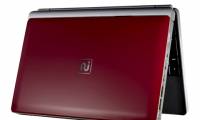
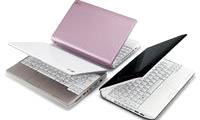
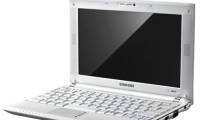
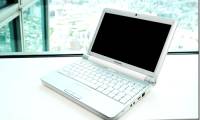
N140 has an elegant design with glossy finish and 5 colors, black, white, red, blue, brown and purple. The machine weighs only 1. 27 kg. A special feature is that the N140 has an antibacterial keyboard - meaning that the keyboard is covered with a protective layer, eliminating all types of bacteria that appear on the surface of the key.
N140 uses 10. 1-inch LCD screen, LED backlight without mirror, integrated 3 Watt stereo speaker system SRS stereo technology. Besides being fully connected, like Wi-Fi 802. 11bg / n, Bluetooth 2. 1 + EDR, 3-in-one card reader, and USB charging port, support fast charging of electronic devices like mobile phones, MP3 player even when turned off.
Samsung N140 is still running Windows XP Home operating system. 6-cell battery with up to 11 hours of use. The machine has been sold in Europe for 339 euros, equivalent to 9 million.
FAQ
What should I check before following these steps?
Confirm device and software compatibility, save important data, and make sure you have the required permissions, files, and account access.
Why might the process not work?
Common causes include outdated software, missing permissions, incompatible hardware, an unstable connection, or completing a step in the wrong order.
Can I undo the changes if necessary?
That depends on the tool or setting. Use built-in restore options when available, keep a backup, and record the original configuration first.


Reader Comments 0
Sign in with email or Google to join the discussion.