Table of Contents
This updated guide examines Samsung Galaxy S8 Saved 20 Lives in a Boat Crash in the and organizes the essential facts, background, and practical takeaways in clear American English.
Specifically, on July 8, a boat-wreck accident occurred in the waters off Bogo City, Cebu Province, Philippines. At the accident, there were 16 divers and 4 Filipinos on the boat. Luckily when the incident happened, Jim Emdee, a Canadian national, was on the boat at the time, using his Galaxy S8 to call for rescue and share the GPS location. After 30 minutes, all 20 people were saved.
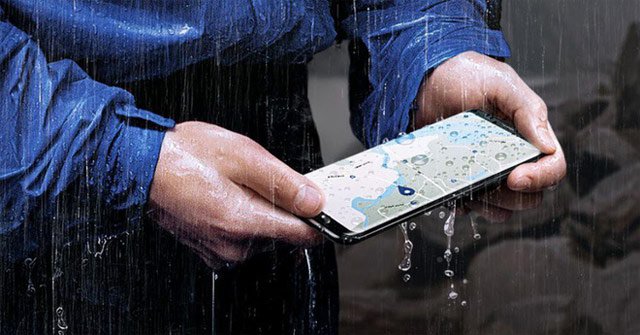
Jim Emdee said, his Galaxy S8 is the only device that can work well despite being submerged in sea water due to its IP68 waterproof capability, it even works until everyone can rescue on shore.
Knowing this information, James Jung, director of Samsung Electronics Philippines, said: 'We are happy to know that everyone is safe and that the Samsung Galaxy S8 has helped rescue. We will continue to produce devices that can assist users in the event of an accident ".
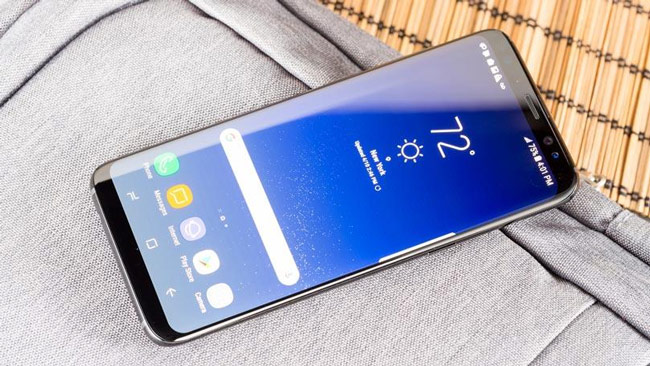
Taking this opportunity, Samsung also reminded users about the existence and how to enable emergency messaging on their smartphones. To send an emergency message to the designated emergency numbers, users simply press the power button 3 times after activating this feature by going to Settings → selecting Advanced features → Select Send SOS message.
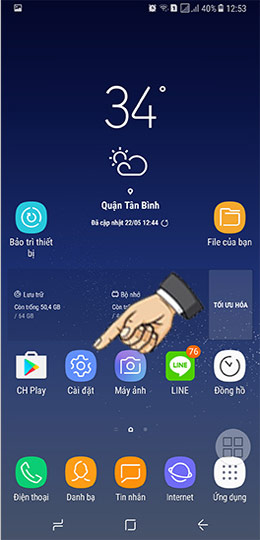
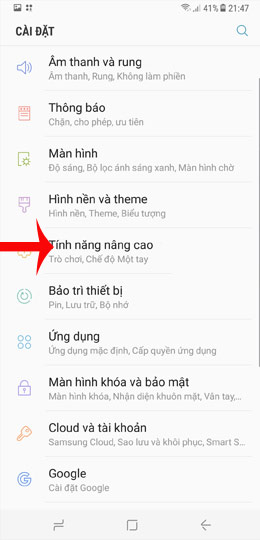
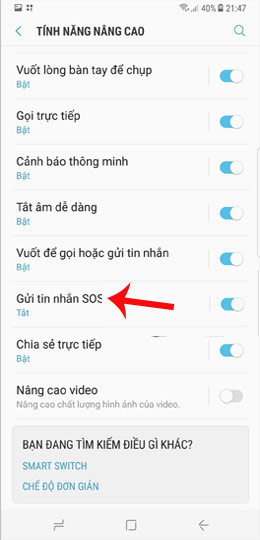
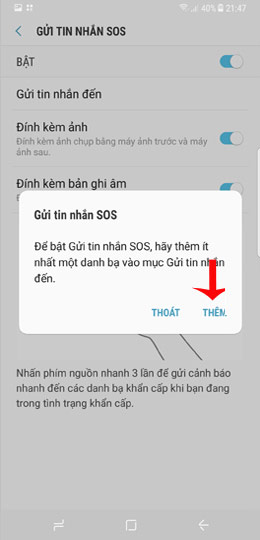
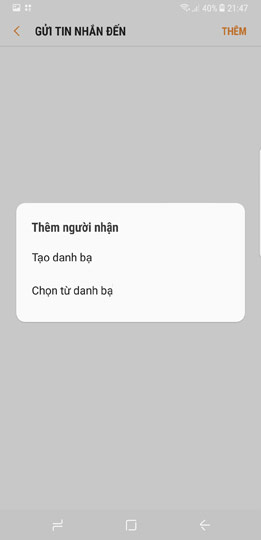
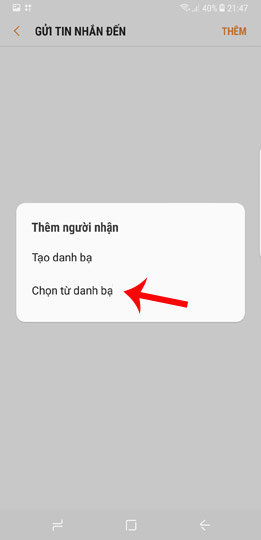
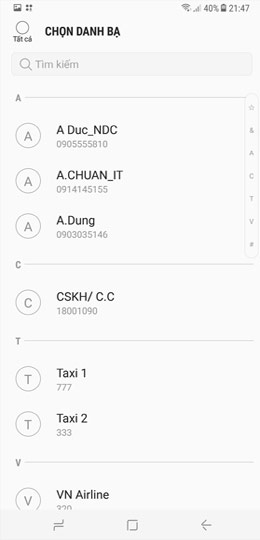
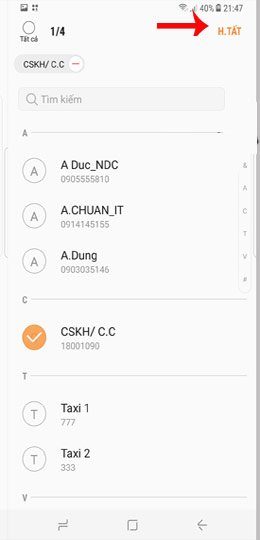
Samsung also advises users to enable emergency messaging and turn on GPS navigation when traveling alone or in unfamiliar places.
Just a few days before the incident, Australia's Consumer and Competition Commission accused Samsung of falsely advertising its water resistance on the flagship Galaxy S.
- Invite to admire the Samsung Galaxy Stick concept with a polar scrolling screen like LG's TV
- This is a durable smartphone, falling from a height of 31km above the ground but only slightly damaged on the screen glass.
FAQ
What is Samsung Galaxy S8 Saved 20 Lives in a Boat Crash in the about?
It provides a structured overview of Samsung Galaxy S8, explains the main context, and highlights practical takeaways for readers.
Why does this topic matter?
Understanding the main concepts helps readers evaluate the issue, avoid common mistakes, and make better-informed decisions.
How should readers use this information?
Use the guidance as a practical starting point, confirm details that may have changed, and follow current product, safety, or security recommendations.
Related Articles
 Official Information About Samsung Galaxy S8, S8 Plus: Price, Date of Sale, Specifications12 minutes read
 Galaxy S20 and S20 +:+: Snapdragon 865 // Exynos 990, 8 // 12gb4 minutes read
 Review Samsung Galaxy S20: First 5g Phone in 20207 minutes read
 8 Useful Apps on Samsung Galaxy S218 minutes read
 6 Top New Features on Samsung's Galaxy S20 Flagship Device6 minutes read
 Tips for Speeding Up Samsung Galaxy Crickets3 minutes read
Reader Comments 0
Sign in with email or Google to join the discussion.