Table of Contents
This guide covers revealed lenovo's first netbook with practical context and easy-to-follow details. Use it to understand the subject and apply the information confidently.
IdeaPad S10-42312CU
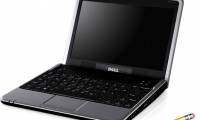
Lenovo's first line of netbooks has a fairly long full name: IdeaPad S10-42312CU, white, S10 self-weight is quite light at only 1. 2 kg, 1024 x 600 pixels screen uses LED screen technology. S10 uses Intel Atom N270 1. 6 Ghz chip, GMA 950 video card and runs Windows XP Home, DDR2 - 512 MB, 80GB hard drive. In addition, S10 netbook also has Webcam, Wi-Fi connection, two USB 2. 0 ports, ExpressCard expansion slot, 4-in-1 card reader. According to information from Lenovo, the company will continue to launch a series of netbooks with hard drives of up to 160GB in the future, and RAM will increase to 1GB. The price of Lenovo Ideapad S10-42312CU at this time is about 439 USD.
FAQ
What should I check before following these steps?
Confirm device and software compatibility, save important data, and make sure you have the required permissions, files, and account access.
Why might the process not work?
Common causes include outdated software, missing permissions, incompatible hardware, an unstable connection, or completing a step in the wrong order.
Can I undo the changes if necessary?
That depends on the tool or setting. Use built-in restore options when available, keep a backup, and record the original configuration first.





Reader Comments 0
Sign in with email or Google to join the discussion.