Table of Contents
This guide reviews 4 lenovo laptops and highlights the differences that matter in everyday use. Compare the options below before making a choice.
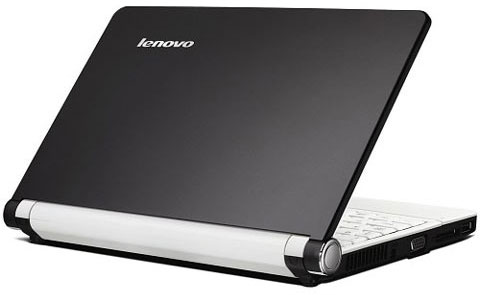 Lenovo's S-line netbook is cheap but has many features Photo: Cnet .
Even in the first netbook on the market, Lenovo has an ExpressCard slot. Lenovo Netbook is the first model to use Atom chips on the market with this type of slot. Previously, HP Mini Note 2133 also, but the machine runs on Via chipset and the price is high, not in the cheap segment. Tiny laptops called Lenovo's IdeaPad S come with five color options, equipped with a button that allows you to backup and restore data. This is a remarkable feature compared to other netbooks in the market. In addition, its products also come with the same warranty period as other IdeaPad models. Recently, Lenovo upgraded the trackpad using multitouch technology along with the VeriFace feature for webcam, without increasing the price. Typical model: Lenovo S10 Lenovo G series
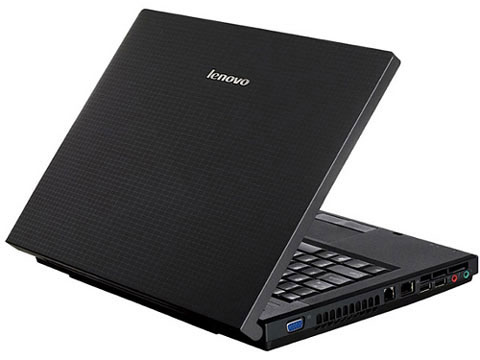 G series are good models Photo: Cnet .
Lenovo G series are economical models, which look like ThinkPad series. Ignore the sleek outer surface, the machine is equipped with a rubber cover. In addition, the company does not offer many security features, but only introduces VeriFace for webcam, supports face recognition when logging into Windows operating system. The price of Lenovo G series is therefore also reduced, this is a product for small businesses, high mobility. Typical model: Lenovo G230, Lenovo G430 IdeaPad Y series
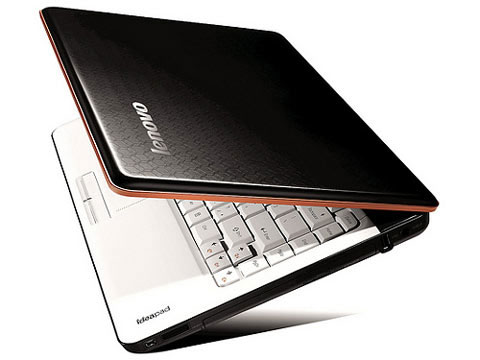 Y series with high class shell Photo: Cnet .
While IdeaPad models are straightforward, Y450, Y550 and Y650 are the opposite. These models have an expensive magnesium alloy frame, carbon fiber coating on the outside, which looks sturdy and scratch resistant. These are the thinnest laptops compared to the same size, like the 17-inch MacBook Pro Apple has introduced, but cheaper. Besides the OneKey Recovery system, which allows easy access to the backup interface and restores data, the Y series laptop also has a multi-tap trackpad and tap slider that allows quick access to apps. Emphasized and multimedia entertainment features, OneKey Theater key allows you to customize the parameters on the screen and sound, to help you watch movies better. The Y series average screen laptop also offers photosensitive capability, automatically adjusts the LCD monitor and JBL external speakers. Like other IdeaPad models, the VeriFace feature allows facial recognition on the webcam to log into the device. Typical models: IdeaPad Y330, Y450, Y550 IdeaPad U series
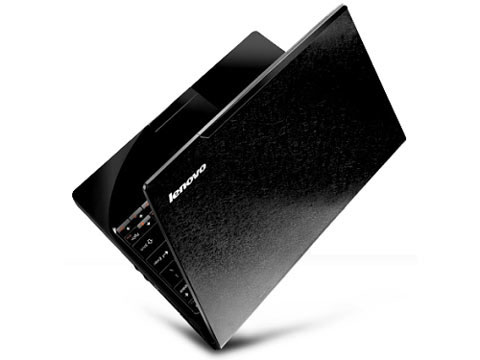 IdeaPad U series is a high-end consumer laptop series Photo: Cnet .
U series is the most advanced computer line among Lenovo's popular user models. The company offers a beautiful, attractive design, which makes the price even higher. The screen of the U series uses LED backlit technology, wide to the edge, unfortunately the machine reflects when used in outdoor conditions. One of the unique features of the U series is the ability to hide tap keys for multimedia control. When touching the area on the keyboard, buttons appears. Lenovo also has the Active Protection System, with accelerometer, to ensure the data in the hard drive when dropped. Like other IdeaPads, it also supports VeriFace for webcam. Typical models: IdeaPad U110, IdeaPad U330 .
FAQ
How should I compare the options in this list?
Compare compatibility, essential features, ease of use, support, and total cost rather than choosing by popularity alone.
Are free options enough for most users?
Free options may cover basic needs, but advanced features, fewer limitations, and better support can make a paid option worthwhile.
What feature matters most when choosing?
Prioritize the feature that solves your main need reliably on the device or platform you use.
Related Articles
 Top 5 Best Lenovo Laptops 20217 minutes read
 Lenovo Introduced the New U Series Laptop4 minutes read
 Lenovo Launched 2 Laptops Priced from 21-30 Million VND4 minutes read
 Lenovo IdeaPad: Affirm Your Rank7 minutes read
 Lenovo Introduced G Series Laptops and New IdeaPad Z4 minutes read
 Lenovo Ideapad Gaming 3 Detailed Review: the Perfect Match!13 minutes read
Reader Comments 0
Sign in with email or Google to join the discussion.