Table of Contents
This guide covers lenovo launched ideapad s10-2 netbook with practical context and easy-to-follow details. Use it to understand the subject and apply the information confidently.
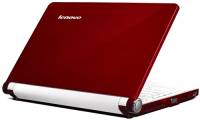
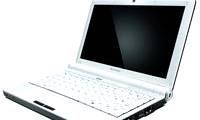
Continuing the success of the IdeaPad S10 ahead, Lenovo introduced an updated 10. 1-inch S10-2 version with a few changes in features and design. Compared to the original, the IdeaPad S10-2 comes in white, black, pink and gray colors, 4 mm more than the machine and 0. 2 kg lighter, the keyboard comes to the edge, the size is 89% of the full laptop enough. The buttons on the keyboard are also given some small changes, especially in size, for example, the Shift button is now wider, the touchpad also allows for easy control because the area is expanded. Lenovo also brings many new features, like its popular laptops such as QuickStart, VeriFace, and OneKey Rescue software. It has 3 USB 2. 0 ports.
However, what makes many users unhappy is that the processor of the machine is still Atom N270 1. 6 GHz, 1 GB RAM and 160 GB hard drive. It has no optical drive, but owns an integrated video card, a 10. 1-inch widescreen display, Wi-Fi connectivity, 1. 3 Megapixel camera. The 6-cell battery version has a published price of US $ 350, while the 3G module integrated model is priced at US $ 400.
FAQ
What should I check before following these steps?
Confirm device and software compatibility, save important data, and make sure you have the required permissions, files, and account access.
Why might the process not work?
Common causes include outdated software, missing permissions, incompatible hardware, an unstable connection, or completing a step in the wrong order.
Can I undo the changes if necessary?
That depends on the tool or setting. Use built-in restore options when available, keep a backup, and record the original configuration first.
Related Articles
 Revealed Lenovo's First Netbook3 minutes read
 The First Lenovo Netbook Costs $$ 3994 minutes read
 Lenovo Launched Netbook with 'QuickStart' Technology.2 minutes read
 IdeaPad S20, Lenovo's 12-inch Netbook3 minutes read
 Lenovo IdeaPad S12 Graphics NVIDIA Ion Sold3 minutes read
 Lenovo Launched a New Series of Laptops7 minutes read
Reader Comments 0
Sign in with email or Google to join the discussion.