Table of Contents
Question.AI is a homework-assistance app that accepts typed questions or photos and returns AI-generated explanations. It is available on iPhone, iPad, Android, the web, and as a browser extension. The tool can be convenient for checking a method or getting an alternate explanation, but its answers still require verification.
| Item | What to know |
|---|---|
| Developer | 3HOUSE on the Apple App Store |
| Platforms | iPhone/iPad, Android, web, and Chrome extension |
| Core input | Typed questions, images, and screenshots |
| Main uses | Homework explanations, general questions, translation, summaries, and writing suggestions |
| Price | Free download with in-app purchases; limits and plan terms can change |
| Important limitation | AI output may be incomplete or incorrect and should not replace source checking |
What Question.AI does
The app combines text recognition with an AI chatbot. A student can photograph a printed or handwritten problem, crop the relevant area, and ask for a solution. The response may include intermediate steps, and the chat interface allows follow-up questions such as “Why is this formula used?” or “Show a simpler example.”

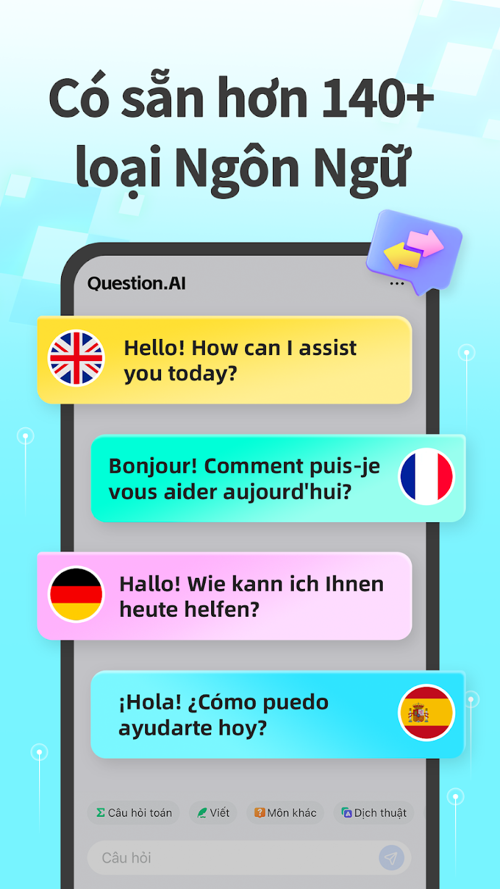
Question.AI's store descriptions also advertise translation into more than 140 languages and writing assistance. Language availability, accuracy, and free-use limits can vary by platform and region, so check the current listing rather than relying on an old version number or rating.
How to use the homework scanner effectively
- Install Question.AI from the Apple App Store or Google Play. Avoid unofficial APK files unless you can independently verify their origin and integrity.
- Photograph one clearly framed problem in good light. Include diagrams, labels, units, and answer choices when they are relevant.
- Read the recognized text before trusting the solution. OCR can confuse minus signs, exponents, fractions, variables, or faint handwriting.
- Ask for a step-by-step explanation, not just the final answer.
- Recalculate key steps or compare the result with a textbook, teacher-approved method, calculator, or another authoritative source.

Useful features
Photo and screenshot input
Scanning avoids retyping a long equation or question. It is most useful when the image is sharp and contains only the problem being discussed. Multiple questions in one frame can save time, but scanning them separately often makes it easier to notice recognition errors.
Follow-up explanations
The chat format is more valuable than a one-time answer when students use it to examine the reasoning. Try prompts such as “Check the sign in step three,” “Explain this for a beginner,” or “Give me a similar problem without the solution.”
Support beyond mathematics
The app can answer questions, summarize passages, translate text, and suggest improvements to writing. Those outputs need subject-specific checking. A plausible paragraph can contain a fabricated quotation or citation, and an essay generated for submission may violate a school's academic-integrity rules.

Where Question.AI can go wrong
- Image recognition: blurry photos and complex notation can change the problem before the AI begins solving it.
- Reasoning: a polished chain of steps can still contain an invalid assumption or arithmetic mistake.
- Context: literature, history, and science answers may omit the course's required sources or terminology.
- Availability: features, advertising, subscriptions, supported languages, and message limits vary over time and by region.
- Privacy: a homework photo may reveal a student's name, school, class, handwriting, or location. Crop identifying details and review the service's current privacy policy before uploading.
- Learning habits: copying an answer can conceal a misconception. Rework the problem without the app after reading the explanation.

Who is it for?
Question.AI is best suited to students who want a quick second explanation, help reading a photographed problem, or extra practice. Teachers may use it to see how an AI interprets an exercise, but should verify every answer before sharing it. Younger students need adult guidance around subscriptions, privacy, and appropriate use.
If you are comparing study assistants, TipsMake's guide to AI tools for high school and university students gives a broader view of research, writing, and study options.
A simple verification routine
- Restate the problem in your own words.
- Check that the app captured every symbol and condition.
- Identify the rule or formula used at each step.
- Substitute the answer back into the original problem when possible.
- Explain the solution without looking at the screen.
Question.AI can reduce friction when a learner is stuck, but its strongest use is as a starting point for questions—not as an authority. The app earns its place in a study workflow only when the student checks the input, verifies the reasoning, and can reproduce the method independently.
Related Articles
 How to Play Pokémon GO on a Computer6 minutes read
 How to Play Pokémon GO on a Smartphone6 minutes read
 26 Types of Poké Balls Explained: Part 25 minutes read
 How to Earn and Use Stardust in Pokémon GO5 minutes read
 Pokémon GO Eggs: Incubation and Hatching Guide4 minutes read
 26 Types of Poké Balls Explained: Part 18 minutes read
Reader Comments 0
Sign in with email or Google to join the discussion.