Table of Contents
This updated guide examines Please Download Drivermax, Driver Installation Tool to Help the and organizes the essential facts, background, and practical takeaways in clear American English.
Today, DriverMax PRO (worth 57.75 USD) is being granted a 1 year free license by developer Innovative Solutions. If you need to use, please register and follow the instructions below to be able to own DriverMax PRO software without spending any money.
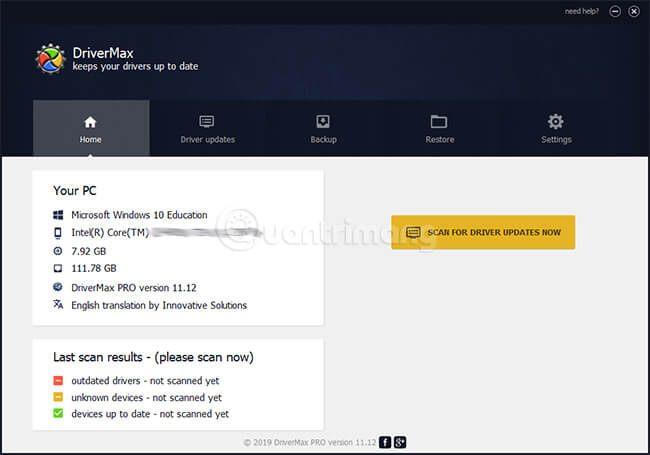
 DriverMax Pro 2019 interface
Outstanding features of DriverMax PRO
- Update, backup and restore missing drivers, outdated for over 2,300,000 devices.
- Automatically download and install.
- Constantly updating the company's latest driver.
- Before installing on the computer, DriverMax automatically checks for new drivers to ensure efficient operation.
- DriverMax supports: Windows 10 / 8.1 / 8/7 / Vista / XP and Windows Server all versions.
Guide to get free license software Driver Max PRO 1 year
Note: Free DriverMax PRO donation program does not support Vietnam, so you need to use the software to change the IP before registering to receive free copyright code.
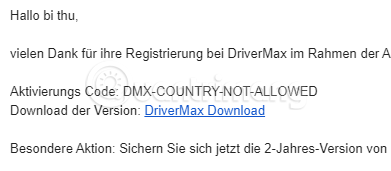
Step 1: Fake IP, this software of Germany, I used VPN Gate to find forever unable to see Germany, so I fake it to Austria (Austria), neighbors of Germany can still see it. If you skip this step, you will still receive a message like step 3, step 4, but the activation code will be DMX-COUNTRY-NOT-ALLOWED, and the software cannot be activated.
Step 2: Visit the link below:
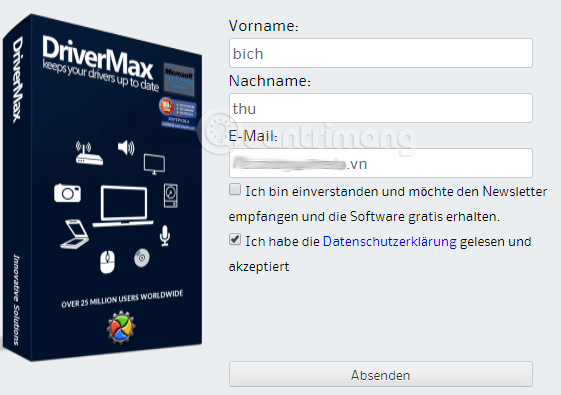
https://drivermax.de/newsletter-aktion-z2e94f0Step 3 : Fill out the information> check Ich habe die Datenschutzerklärung gelesen und akzeptiert (I have read and accept the privacy policy), remember to check the bottom button, don't tick the button above, they will send promotional emails all day there. When you're done, click on Absenden (Submit).
Step 4: Check your email> click on the link in the mail to receive more emails containing download links and copyright activation code.

Step 5: Click the download link to download and install the software on the computer, remember to select the language is English, if it does not show German, then cry:))
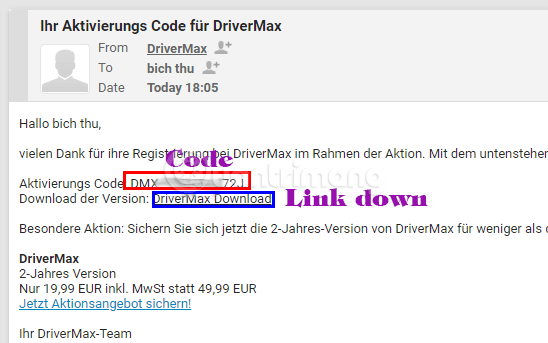
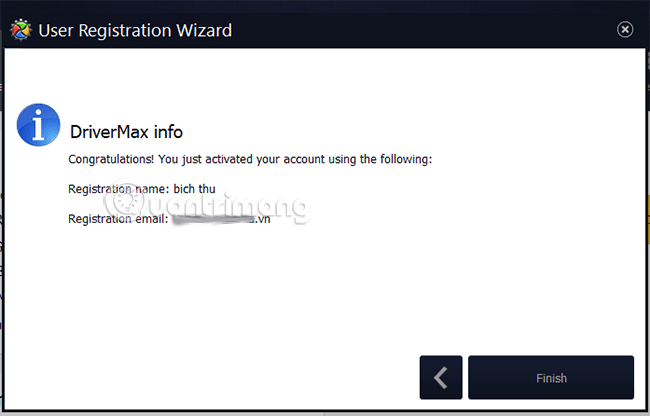
Once installed, open the software, go back to the email to copy the code. You only need to copy the code that the software has detected and ask if you want to register, you agree, enter the password for the account to complete activation and receive the message as shown below:
This is the DriverMax interface after activating, no longer becomes a Pro in the upper right corner.
Please download and activate soon, only 11 hours left.
- Invite to download the wallpaper installation app with super nice Unsplash images on Windows 10 worth $ 200, is free
FAQ
What is Please Download Drivermax, Driver Installation Tool to Help the about?
It provides a structured overview of DriverMax, explains the main context, and highlights practical takeaways for readers.
Why does this topic matter?
Understanding the main concepts helps readers evaluate the issue, avoid common mistakes, and make better-informed decisions.
How should readers use this information?
Use the guidance as a practical starting point, confirm details that may have changed, and follow current product, safety, or security recommendations.
Related Articles
 Summary of Websites to Download and Download Drivers for Computers and Laptops3 minutes read
 How to Use Driver Talent for Free Driver Updates7 minutes read
 Download Driver Booster Free 8.2.0.3149 minutes read
 Driver Talent - Free Driver Updater: Driver Talent Pro6 minutes read
 Summary of Free Driver Backup Software9 minutes read
 Donate Key Driver Booster 6 Pro 6 Months, Activate Before October4 minutes read
Reader Comments 0
Sign in with email or Google to join the discussion.