Table of Contents
Make Your Pets Famous! is a Roblox experience by Famous Pets! built around earning likes with pets. Its reward codes are entered inside the experience's Shop—not on a separate “free Robux” website.
Code status: the codes below are historical entries from this guide. They have not been verified by a successful in-game redemption here, so they should not be described as guaranteed active.
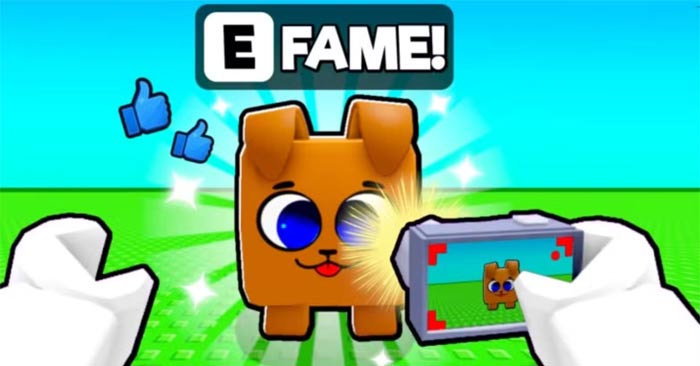
Previously reported codes
| Code | Previously reported reward | Status |
|---|---|---|
1kLikes | Five minutes of a 2× mutation boost | Unverified |
500LIKES | Five minutes of a 2× likes boost | Unverified |
RELEASE | 1,000 likes | Unverified |
Capitalization varies between older reports. Copy the spelling from the developer's current announcement when available, remove accidental spaces, and let the game's response determine whether a code is accepted. An old list cannot establish that no codes have expired.
How to redeem a code
- Open the Make Your Pets Famous! experience page and confirm the creator is Famous Pets!.
- If the experience is available to your account, launch it and wait for the interface to load.
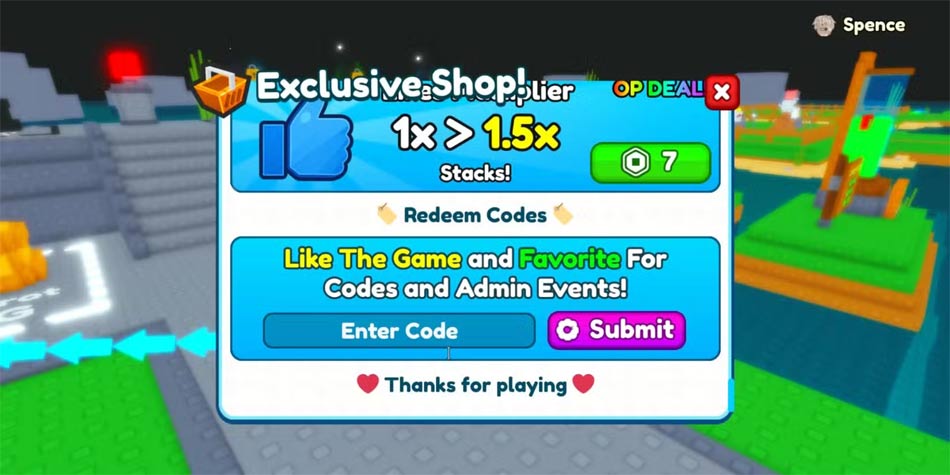
- Select Shop on the left side of the screen.
- Scroll to the code-entry section, enter one code, and select Submit.
- Read the result and check your likes or boost inventory before trying another code.
If you cannot join or redeem
The official page has displayed an unavailable notice, so access should be checked before following an old redemption tutorial. An unavailable experience is different from an expired code. Do not use a similarly named copy merely because it offers the same rewards.
If you can join but a code fails, check for a typing error, an already-redeemed message, expiry, or a temporary server problem. Do not repeatedly submit a code marked as already claimed.
Find new codes safely
Use developer announcements linked from the official experience page. Do not pay to “activate” a reward or install a code generator. Roblox's scam guidance warns against free-Robux offers and requests for account information.
For account protection, see setting up MFA and recognizing phishing. Never share a password, session cookie, or verification code to obtain an in-game reward.




Reader Comments 0
Sign in with email or Google to join the discussion.