If you are a gamer or just an internet user who follows gaming trends, you must have heard about Roblox. It is not just a game, but a package for gamers. Creators can create games and players can play them on Roblox. This platform approach has made Roblox a huge success among all other minimalist games.
Is Roblox on Nintendo Switch?
No, as of this writing, there is no official Roblox app for the Switch. However, there is an alternative that will allow you to enjoy Roblox games on the Nintendo Switch. This method will allow you to access the Roblox website from your device's browser. Please note that there is currently no official way to access this free-to-play game on the Nintendo Switch.
How to Play Roblox on Nintendo Switch
Warning : This method will run a third-party public DNS server that will cause the Switch to open a web browser. You cannot run the game from the Roblox website as they have forced the game to be played from the app player.
In case you want to access the multi-game platform on Switch, you can do it from your Nintendo device's web browser. Follow the steps below to learn how to run Roblox on Nintendo Switch:
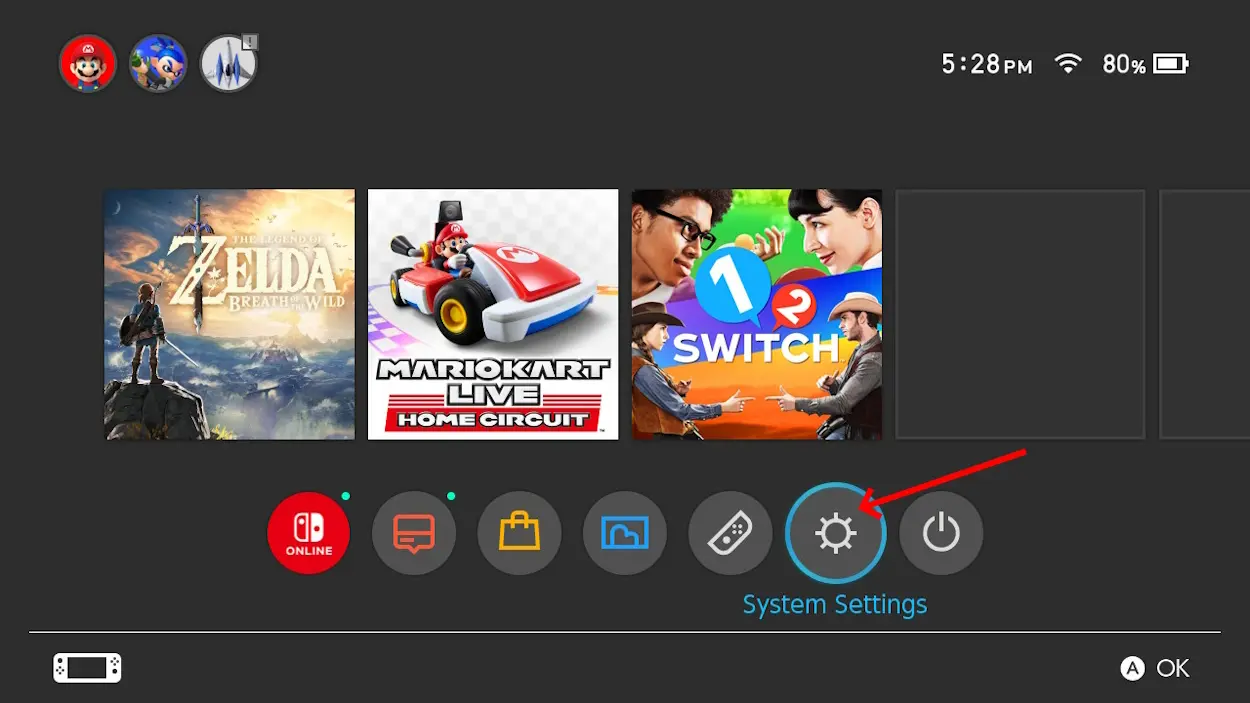
- On your Home, select the " System Settings " option.
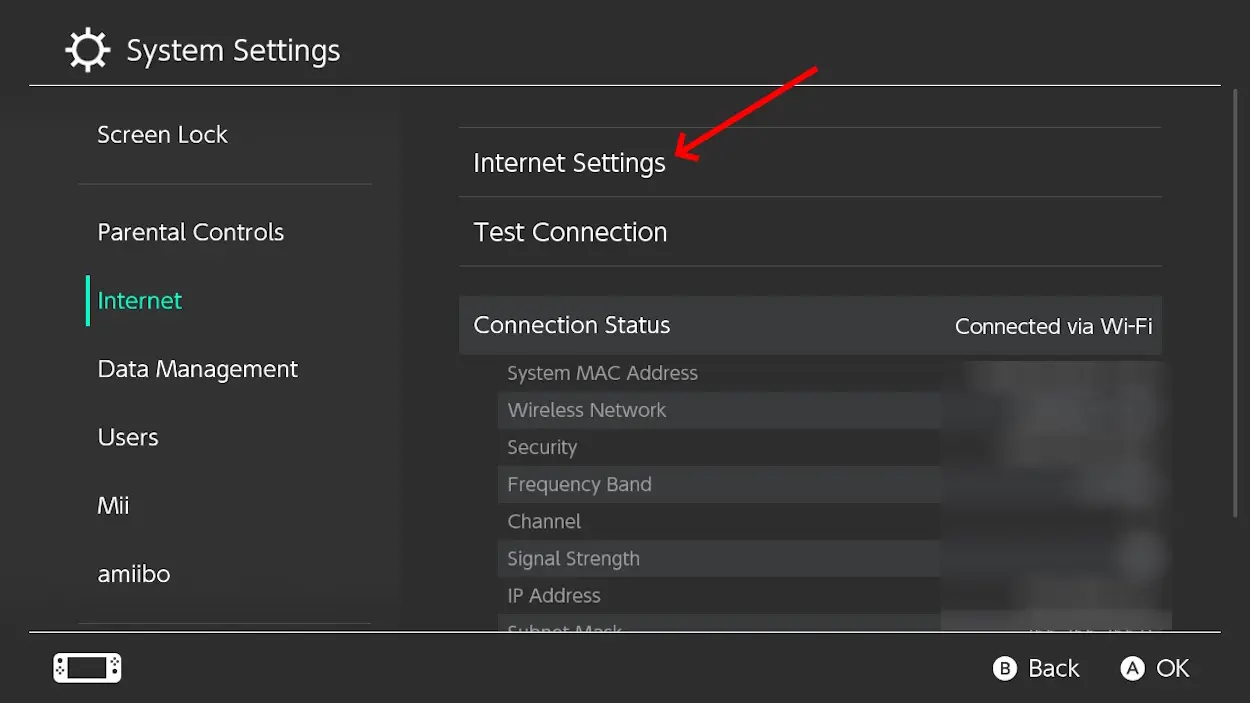
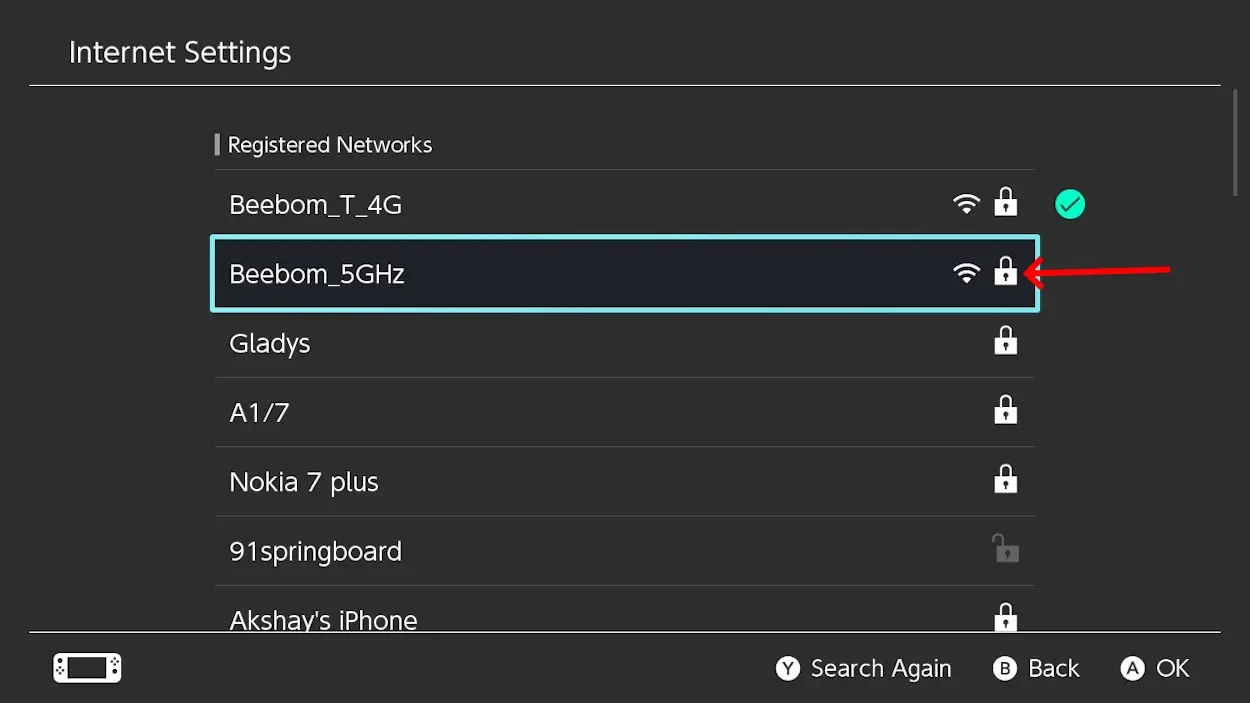
- Select " Internet" > 'Internet Settings " to find your registered network.
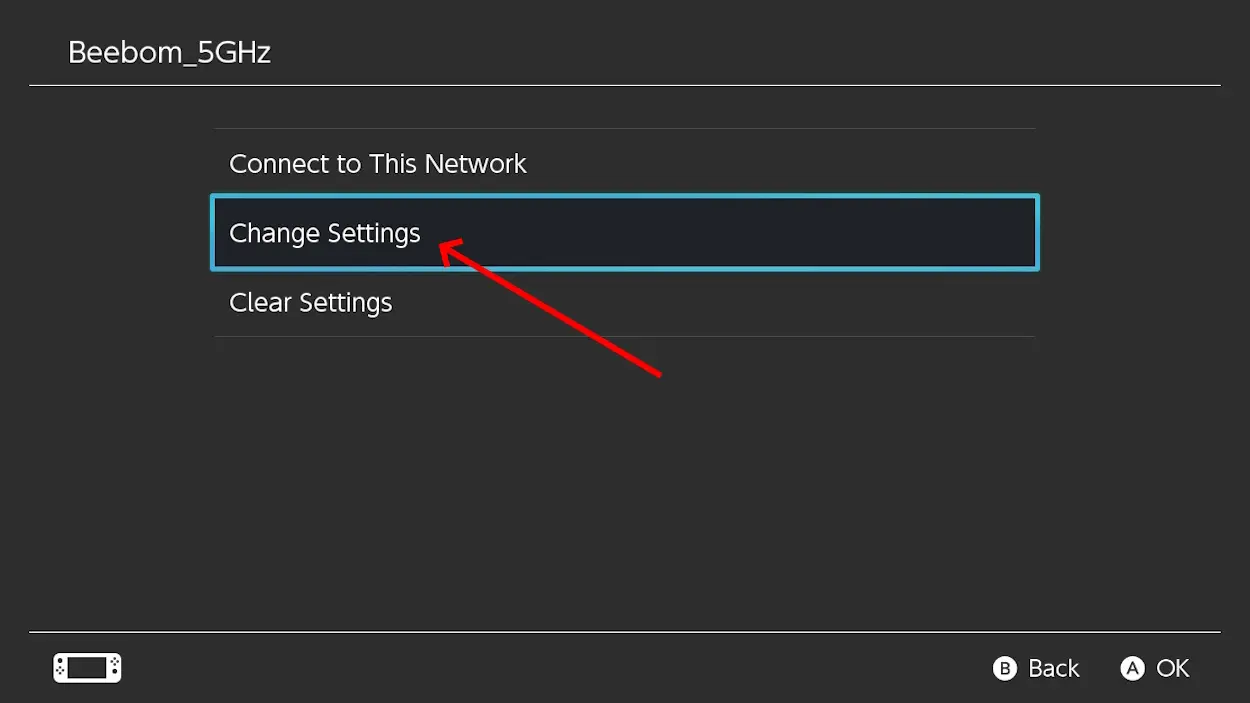
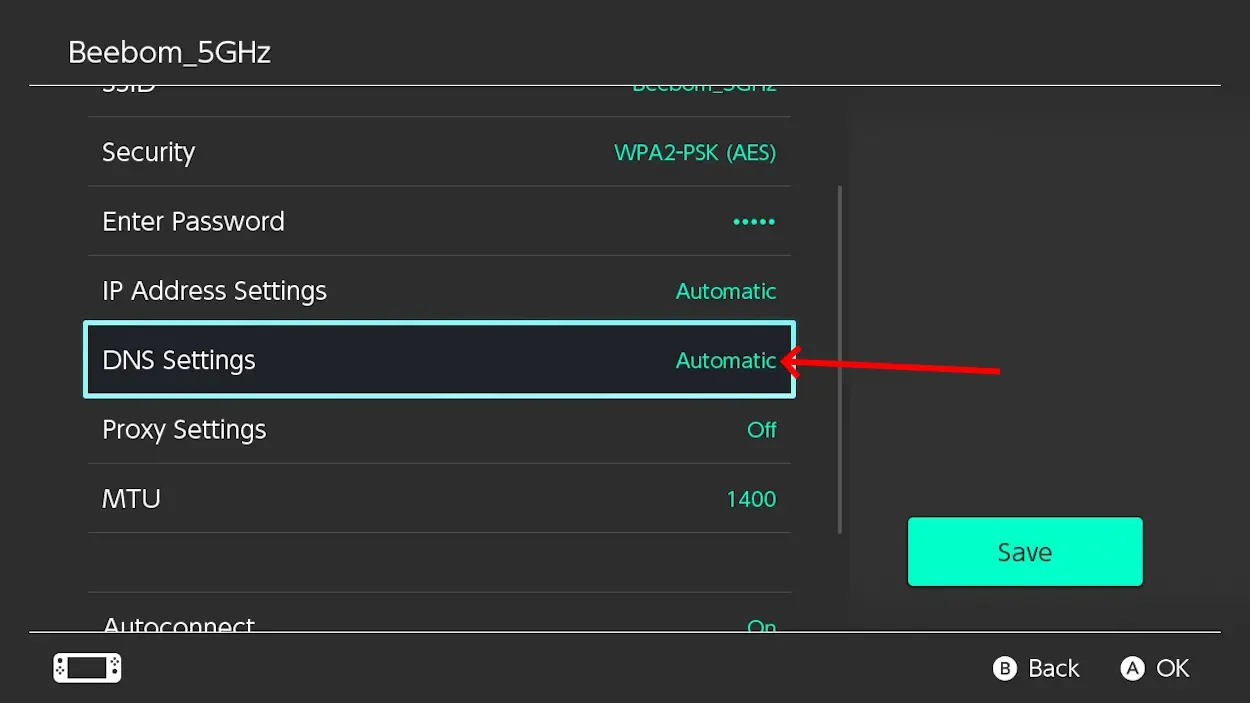
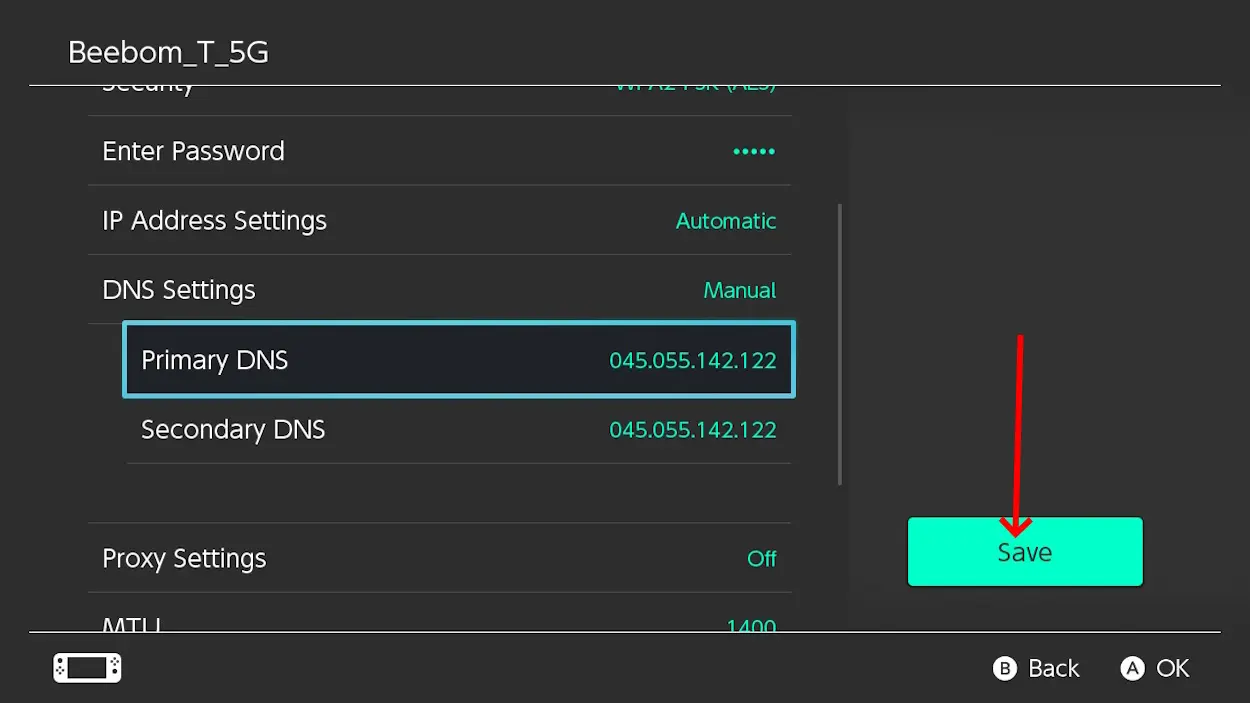
- From the registered network menu, select " Change Settings' > 'DNS Settings ".
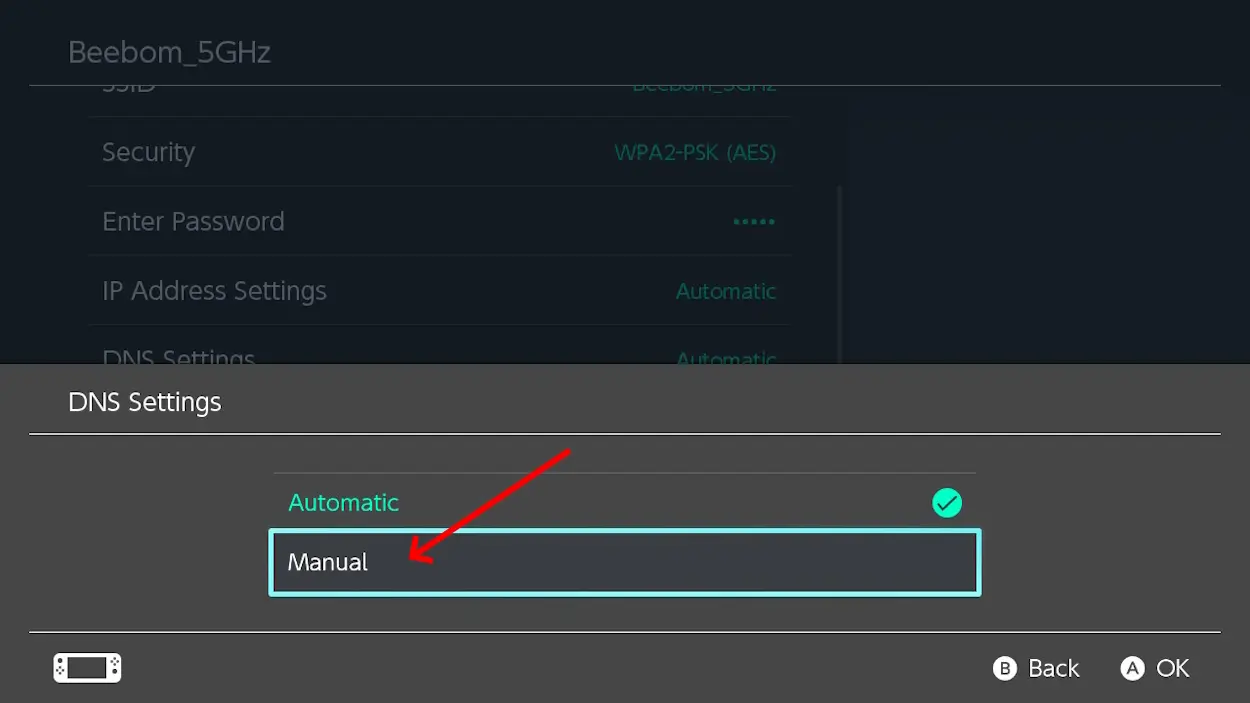
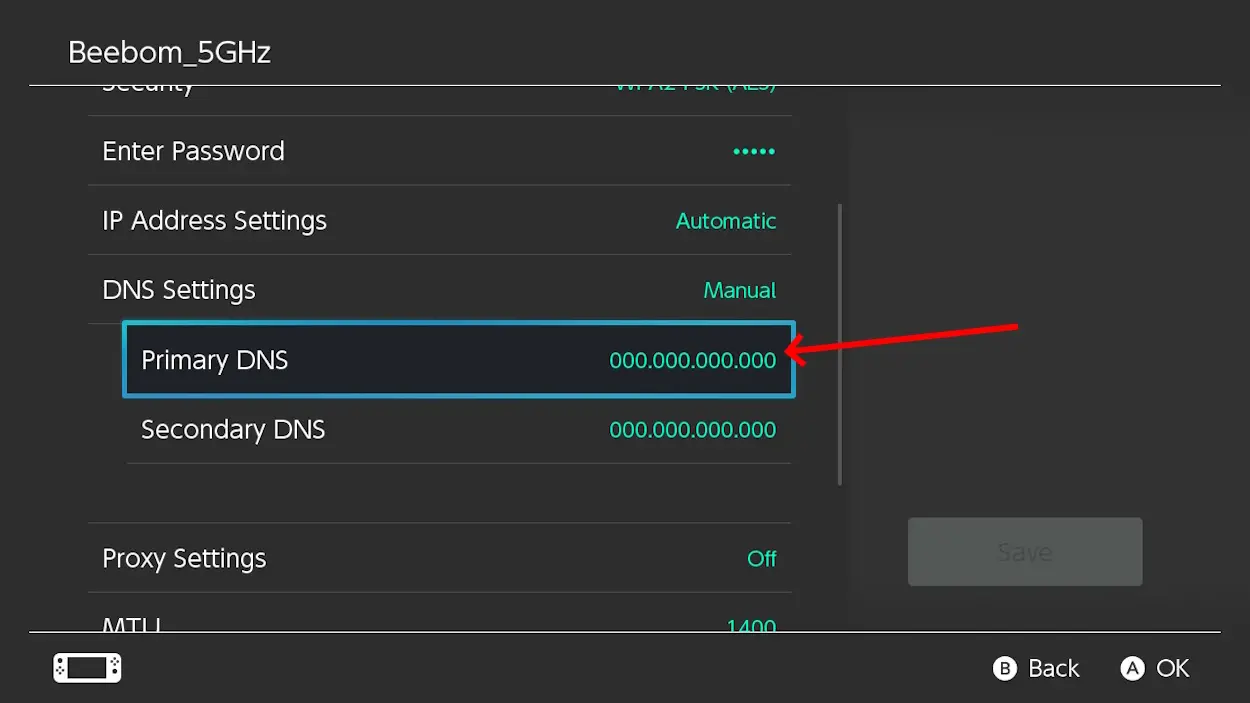
- Now change "Automatic" to "Manual" and select "Primary DNS" with the A button.
- Now you can hold the B button to clear DNS and set the value to 0.
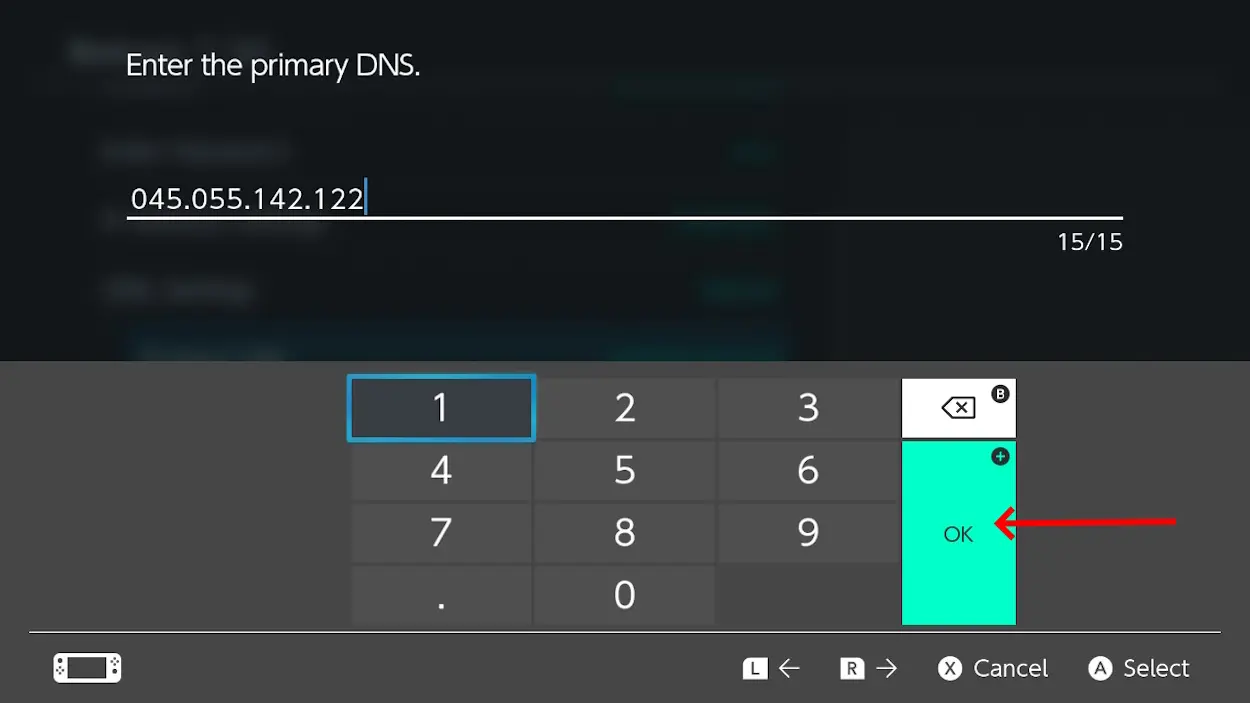
- Now, you can enter 045.055.142.122 in the DNS section and press OK .
- Similarly, you can change the secondary DNS, click Save and press Connect .
- Once the SwitchBru DNS page opens, click on " Useful Links ", search for Roblox.com and log in to your account.


Reader Comments 0
Sign in with email or Google to join the discussion.