Table of Contents
Redeem Thieu Nien Anh Hung gift codes through System Settings > Giftcode, then collect the rewards from your in-game mailbox. The guide below follows the interface shown in the screenshots; menu labels may differ in other versions.
Previously published Thieu Nien Anh Hung codes
These codes appeared in the earlier code list. Their current availability has not been confirmed, so treat them as codes to check rather than guaranteed rewards. The game’s redemption response determines whether a code is accepted for your account.
| Code | Current status |
|---|---|
ANHHUNG999 | Unconfirmed |
THIEUNIEN22 | Unconfirmed |
TUANHUNGTNAH | Unconfirmed |
TNAHGAMOTA | Unconfirmed |
TNAHGAMEK | Unconfirmed |
DANGKYTNAH | Unconfirmed |
TNAHKIMDUNG | Unconfirmed |
TNAHVOTE5SAO | Unconfirmed |
How to redeem a gift code
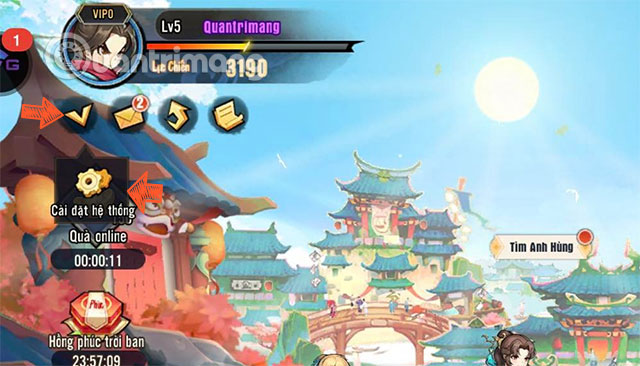
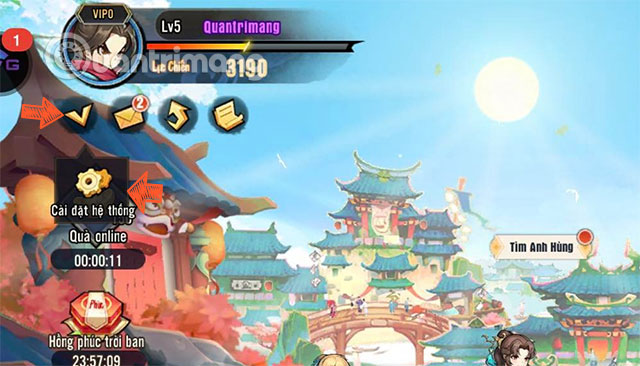
1. Open the settings icon and choose System Settings.
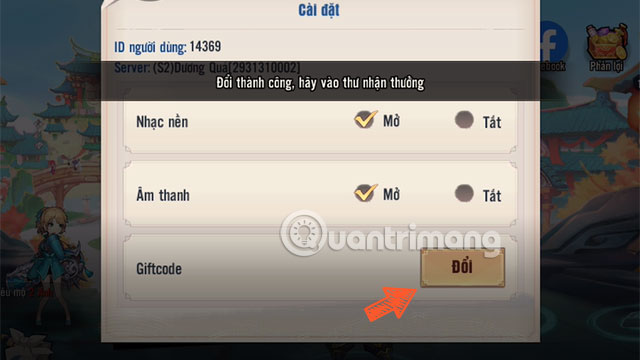
2. Find Giftcode and select the redeem button.
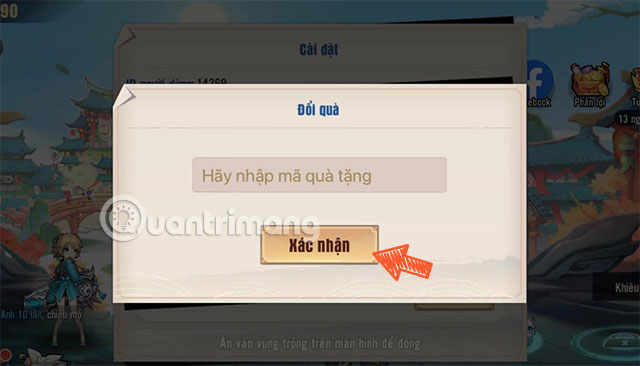
3. Enter one code in the gift-code box and select Confirm. Copy the code exactly, without spaces before or after it. Repeat for any other codes you want to check.
Collect rewards from your mailbox
1. After a successful redemption, open the Mail icon beside the settings controls.
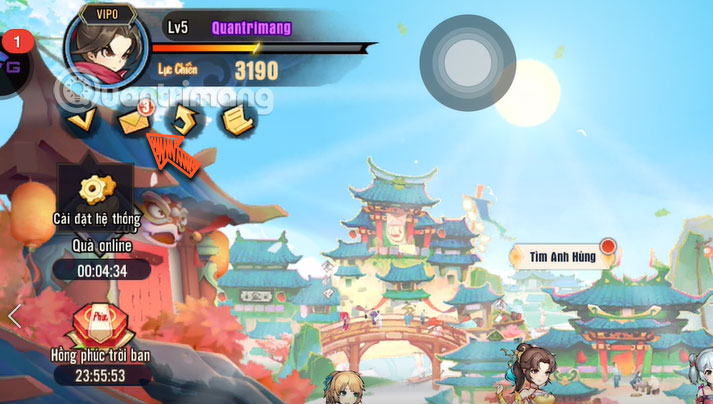
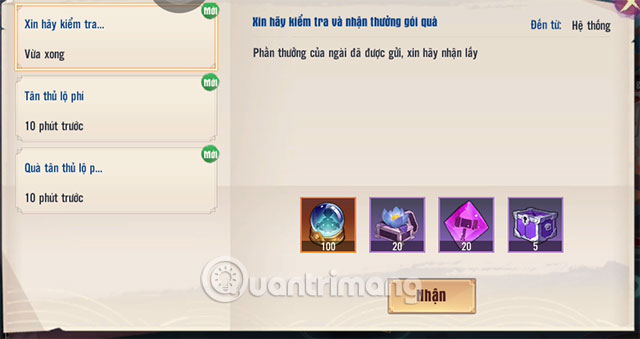
2. Open the message associated with the gift code and select Receive to claim its attachments.
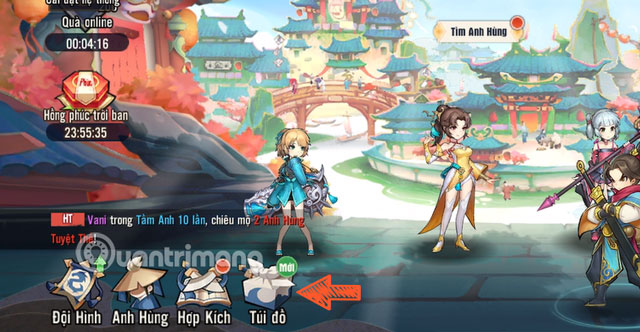
3. Open Item Bag to check the items you collected.
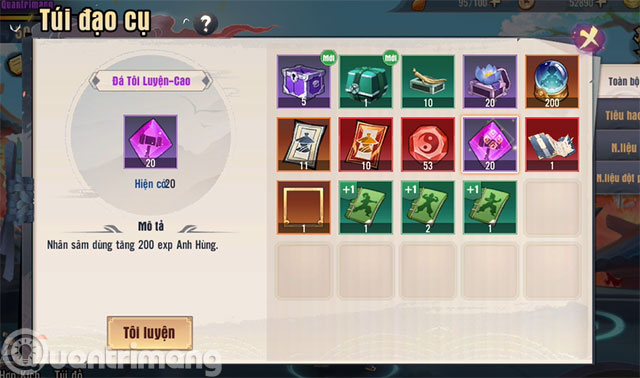
The All tab shows the items in your inventory.
What rewards should you expect?
Rewards depend on the specific code. The earlier guide showed currency and upgrade items, including Thong Mach Dan, Thien Son Tuyet Lien, Refining Stone, and item chests. Check the reward message for the actual contents rather than assuming every code gives the same items.
Currency may appear in its balance rather than as a bag item. Check both the mailbox attachment and the relevant inventory or balance if you cannot find a claimed reward.
If a code does not work
- Check the spelling and remove extra spaces.
- Read the rejection message: an expired code, an already redeemed code, and a code that does not apply to your account require different responses.
- Compare the code with its publisher announcement, including any stated event dates or eligibility conditions.
- If redemption succeeds but you cannot find the reward, check the correct character’s mailbox before trying again.
Where to look for new codes
Check the game’s announcements and the Thieu Nien Anh Hung Gamota Facebook page referenced by the original guide. Follow the conditions in each announcement; older code lists cannot establish whether a promotion remains available.
You can bookmark this guide for the illustrated redemption steps. Bookmarking a page does not generate new codes or extend an existing code’s validity.
Playing other mobile games? See the separate guides to Resortopia codes and redemption and Tokyo Ghoul: Thuc Tinh codes. Codes are specific to each game.
Related Articles
 Latest Resortopia Code and How to Enter Code
 Latest Clash of Clans Code and how to enter the code
 Latest Primitive Era Code and how to enter the code
 Latest Code Pet Simulator X and how to enter Code Pet Simulator X
 Latest Roblox Code and how to enter Roblox code
 Hero Land OEG codes: how to redeem rewards
Reader Comments 0
Sign in with email or Google to join the discussion.