Table of Contents
Redeem Anime Power codes inside the Anime Power Roblox experience. Open Codes from the in-game menu, enter one code, and press Enter.
Anime Power codes to try
Roblox Den recently listed these codes as active. Availability can change, so use the in-game response to confirm your reward.
| Code | Reported reward |
|---|---|
update28 | 1 Large Power Potion and 1 Universal Key |
79mvisits | 1 Large Power Potion and 1 Universal Key |
UPDATE27 | 1 Large Power Potion and 1 Universal Key |
update26pt2 | Potions |
shutdown | 1 Large Power Potion |
Where to enter a code
- Join Anime Power and select the Codes icon on the left side of the game screen.
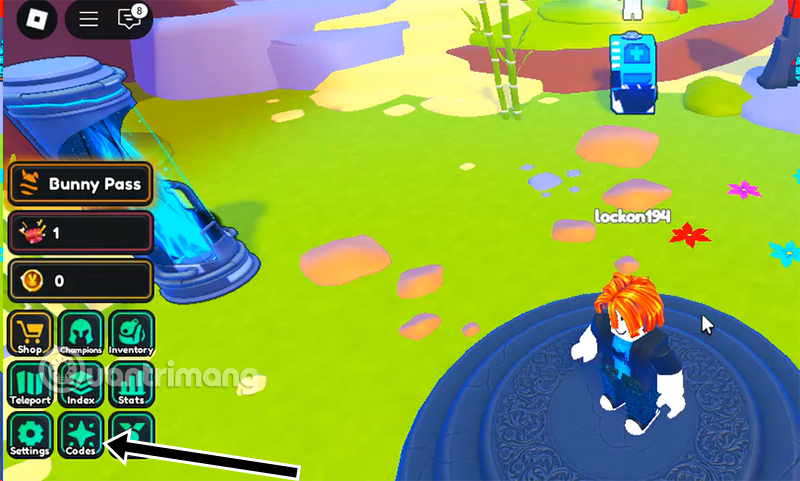
- Paste one code into the text box. Keep the capitalization shown in the table and remove extra spaces.
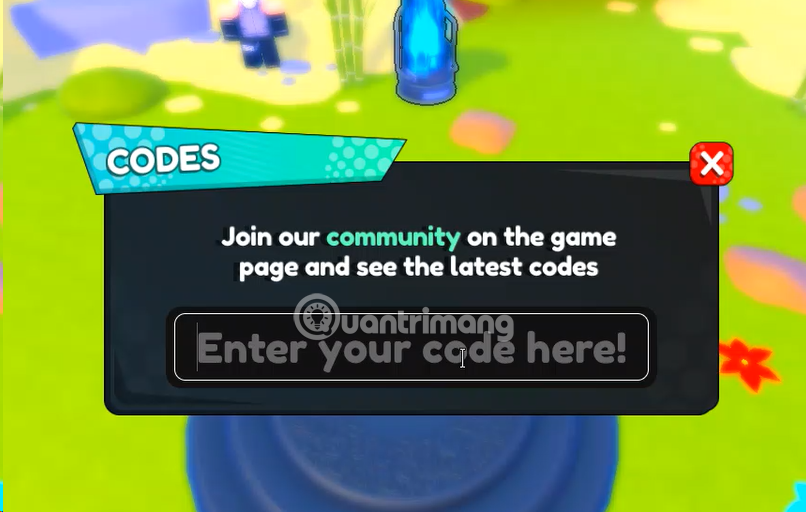
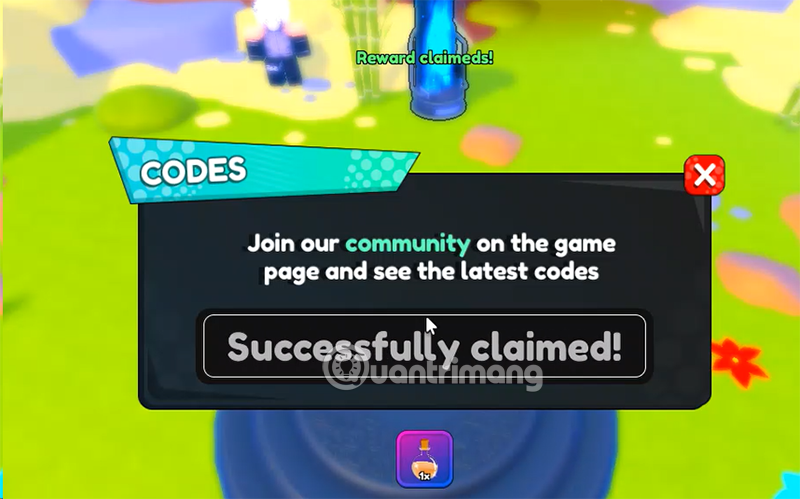
- Press Enter and check the confirmation for the items you received.
What to check if a code fails
Make sure you launched Anime Power and entered the code in its own menu. An already-claimed code cannot grant the same reward again. If the spelling is correct and the game rejects a code, check for a newer one in developer announcements linked from the game page. The Roblox promo-code guide covers a separate process for platform-wide rewards.
Related Articles
 Anime Crusaders Codes: Working List and Redemption Steps
 List of latest Anime Infinity Roblox giftcodes and how to redeem codes
 Latest Anime Chefs Roblox Codes and How to Redeem Codes
 How to Redeem SLAP by Current Codes on Roblox
 Roblox Promo Codes for August 2026 and How to Redeem Them
 Latest Roblox Apex Anime Codes
Reader Comments 0
Sign in with email or Google to join the discussion.