Table of Contents
Meccha Chameleon is an online hide-and-seek game created by independent Japanese developer lemorion_1224. This tutorial will explain how a round works, how to use the coloring tool effectively, and some basic principles to help you avoid being caught in the first few seconds.

Tips for playing Meccha Chameleon for beginners
How a round of the game unfolds
Before learning advanced tips, let's master the basic rules of Meccha Chameleon. Each match follows the same sequence: the Host chooses the map and game mode, then the Hiders have a preparation time to move around the map, color their bodies, and choose a hiding position while the Seekers wait. When the hunt phase begins, the Seekers are dropped onto the map and must find all the Hiders before time runs out.
Hider wins if they survive until the end of the match, while Seeker wins by discovering all the players hiding. The results screen then displays each Hider's location, and this is often one of the most exciting parts of the game.
Learn how to use the coloring tool first
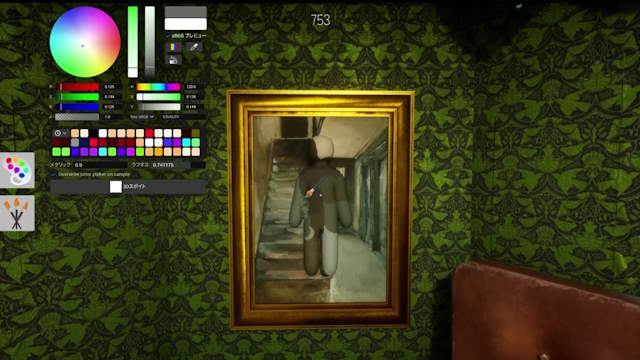
Most of Meccha Chameleon's skills revolve around the coloring tool, so take some time to familiarize yourself with it before rushing to find a hiding place. Press the F key to open the tool. Its interface is quite similar to photo editing software with many different options.
The most important tool is Eyedropper. Instead of guessing colors, use Eyedropper to accurately reproduce the color of the surface you intend to hide on. This tool will accurately replicate the color, helping you blend into the environment better.
Remember to sample colors directly from the surface the character will be touching, rather than from a similar area elsewhere on the map. Differences in lighting can cause colors to change significantly.
Additionally, HSV sliders allow you to fine-tune hue, brightness, and saturation to better suit dark or well-lit areas.
Don't overlook the Metallic and Roughness sliders. These parameters determine how the character's body reflects light. Even if the colors are perfect, a surface that's too glossy or too smooth can still make you look unnatural.
Color is only one part of it
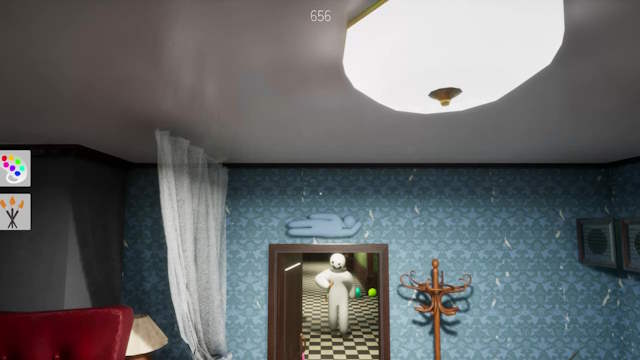
Seekers often pay attention to shape before noticing color. This is a major difference between beginners and experienced players. Even if you perfectly camouflage yourself with the environment's colors, your character's shape can still allow a Seeker to recognize you instantly.
After finalizing the colors, focus on the standing posture. Adjust the brightness and shadows to suit the direction of light in the room, while trying to break up the familiar lines of the human body.
A character with only one uniform color is often much easier to spot than a character with areas of light and shadow that blend in with the surrounding environment.
Examine yourself from a third-person perspective
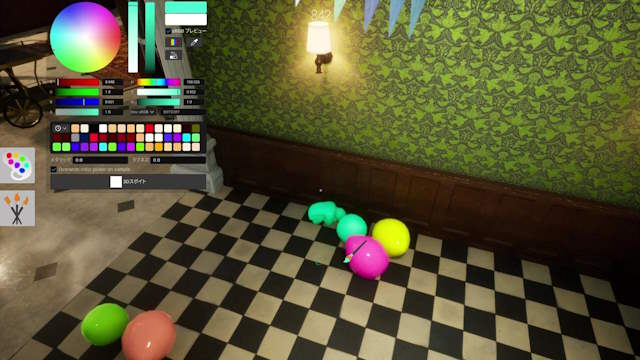
One of the most common mistakes beginners make is judging camouflage only from a first-person perspective. While a hiding spot might look perfect from your point of view, the Seeker observes from multiple angles.
Before the preparation time ends, rotate the camera around the character and carefully check all the details. Look for areas of uneven color, unusual highlights, or easily visible gaps between the character's arms and legs.
In particular, any remaining white patches on the elbows or body joints are often the reason you get noticed quickly.
Blend in like an object
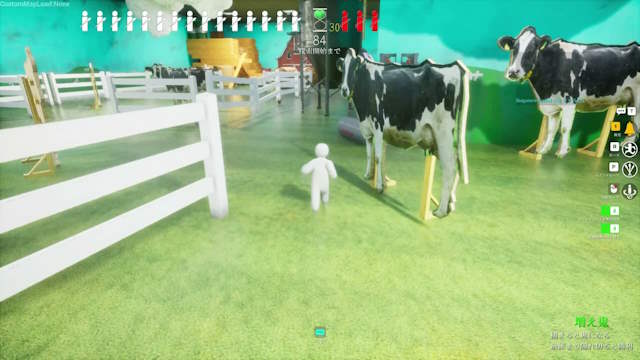
Many players instinctively stand against a wall. However, this is also where most Seekers will check first. Instead of trying to become part of the wall, try embodying an object in the environment such as a painting, a vase, a balloon, or other decorative items.
This tactic is effective because searchers often assume familiar objects are part of the map. They will take longer to notice anything unusual, and sometimes just a few seconds of hesitation is enough to give you the win.
Things to keep in mind when playing with friends
Meccha Chameleon game rooms support 2 to 10 players and are often most enjoyable when playing with friends via Voice Chat. If you encounter difficulties joining a game room, check if everyone is using the same version of the game on Steam. In many cases, restarting Steam and updating to the latest version will resolve the issue.
Quick tip
- Always use an eyedropper to pick up the color instead of guessing manually.
- Try to match the direction of the light, not just the colors.
- Adjust the Metallic and Roughness settings to avoid unusual light reflections.
- Examine the character from a third-person perspective before beginning the hunt.
- Transform yourself into an object instead of just standing against the wall.
- Don't forget to check for any remaining white areas on your elbows and body joints.
These are some basic tips to help you get acquainted with Meccha Chameleon in your first battles. Have fun!
Related Articles
 MECCHA CHAMELEON Beginner's Guide: How to Win14 minutes read
 The Best Hiding Places in Meccha Chameleon4 minutes read
 How to Play Meccha Chameleon With Friends10 minutes read
 TOP games similar to Meccha Chameleon - Games like Meccha8 minutes read
 MECCHA CHAMELEON: PC Control and Shortcut Guide6 minutes read
 Meccha Chameleon Seeker Guide: How to Find Hiders8 minutes read
Reader Comments 0
Sign in with email or Google to join the discussion.