Table of Contents
To play Meccha Chameleon with friends, create a room from the multiplayer menu, give it a recognizable name, and add a password if you want a private session. Invite friends through the in-game friend list; if an invite does not open the room, they can search for the exact room name in the public server browser.
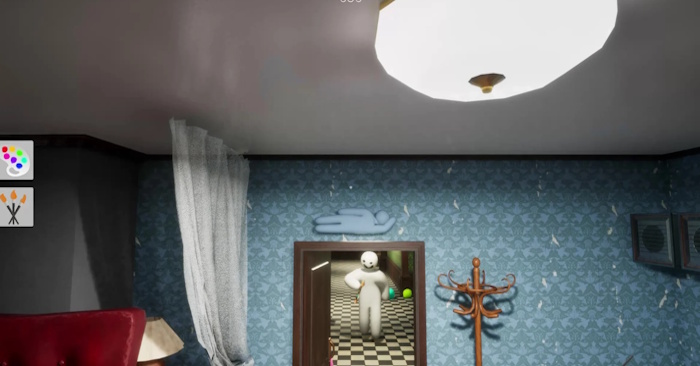
How Meccha Chameleon multiplayer works
Meccha Chameleon is an online hide-and-seek game. Players split into Hiders and Seekers: Hiders paint their white bodies to match the stage and choose convincing poses, while Seekers try to find everyone before the timer expires.
The official Steam description recommends 2–10 players. It does not publish one universal hard cap because the practical maximum depends on the host's network environment and may change after playtesting. For the most predictable session, stay within the recommended range.
| Group size | What to expect | Hosting advice |
|---|---|---|
| 2–4 players | Quieter rounds that are useful for learning the maps, paint controls, and search rules. | A private room makes it easy to keep the group together. |
| 5–10 players | More hiding choices and misdirection without going beyond the developer's recommended range. | Use a stable host and a clear room name. |
| More than 10 | The game may allow it, but stability and round quality depend more heavily on the host. | Expect lag or disconnects and reduce the player count if problems begin. |
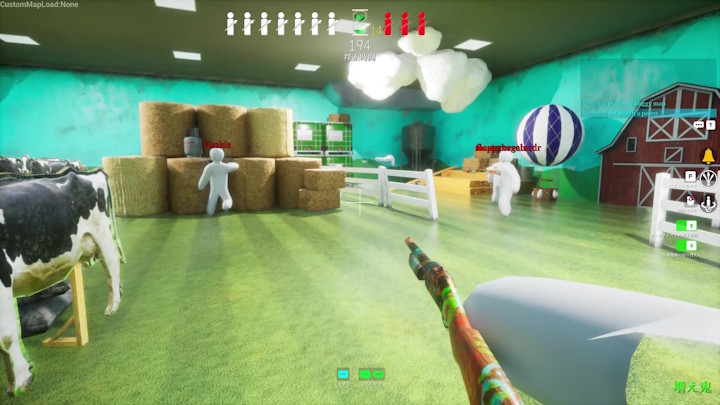
Create a room for friends
- Launch the game through Steam and open the multiplayer menu.
- Choose the option to create or host a server.
- Enter a distinctive server name. Avoid a generic name that will be hard to identify in a long list.
- Add a password for an invite-only group. Leave the room non-private if you want other players or stream viewers to join.
- Add relevant room tags, then create the server.
- Press Esc, open the Friend List tab, and send invitations to your Steam friends.
The match is host-dependent, so choose the player with the most stable connection. If the host leaves or loses connectivity, the current session may close for the rest of the group.
Join through the server browser
Steam invitations have not always connected reliably for every player. The server browser is the most useful fallback:
- Ask the host for the server's exact name, password, and any region or tag selections.
- Open Find Server.
- Enable the option to search public servers if the host created a non-private room.
- Search for the exact name, select the matching room, and enter the password when prompted.
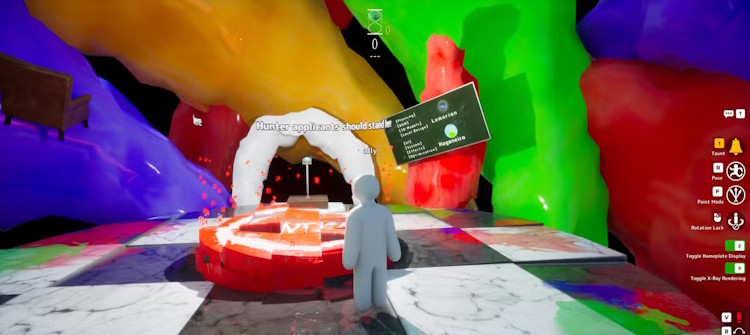
A private room may be easier for a fixed group, but a public room with a unique name can be easier to find when direct friend invitations fail. Remember that anyone can enter a public room unless another access control is available.
Fix a lobby that friends cannot find
- Confirm the same game version: Let Steam finish any update for every player, then restart the game.
- Match the search settings: Use the same region, tags, public/private selection, and exact spelling of the room name.
- Try both join paths: If the Steam invite fails, use the in-game server browser; if the room list fails to refresh, recreate the lobby and send a fresh invite.
- Restart Steam: Fully exit and reopen Steam for both host and guest, then sign in again.
- Change the host: Let another friend create the room if players disconnect or the server never appears.
- Check local networking: Temporarily test whether a firewall or security tool is blocking the game, then create a narrow allow rule instead of disabling protection permanently.
Platform and cross-play status
The current Steam store page lists the game for Windows and identifies online PvP as its multiplayer feature. No console edition is listed there, so there is no PC-to-console cross-play path to set up. All friends should use the Steam PC release unless the developer announces additional platforms later.
Related Articles
 MECCHA CHAMELEON Beginner's Guide: How to Win14 minutes read
 MECCHA CHAMELEON: PC Control and Shortcut Guide6 minutes read
 Meccha Chameleon Hide-and-Seek Game Tips for Beginners - Meccha Chameleon Tips7 minutes read
 Meccha Chameleon Custom Maps: Create, Upload & Play15 minutes read
 The Best Hiding Places in Meccha Chameleon4 minutes read
 The best hiding spots on the Minecraft map in Meccha4 minutes read
Reader Comments 0
Sign in with email or Google to join the discussion.