Clear, practical technology insights BSOD Code Lookup · Windows Error Code Lookup · Wi-Fi Troubleshooting · PC Troubleshooting Checklist

Launched AI Performance Scoring Tool: What You Need to Know

Explore Launched AI Performance Scoring Tool with clear explanations, practical examples, common limitations, and useful tips for better-informed decisions.

Table of Contents

Launched AI Performance Scoring Tool is easier to understand when the main concepts, benefits, limitations, and real-world uses are considered together.

This guide organizes the essential information into clear sections and adds practical context so you can make a more informed decision.

Previously, Geekbench released a beta version of this tool in December 2023 called Geekbench ML (short for Machine Learning) to compare AI performance between Macs and iPhones.

The official version of Geekbench AI 1.0 has significantly improved the ability to measure and evaluate AI performance. Currently, the application has been used by many large companies such as Samsung and NVIDIA.

The regular Geekbench version only provides separate scores for the device's single-core and multi-core performance.
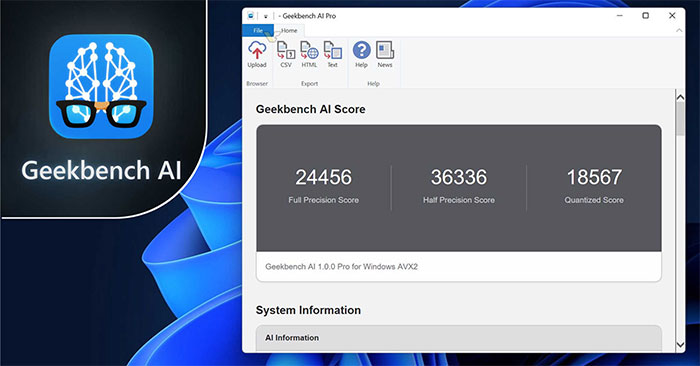
Launched AI Performance Scoring Tool: What You Need to Know screenshot

But the Geekbench AI version will measure against three different types of workloads that accurately reflect the device's AI performance across diverse tasks, including single-precision data, half-precision data and quantized data.

Geekbench emphasized that the new tool was created to provide comparable measurements that reflect real-world use of AI.

Similar to previous Geekbench versions, Geekbench AI has both a free version for general users and a paid version Geekbench AI Pro for programmers, instead of uploading to a public website, it will allow them to Keep the scoring results secret.

FAQ

What should beginners know about Launched AI Performance Scoring Tool?

Start with the basic requirements, learn the most common terms, and test changes gradually before using advanced features.

How can I get better results with Launched AI Performance Scoring Tool?

Use trusted tools, follow current instructions, compare results, and review settings or limitations that may affect performance.

What mistakes should I avoid with Launched AI Performance Scoring Tool?

Avoid skipping requirements, relying on outdated instructions, changing multiple settings at once, or using untrusted downloads and unsupported tools.

Discussion

Reader Comments 0

Sign in with email or Google to join the discussion.