Table of Contents
This practical guide explains how to remove payment method from Google play. Follow the steps in order, review the requirements first, and use the troubleshooting notes when a setting or option does not work as expected.
How to remove a payment method from Google Play
Step 1:
You access the Google Play website via the link below. Then you log in to your Google account as usual.
- Google Play Payments Website
Step 2:
select the 3 dashes icon , then select Payment Methods .
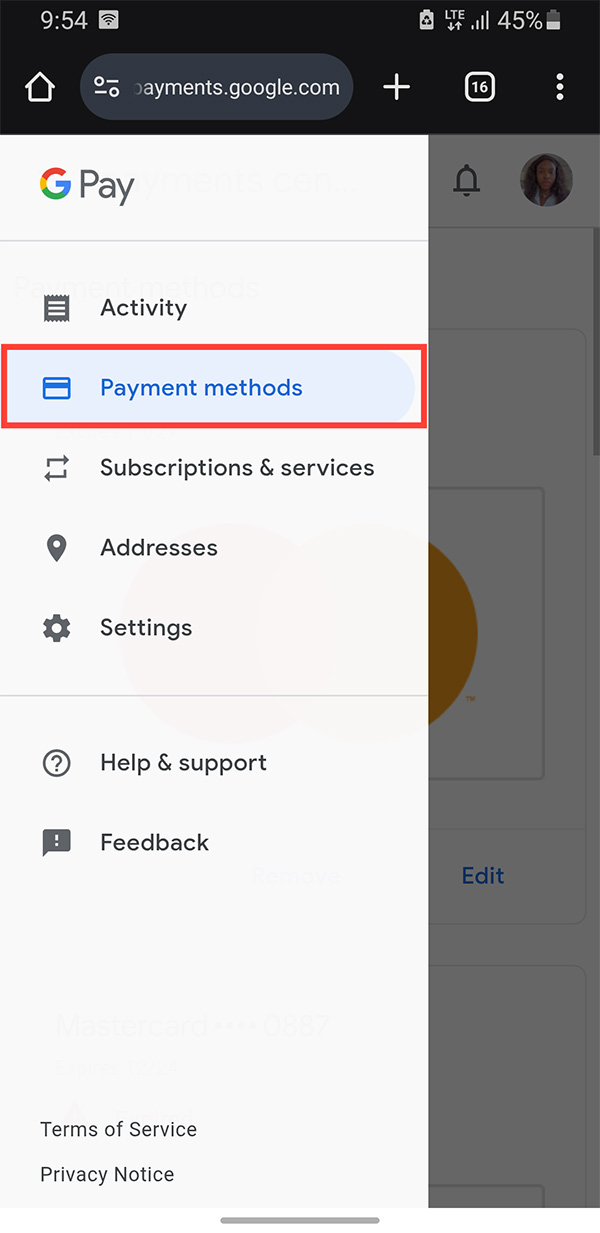
Step 3:
Now you will see the payment method available on Google Play. At the payment method you want to delete, we click the Remove button .
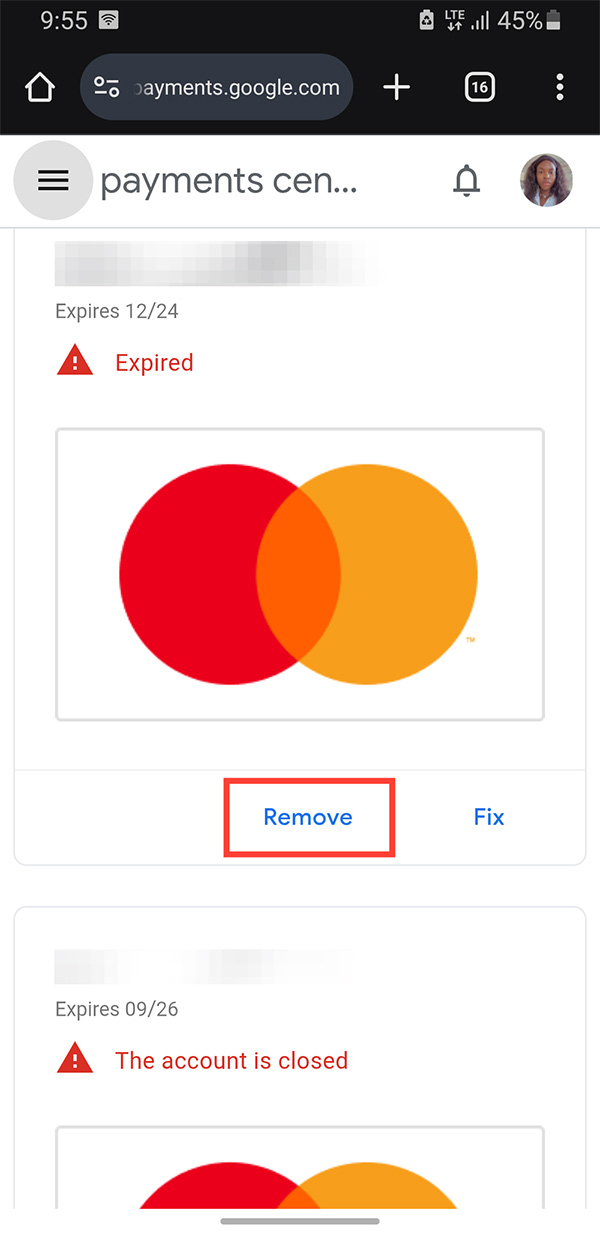
Step 4:
Finally you confirm the prompt and remove the payment method from your Google Play account and you are done.
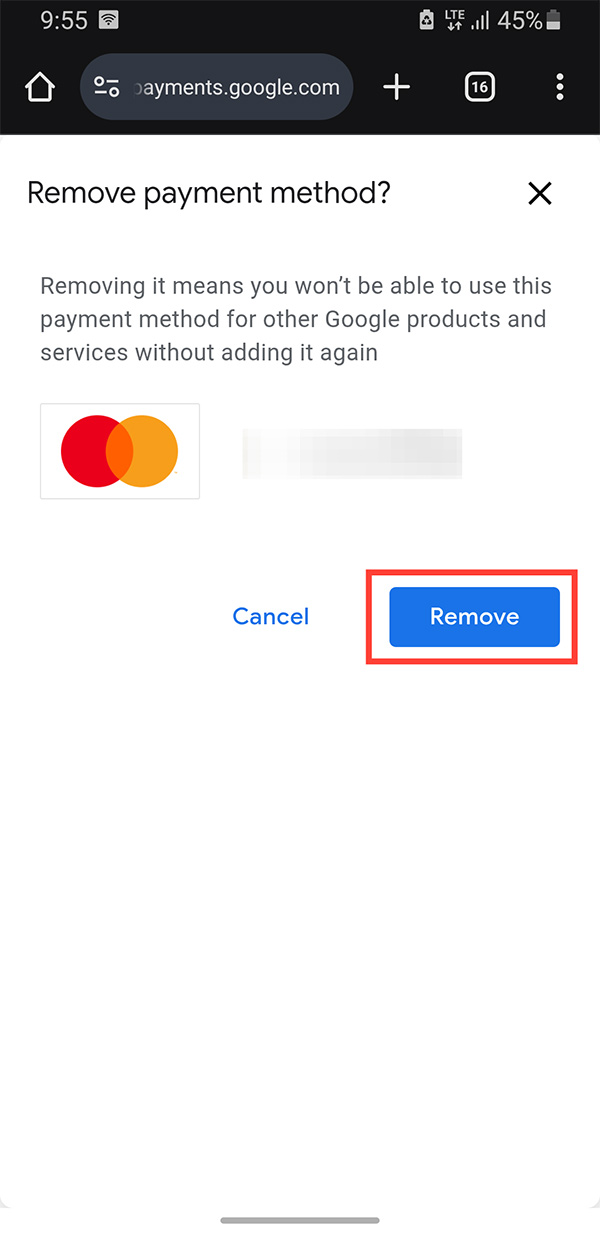
Google will no longer charge you using that payment method.
FAQ
How to remove a payment method from Google Play?
You access the Google Play website via the link below. Then you log in to your Google account as usual.
What does this guide cover?
This guide explains remove payment method from Google play, including the main steps, important details, and practical considerations.
Who is this guide for?
It is designed for readers who want a clear, practical overview and a reliable process they can follow without unnecessary complexity.
Related Articles
 Google Play Store Accepts Payment by Paypal3 minutes read
 Google Play Supports Payment in Vietnamese Currency3 minutes read
 How to Pay for Apps on Google Play with Mobifone Account7 minutes read
 Google Play Store Has Added a Payment Request Feature4 minutes read
 Google Pay Is Available on the Web and iOS2 minutes read
 Google Officially Launched Google Pay Payment Service to Replace Android Pay Globally3 minutes read
Reader Comments 0
Sign in with email or Google to join the discussion.