Table of Contents
Windows 10 Enterprise LTSC 2021 does not provide standard support through 2030. Its servicing endpoint is January 2027. Windows 10 IoT Enterprise LTSC 2021 has a different lifecycle extending to January 2032, but it is a separate product with its own licensing and intended uses. Changing registry labels does not turn a Home or Pro license into either edition.
Check the exact edition before making a plan
Windows 10 Home and Pro 22H2 reached standard end of support on October 14, 2025. A working PC does not stop booting at that point, but continued operation and ongoing security support are different things.
Run winver to identify the installed version, and check Settings > System > About for the edition. The TipsMake Windows utility collection includes a version checker to help interpret version information.
| Product | Published servicing endpoint | Key distinction |
|---|---|---|
| Windows 10 Home/Pro 22H2 | October 14, 2025 for standard support | Any continued ESU coverage must be checked separately. |
| Windows 10 Enterprise LTSC 2021 | January 2027 | Does not inherit the IoT edition's 2032 lifecycle. |
| Windows 10 IoT Enterprise LTSC 2021 | January 13, 2032 | Separate product; confirm legitimate entitlement and suitability. |
Microsoft's supported Windows versions table distinguishes the LTSC and IoT lifecycles. Check it again when planning a deployment, including any separately offered ESU arrangements.
What LTSC is—and what it is not
LTSC is a servicing option for systems that need a stable feature baseline. It is not a promise that every application, driver or accessory will remain supported for the operating system's entire lifecycle. Application vendors can set their own requirements.
Neither the absence of consumer apps nor a long support date proves that an edition is appropriate for a general-purpose home computer. Confirm licensing through an authorized channel. A key activating successfully does not by itself establish that the seller transferred a valid license.
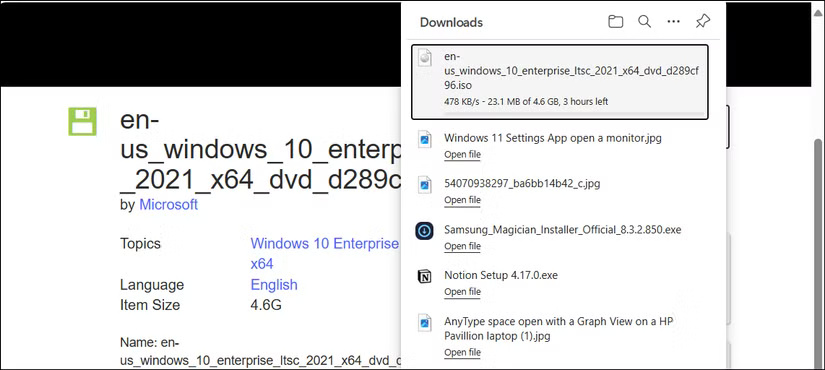
Installation media and evaluation downloads must be distinguished from a licensed production installation.
Why the registry conversion shortcut is unreliable
Editing values such as EditionID, ProductName or build numbers changes information reported to software. It does not create a supported migration path or legal entitlement. Incorrect build values can also mislead setup and troubleshooting tools.
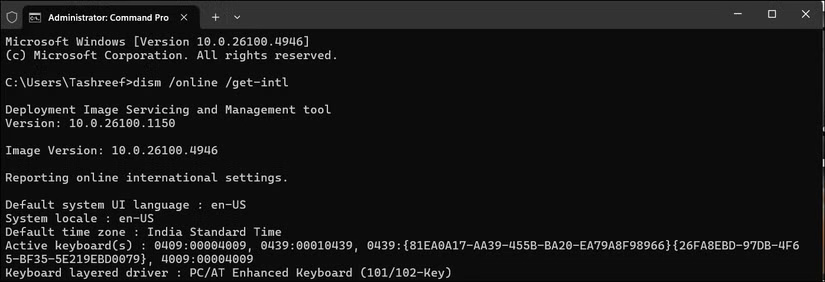
System-language information may matter during a supported deployment, but it does not establish edition-upgrade eligibility.
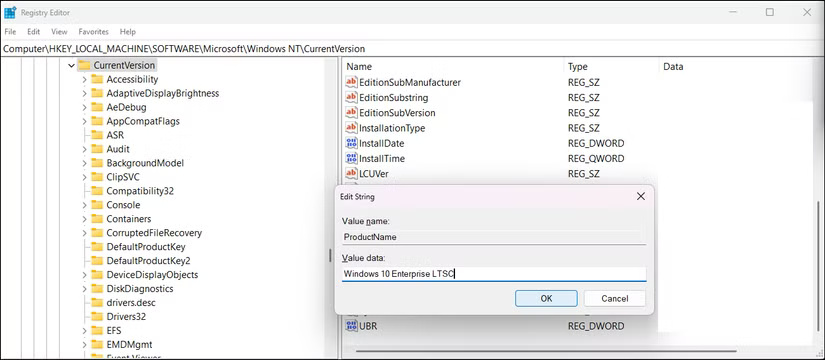
Registry Editor is not a licensing or support-extension tool.
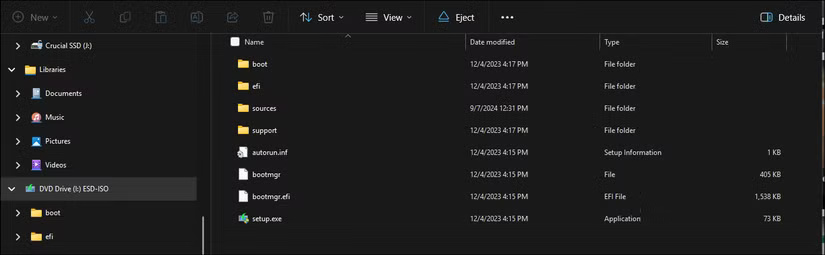
A restore point is not a substitute for a complete backup. Before any operating-system migration, verify that you can restore your files and recover the existing installation. Follow Microsoft's supported deployment documentation for the edition you are entitled to use.
Choose a supportable next step
- Eligible for Windows 11: verify hardware and application compatibility, back up, then use a supported upgrade route.
- Need Windows 10 temporarily: check current ESU eligibility, enrollment status and coverage dates for your actual edition and customer type. A prerequisite update alone does not enroll the device.
- Managing specialized equipment: work with the device vendor or licensing administrator before changing the operating system.
- Reusing an older personal PC: test a supported alternative against your applications and hardware.
Microsoft's ESU preparation guidance explains the distinction between installing prerequisites and enrollment. For other platforms, see Windows alternatives.
No edition or patch service guarantees that a PC is “safe until 2030.” A defensible plan includes valid licensing, updates that actually arrive, supported applications and a realistic migration date.






Reader Comments 0
Sign in with email or Google to join the discussion.