Table of Contents
Here's a detailed guide on how to get Candy Corn in Grow a Garden's Halloween update.
The Ghoul Garden update has officially brought a spooky atmosphere to Grow a Garden. The entire game lobby is covered in mysterious orange light, with countless free gifts and rewards waiting for players to explore.
That said, to get Halloween pets, rare seeds, or special decorations, you'll need to collect Candy Corn, a new currency that's only available during this event. Here's a step-by-step guide on how to earn Candy Corn in Grow a Garden's Halloween update.
Quick Summary
- Collect Candy Corn in Grow a Garden by filling the Witch's Cauldron or interacting with Jack-O-Lanterns.
- Use Candy Pops to purchase Halloween pets, special seeds, and event costumes in the Halloween shop.
- The Witch Pot and Pumpkin NPC rankings both have limited rewards that only appear during the Halloween season.
How to get Candy Corn in Grow a Garden
You can earn Candy Corn in two main ways during the Halloween event:
1. Witch's Cauldron Leaderboard
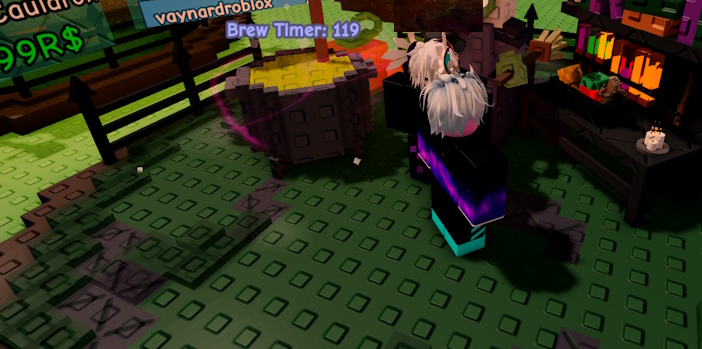
In the Ghoul Garden update, NPC Witches will appear in the center of the map. Players can donate random crops to the Witch Pot, and when the pot is filled to 100%, you will receive Candy Corn and other mysterious rewards.
Depending on your position on the Cauldron leaderboard, the amount of Candy Pops and rewards you receive will vary. There is also a chance to receive a Spooky Egg or other special gifts. After the reward is distributed, the Witch's Cauldron will go into a cooldown period before it can be refilled.
2. NPC Pumpkin Jack-O-Lantern
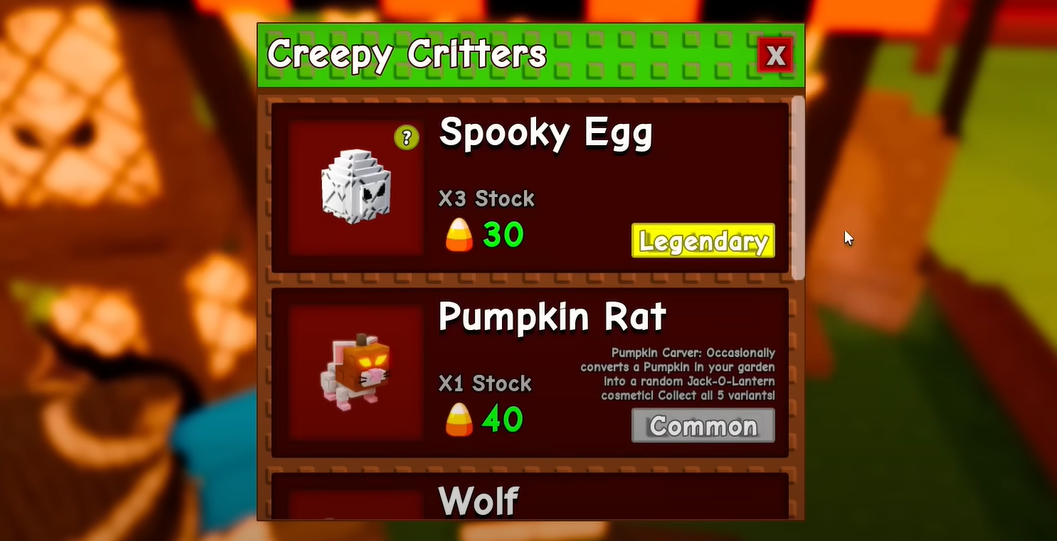
The second way to get Candy Corn is through the Pumpkin Jack-O-Lantern NPC. This NPC will appear every 2 hours, to the right of the Witch. When the Jack-O-Lantern appears, you can interact with it to receive exclusive rewards.
Pumpkin rewards are similar to Witch rewards, but there is a random chance of receiving one. Jack-O-Lanterns only last for 5 minutes, so be quick if you don't want to miss out.
How to use Candy Corn in Grow a Garden
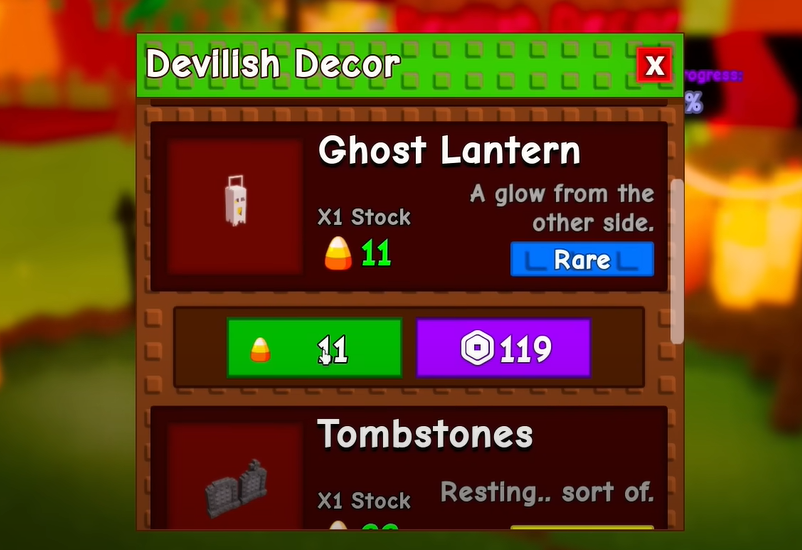
Once you collect enough Candy Pops, you can use them to purchase Halloween items in the Event Shop, including:
| Group | Items |
|---|---|
| Halloween Seeds | Bloodred Mushroom Seed, Jack-O-Lantern Seed, Ghoul Root Seed, Chicken Feed Seed, Seer Vine Seed, Poison Apple Seed, Banesberry Seed, Hexberry Seed |
| Special items | Pumpkin Crate, Spooky Egg, Skull Chain, Ghost Lantern, Tombstones, Casket |
| Halloween Pets | Pumpkin Rat, Ghost Bear, Wolf, Reaper |
Each item has its own unique 'spooky' style, making your garden spooky yet extremely attractive this festive season.
That's all there is to earning and using Candy Corn in Grow a Garden's Halloween event. Hurry in, fill up your Witch's Pot, and track down the mysterious Jack-O-Lantern to claim your rewards before the event ends!
So what about you - will you use Candy Corn to buy your first ghost pet, rare seed, or mystical decoration?
FAQ
How do you get candy corn in grow a garden's halloween event: step-by-step guide?
In practical terms, here's a detailed guide on how to get Candy Corn in Grow a Garden's Halloween update.
What should you check before getting started?
Review the requirements, compatible device or software version, and any warnings described in the guide before making changes.
What should you do if the steps do not work?
Repeat the steps in order, confirm that your app or system is up to date, and review the troubleshooting details provided above.
Related Articles
 'Mars Garden - Martian Gardens' Helps Scientists Find Ways to Grow Vegetables on Mars6 minutes read
 Can Pregnant Women Eat Corn?6 minutes read
 What Is a Corn Moon: Explained4 minutes read
 3 Rainmeter Effects Magically for Office People Computers on6 minutes read
 How to Get Seed Packets in Grow a Garden4 minutes read
 Unique and Impressive Halloween Cakes3 minutes read
Reader Comments 0
Sign in with email or Google to join the discussion.