Table of Contents
A Grow a Garden private server is a separate Roblox server that its owner can configure for invited players. It is useful when you want a quieter session, a controlled group of friends, or less competition and theft than in a public lobby. The safest option is to create one from the official game page or accept an invitation from someone you know.
This article does not publish an unverified list of public invitation links. A link can expire, be revoked, lead to an imitation experience, or be shared by an unknown person whose server rules you cannot verify.
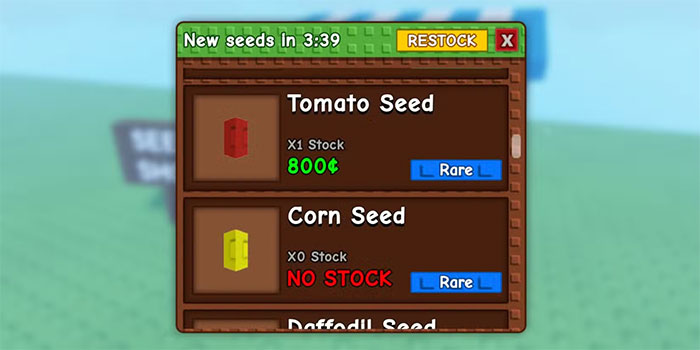
Open the official Grow a Garden page
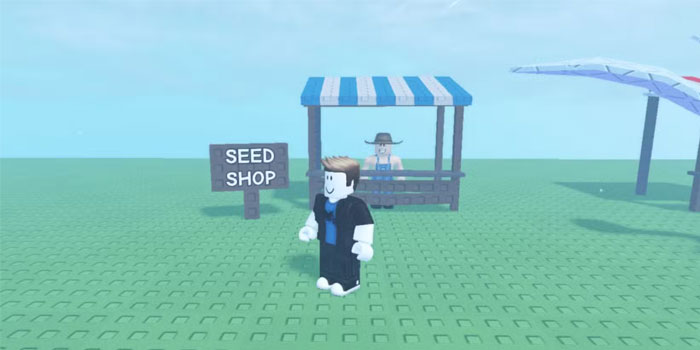
Use the official Grow a Garden page on Roblox and confirm the experience name and creator information before joining. Search results can include modified copies with similar thumbnails and titles.
How to join a private server
From the game page
- Sign in to Roblox and open the official Grow a Garden experience.
- Open the Servers section.
- Find a private server that has granted your account access.
- Select Join.
From an invitation link
- Accept a link only from a trusted person or an official community channel.
- Check that the destination uses the roblox.com domain. Do not sign in on a look-alike website.
- Allow the page to open the Roblox app when prompted.
- Confirm that the experience is the official Grow a Garden before joining.
A server may not appear later if the owner revokes access, regenerates the link, disables the server, or removes you from its allowed members.
How to create your own private server
- Open the official Grow a Garden page in a browser while signed in.
- Open the Servers section and find Private Servers.
- Select Create Private Server.
- Enter a clear server name and confirm the creation.
- Open the server's configuration to manage members and invitation access.
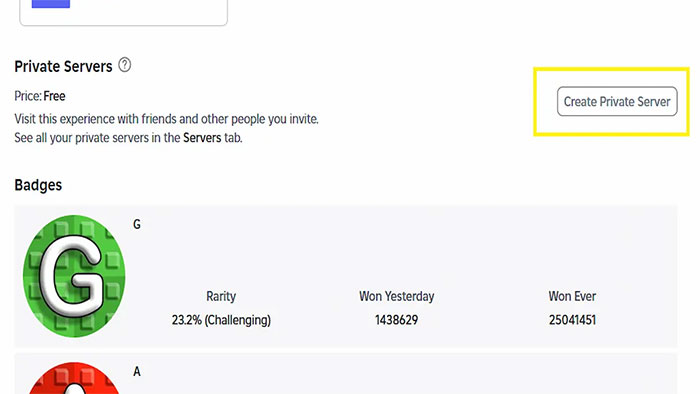
Grow a Garden currently offers private-server creation without a separate Robux charge, but Roblox experiences can change their price and server rules. The creation dialog shows the current cost before confirmation.
Invite friends safely
Use the server configuration to add permitted users or generate a share link. Send the link privately when the server is intended for a small group. If a public link is copied beyond the original group, regenerate it or restrict access.
- Do not post account passwords, authentication codes, cookies, or backup codes.
- Do not install browser extensions, scripts, or executors to join a server.
- Do not trust a page that asks for a “verification” trade or Robux payment outside Roblox.
- Review who can join after sharing the invitation in a large chat or community.
- Use Roblox's block and report tools for harassment, scams, or rule violations.
What changes on a private server?
| Aspect | What to expect |
|---|---|
| Other players | Access is controlled by the owner, so the group can be smaller and known |
| Competition and theft | Reduced when only trusted players join, but permissions do not replace agreed server rules |
| Garden progress | Your normal game data should load; a private server is not a separate save |
| Shops and events | Core systems remain, but stock, timers, event behavior, and updates follow current game rules |
| Rewards | Do not assume a private server increases rewards unless the current game explicitly says so |
A private server does not create unlimited seed stock or unlock premium items. It mainly changes who shares the session.
Manage or close a server
Return to the game's Servers section and open the private server's configuration. Depending on the current Roblox interface, the owner can change the name, manage members, control who may join, regenerate an invitation link, or disable the server. Regenerating a link invalidates an older share URL and is useful after an invitation has spread too widely.
If a private-server link does not work
- Make sure you are signed in to the intended Roblox account.
- Check that the link opens the official Grow a Garden experience.
- Ask the owner whether the server is active and your account is allowed.
- Request a new link if the owner regenerated the invitation.
- Update and restart the Roblox app if the browser cannot hand off the join request.
- On a child or managed account, review the applicable privacy and parental-control settings.
For a dependable long-term server, create your own and invite known players. Public link lists age quickly and offer less control over access, conduct, and safety.
Related Articles
 All the gear in Grow a Garden 2 and their effects - Gear4 minutes read
 How to make money quickly in Grow a Garden 23 minutes read
 How to Get Seed Packets in Grow a Garden4 minutes read
 Grow a Garden 2 Tips and Tricks for Beginners6 minutes read
 Comparing Grow a Garden 2 and Grow a Garden3 minutes read
 List of All Weather Types in Grow a Garden10 minutes read
Reader Comments 0
Sign in with email or Google to join the discussion.