Table of Contents
To redeem a King Legacy code, open Menu > Shop in the Roblox game, scroll to Enter Code, and select Redeem. Recent codes have offered Gems, double experience, keys, and stat resets.
Recently reported King Legacy codes
Beebom’s November 2026 roundup lists these codes and rewards. The game may reject a code if it’s expired or already redeemed.
| Code | Reported reward |
|---|---|
4BVISITS | 40 Gems |
MOBILEFIXED | 3 Chronicles Lore |
HALLOWEENRESET | Stat refund |
TRADE8SLOTS | 100,000 in-game cash |
PITYSYSTEM | 5 Copper Keys |
LEGACYISLAND | Double EXP for 20 minutes |
MYTHICALDRAGON | 2 Iron Keys |
Redeem a code in the in-game Shop
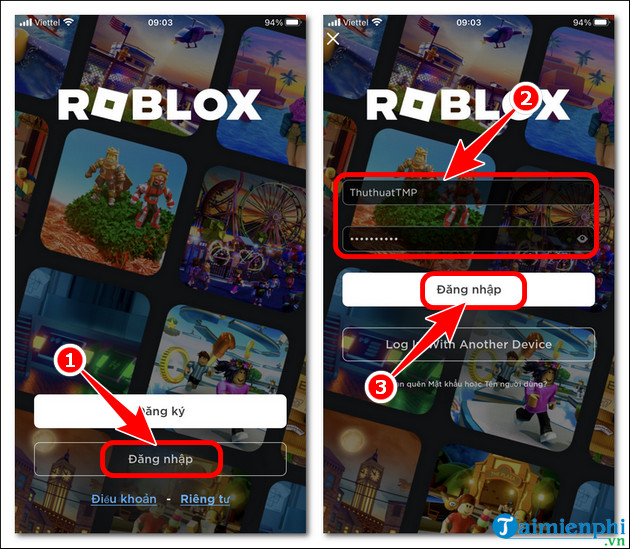
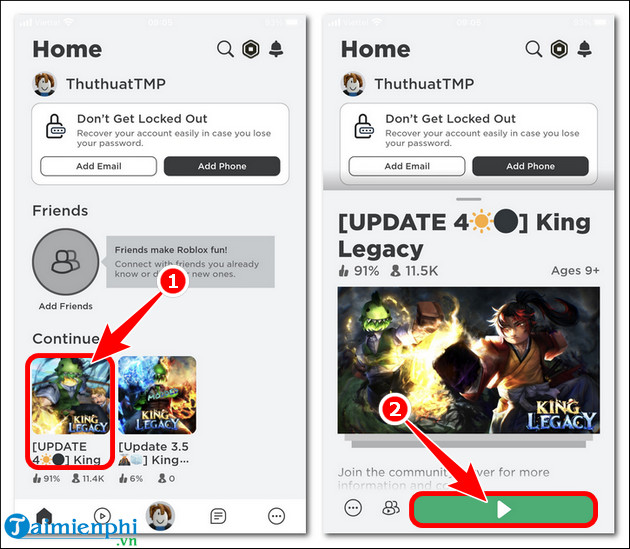
- Sign in through Roblox and launch the official King Legacy experience.
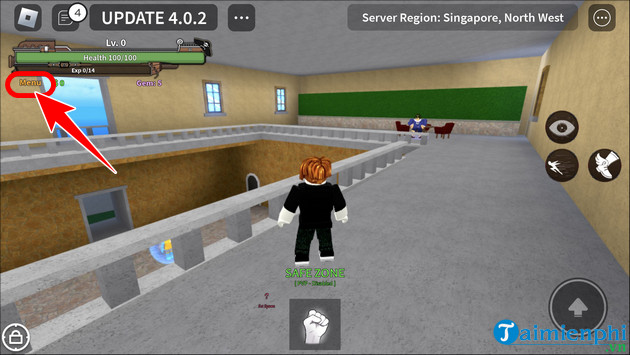
- Open Menu near the health bar.
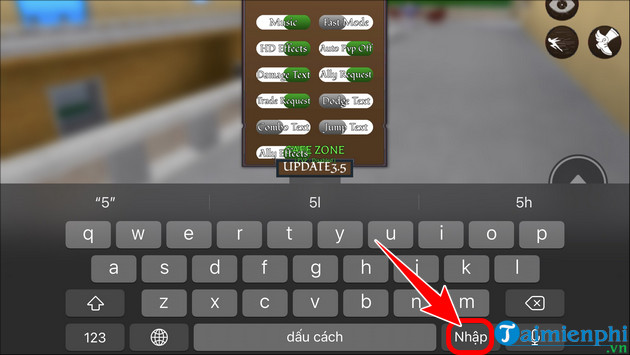
- Tap the Shop icon and scroll to the code box at the bottom. Older screenshots show the previous Settings route.
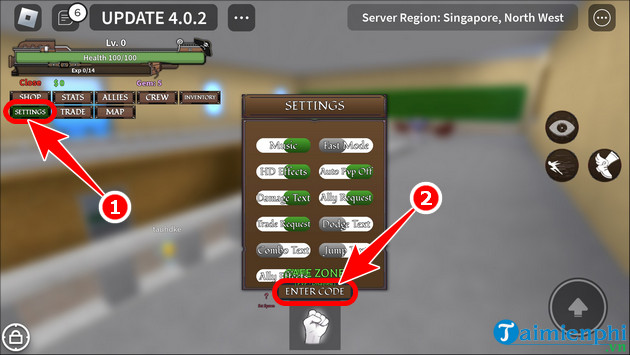
- Enter the code exactly as listed and tap Redeem. Watch for the confirmation and check the relevant inventory or balance.
If your code doesn’t work
Check capitalization and remove any extra spaces. If an older code such as 1MLikes or Update4.6YAY is rejected, it may have expired. Look for new releases on the official experience page and developer channels linked there. Only enter codes in the game, and never share your account credentials with a code site.





Reader Comments 0
Sign in with email or Google to join the discussion.